Participant
Sep 14, 2026 5:13 AM UTC
Answered

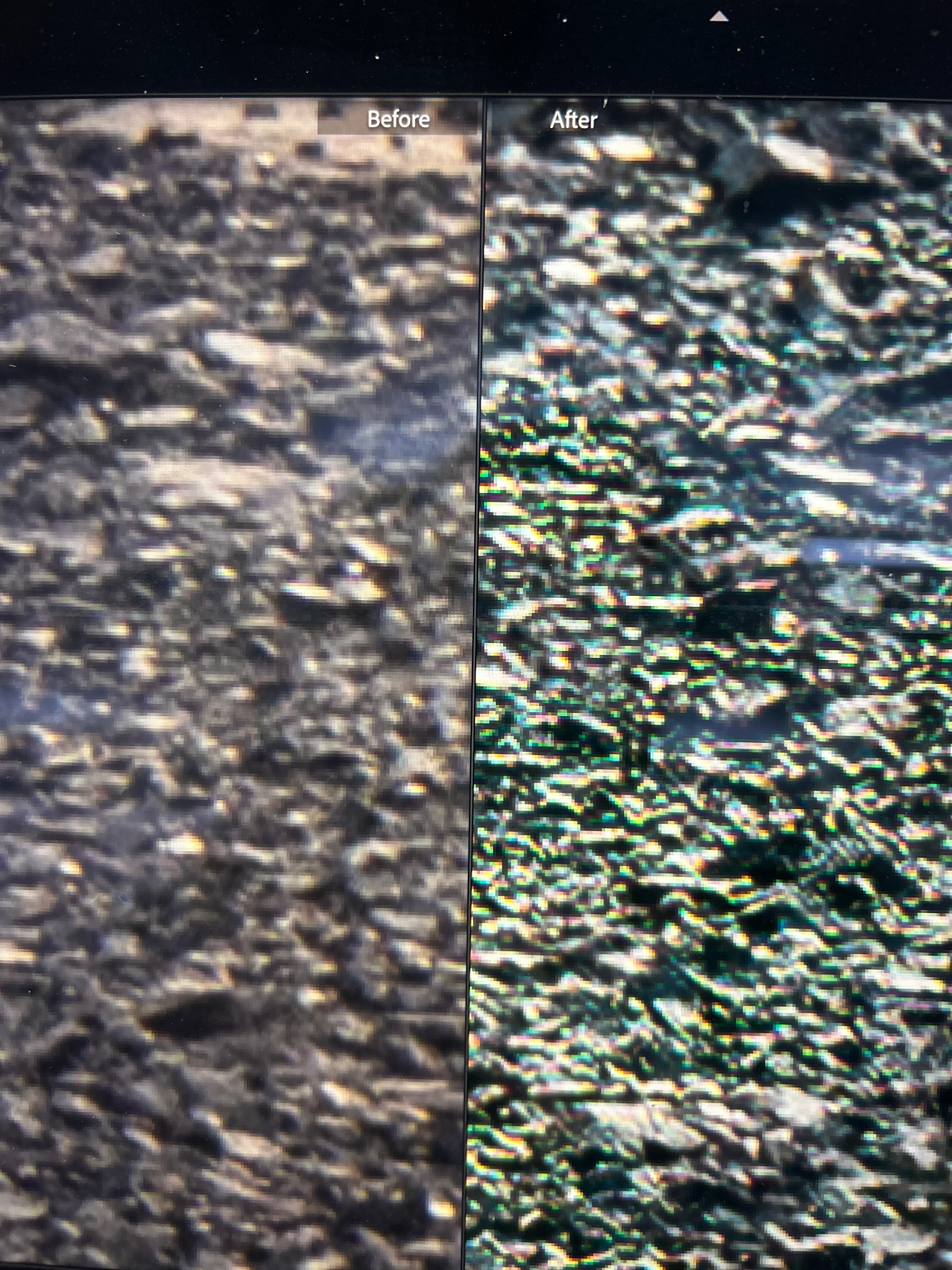
After applying ai denoise, a patch of rocks in my picture turns green


    AxelMattCorrect answer
    Community Expert
    Sep 14, 2026 6:30 AM UTC

    Check if you have enabled showing clipping warnings.

    Use the shortcut J to toggle clipping warnings between on and off.


    My System: Intel i7-8700K - 64GB RAM - NVidia Geforce RTX 3060 - Windows 11 Pro 26H2 -- LR-Classic 16 - Photoshop 28 - Nik Collection 9 - PureRAW 6 - Topaz Photo AI

    2 replies

    AxelMattCommunity ExpertCorrect answer
    Community Expert
    Sep 14, 2026 6:30 AM UTC

    Check if you have enabled showing clipping warnings.

    Use the shortcut J to toggle clipping warnings between on and off.


    Translate
    My System: Intel i7-8700K - 64GB RAM - NVidia Geforce RTX 3060 - Windows 11 Pro 26H2 -- LR-Classic 16 - Photoshop 28 - Nik Collection 9 - PureRAW 6 - Topaz Photo AI
    dj_paige
    Legend
    Sep 14, 2026 11:16 AM UTC

    If the advice above from ​@AxelMatt doesn’t solve the problem, please share this RAW image on DropBox or similar cloud sharing service, and then provide us with the link to the photo.

    Translate