


Question
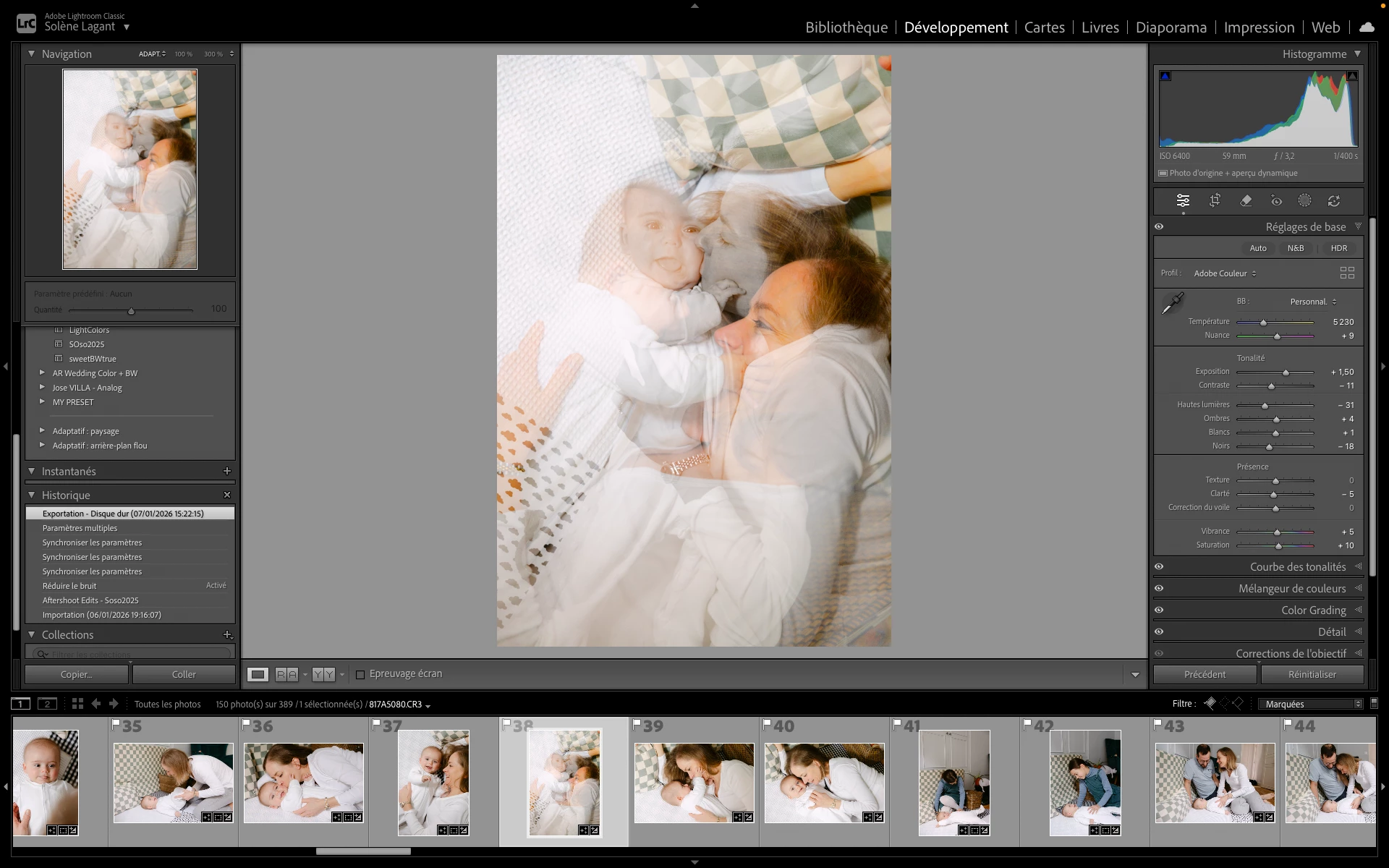
After synchronizing severe visual corruption : Two images overlap.
Lightroom Classic 15.0 – Mac M1 – macOS Sequoia
After synchronizing settings across multiple photos, some images display severe visual corruption: parts of different photos appear superimposed on one image.
The issue:
- Appears both in Library and Develop modules
- Is triggered by syncing or copying settings
- Is not fixed by clearing previews, cache, disabling GPU, or deleting XMPs
- Files themselves are not corrupted
- Did not happen before upgrading to Lightroom Classic 15.0
System:
Mac M1
macOS Sequoia 15.x
Lightroom Classic 15.0
This makes synchronized editing unreliable and unusable in production workflows.
Is this a known Camera Raw / rendering issue in 15.0?
 AdChoices