
AI Denoise causes green artifacts in processed images
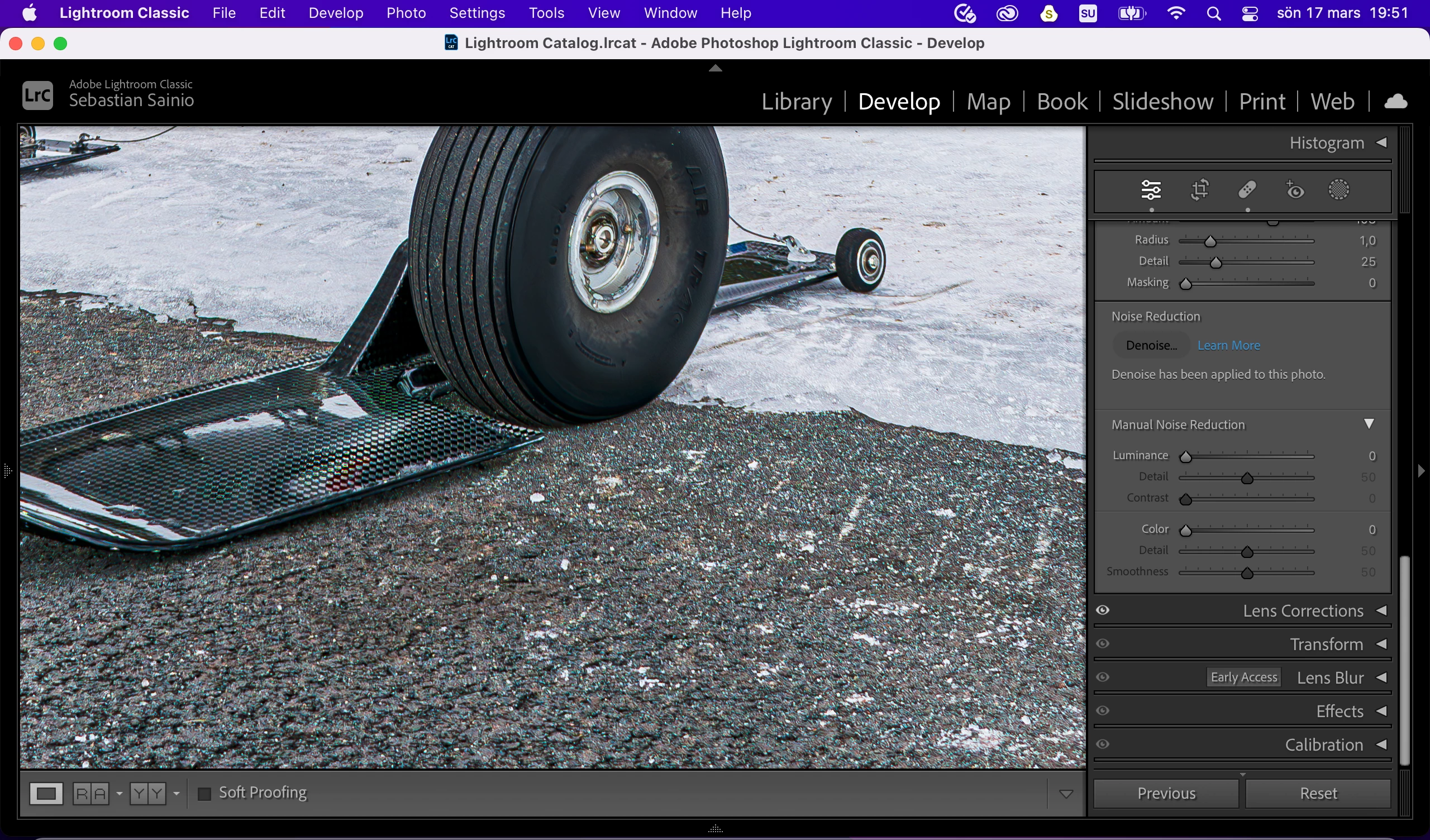
Hi! I’ve been using Lightroom for a couple months now and I recently noticed that on some images with bare tarmac the AI noise reduction causes wierd green artifacts or shifts some pixels green on textured surfaces in pictures.
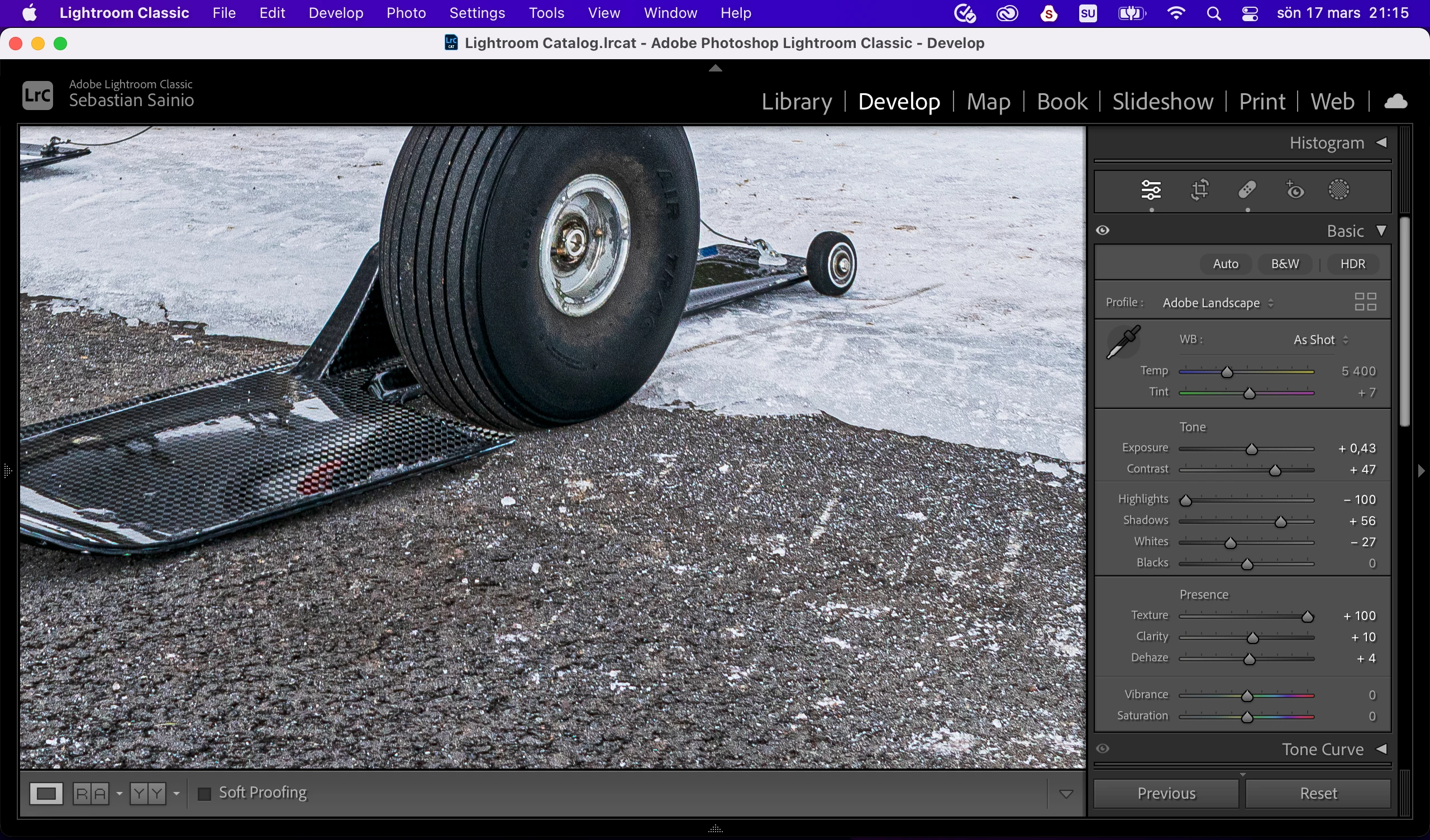
I added a couple screenshots of photos viewed at 100% magnification to show the difference between the RAW-file preview and the processed DNG-file. The green artifacts are visible in the jpeg copies from the DNG:s too.
Any idea what might be causing this? I’ve tried using a ”blank” photo with no processing added and I get the same green speckles in the Denoise processed DNG-file. Top photo: Processed DNG. Bottom photo: Preview of the RAW-file.
Here is the system info I copied from Lightroom Classic:
Lightroom Classic version: 13.2 [ 202402141005-bf1aeb84 ]
License: Creative Cloud
Language setting: en
Operating system: Mac OS 12
Version: 12.7.4 [21H1123]
Application architecture: arm64
Logical processor count: 8
Processor speed: NA
SqLite Version: 3.36.0
Built-in memory: 16 384,0 MB
Dedicated GPU memory used by Lightroom: 2 753,8MB / 10 922,6MB (25%)
Real memory available to Lightroom: 16 384,0 MB
Real memory used by Lightroom: 1 363,7 MB (8,3%)
Virtual memory used by Lightroom: 406 953,3 MB
Memory cache size: 109,0MB
Internal Camera Raw version: 16.2 [ 1763 ]
Maximum thread count used by Camera Raw: 5
Camera Raw SIMD optimization: SSE2
Camera Raw virtual memory: 325MB / 8191MB (3%)
Camera Raw real memory: 421MB / 16384MB (2%)
Cache1:
Preview1- RAM:78,0MB, VRAM:561,0MB, DSC_0103.NEF
NT- RAM:78,0MB, VRAM:561,0MB, Combined:639,0MB
Cache2:
final1- RAM:211,0MB, VRAM:0,0MB, DSC_0103.NEF
T- RAM:211,0MB, VRAM:0,0MB, Combined:211,0MB
Cache3:
m:109,0MB, n:77,1MB
U-main: 83,0MB
Standard Preview Size: 2560 pixels
Displays: 1) 2560x1600
Graphics Processor Info:
Metal: Apple M1
Init State: GPU for Export supported by default
User Preference: Auto
Application folder: /Applications/Adobe Lightroom Classic
Library Path: /Users/sebastian/Pictures/Lightroom/Lightroom Catalog.lrcat
Settings Folder: /Users/sebastian/Library/Application Support/Adobe/Lightroom
Installed Plugins:
1) AdobeStock
2) Aperture/iPhoto Importer Plug-in
3) DxO PhotoLab 6
4) DxO PhotoLab 6 Importer
5) Flickr
6) HDR Efex Pro 2
7) Nikon Tether Plugin
Config.lua flags: None
With best regards, Sebastian
 AdChoices