Participating Frequently
July 19, 2026
質問

AI Denoise creates rectangular artifacts in smooth skies

AI Denoise creates rectangular artifacts in smooth sky areas.

The artifacts are not limited to the Lightroom preview. They are permanently written into the generated DNG and remain visible in Photoshop and exported JPEG files.

The artifacts become much easier to see after increasing the Dehaze slider, but they are already present in the DNG.

I reproduced the issue with:

- Canon EOS R6 Mark II (CR3)
- Canon EOS R5 Mark II (CR3)
- iPhone 17 Pro Max (DNG)

The issue occurs in both Lightroom Classic and Lightroom Desktop.

Disabling GPU acceleration does not change the result.
System
Lightroom Classic 15.4.1
Camera Raw 18.4

Lightroom Desktop 9.4.1

macOS Tahoe 26.5.2

MacBook Pro 16"
Apple M4 Pro
48 GB RAM


Steps to reproduce
1. Open a RAW/DNG with a smooth blue sky.
2. Run AI Denoise with default settings.
3. Open the generated DNG.
4. Increase Dehaze to reveal the artifact more clearly.
5. Export as JPEG.
6. Open the DNG or JPEG in Photoshop.

The rectangular artifacts remain visible.

    返信数 4

    feinschdens作成者
    Participating Frequently
    July 22, 2026

    Unfortunately, I couldn’t upload the RAW files directly, so I’ve provided them via WeTransfer:

    https://we.tl/t-40UArdng3LwyBfTb

    The download link is valid for 3 days.

    Please let me know if you need any additional files or information.

    johnrellis
    Legend
    July 20, 2026

    You can attach files here, including raw files, up to 47 MB.

    feinschdens作成者
    Participating Frequently
    July 22, 2026

    Thank you for the information.
     

    Legend
    July 20, 2026

    @feinschdens 

    LrC 15.4.1/LrD 9.4.1 no longer generate an AI Denoised DNG, so this step

    3. Open the generated DNG.

    makes no sense.


    If willing, provide your example raw file for others to test.


    feinschdens作成者
    Participating Frequently
    July 20, 2026

    Thanks for your reply.

    I think there was a misunderstanding. My report is not about a generated DNG.

    The issue is simply this:

    • I open a RAW file.
    • I run AI Denoise.
    • After increasing the Dehaze slider, rectangular block artifacts become visible in smooth sky areas.
    • The artifacts are also present in Photoshop and in the exported JPEG, so they are not just a Lightroom preview issue.

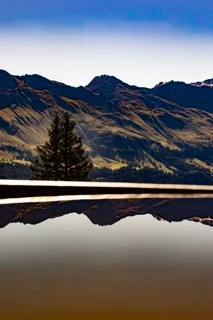
    I attached two JPEGs to the report: one without AI Denoise and one with AI Denoise. The block artifacts are visible in the denoised version.

    I can also upload the original RAW file if that helps reproduce the issue.

    feinschdens作成者
    Participating Frequently
    July 22, 2026

    I hope this helps

    kglad
    Community Expert
    Community Expert
    July 19, 2026

    @feinschdens 


    wrong forum.  use use https://www.adobe.com/products/wishform.html 

    feinschdens作成者
    Participating Frequently
    July 20, 2026

    Thanks for your reply.

    Sorry, could you clarify what you mean by "wrong forum"?

    I thought this was the Lightroom Classic bug reporting forum. Are you suggesting that this issue should be reported through the Adobe Wishform instead? If so, could you explain why?