

はまぐち
Participating Frequently
June 20, 2026
Question

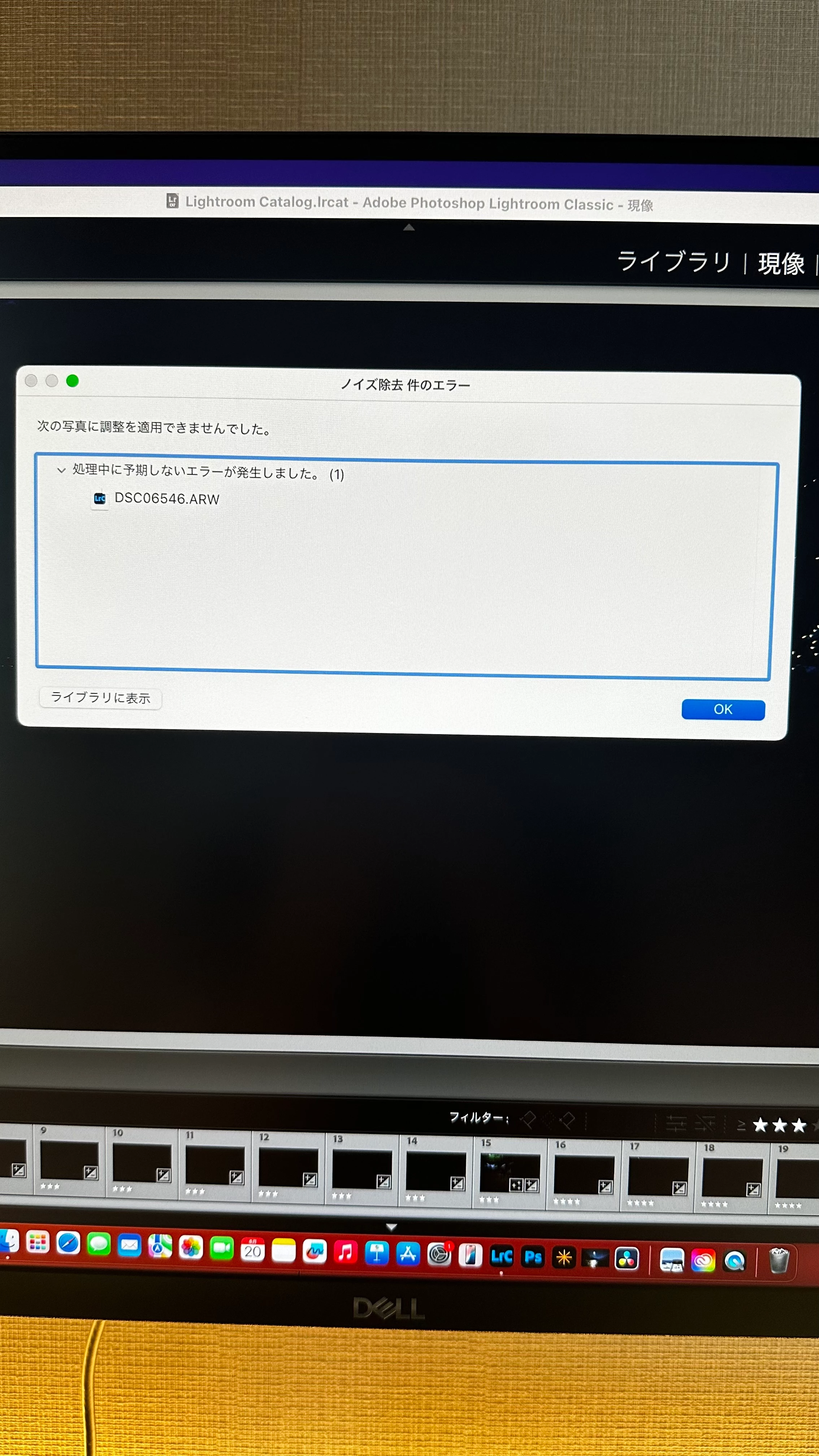
AI Denoise fails with "Unexpected error occurred while processing (1)"

  • June 20, 2026
  • 3 replies
  • 295 views

Environment

- MacBook Air M4
- macOS 15.7.3
- Lightroom Classic 15.3.1

Issue

AI Denoise fails immediately with the following error:

"Unexpected error occurred while processing (1)"

What I have tested

- The issue occurs with multiple RAW files
- Mac has been restarted
- Rolled back Lightroom Classic from 15.3.1 to 15.3 (same result)
- AI Masking works normally
- Enhance Details works normally
- Super Resolution works normally
- Previously generated Denoise DNG files open and edit correctly
- Only AI Denoise fails

Additional information

AI Denoise was working normally yesterday. This issue first appeared after updating today.

Has anyone experienced the same issue or found a solution?

Thank you.
 

    3 replies

    tgweber
    Inspiring
    June 20, 2026

    Perhaps this might be a workaround.

    I am on a M4 Mac mini, running OS 26.5. I unfortunately updated PS and CameraRaw today, but could not find LrC 15.4. So, I went back to editing in LrC 15.3.1, and Denoise stopped working.

    In trying to fix the issue, I notice there was a CameraRaw folder in my ...

    /Library/Application Support/Adobe

    ... folder, so I pull it out onto my Desktop and restarted LrC.


    Denoise was started working again!

    Hope this might be of some help.

    Adobe Employee
    June 20, 2026

    Updating to latest LrC version 15.4 would most likely solve the issue.

    はまぐち
    Participating Frequently
    June 20, 2026

    Thank you.

    I am currently using Lightroom Classic 15.3.1 and Camera Raw 18.4.0.2608.

    However, Lightroom Classic 15.4 is not yet available in my Creative Cloud app.

    Is there any way to access 15.4 now, or should I wait for the rollout?

    (ありがとうございます。
    現在 Lightroom Classic 15.3.1 と Camera Raw 18.4.0.2608 を使用しています。
    ただし Creative Cloud にはまだ Lightroom Classic 15.4 が表示されません。
    15.4を今入手する方法はありますか?それとも配信を待つ必要がありますか?)

    Adobe Employee
    June 20, 2026
    SPBaldwin
    Participant
    June 21, 2026

    Not really helpful - would appreciate the HOW as opposed to the WHAT I need to do. 

    JohanElzenga
    Community Expert
    Community Expert
    June 21, 2026

    The link in some another answer here is not correct, you need camera raw 18.3, not 18.5 (which does not exist yet). Try this: download Camera Raw 18.3 from here (Mac) - https://download.adobe.com/pub/adobe/photoshop/cameraraw/mac/18.x/CameraRaw_18_3.dmg

    Run the installer and DO NOT update in Creative Cloud - make sure auto updates are turned off before you start.

    -- Johan W. Elzenga