



Question
AI features (generative remove, denoise) completely change white balance
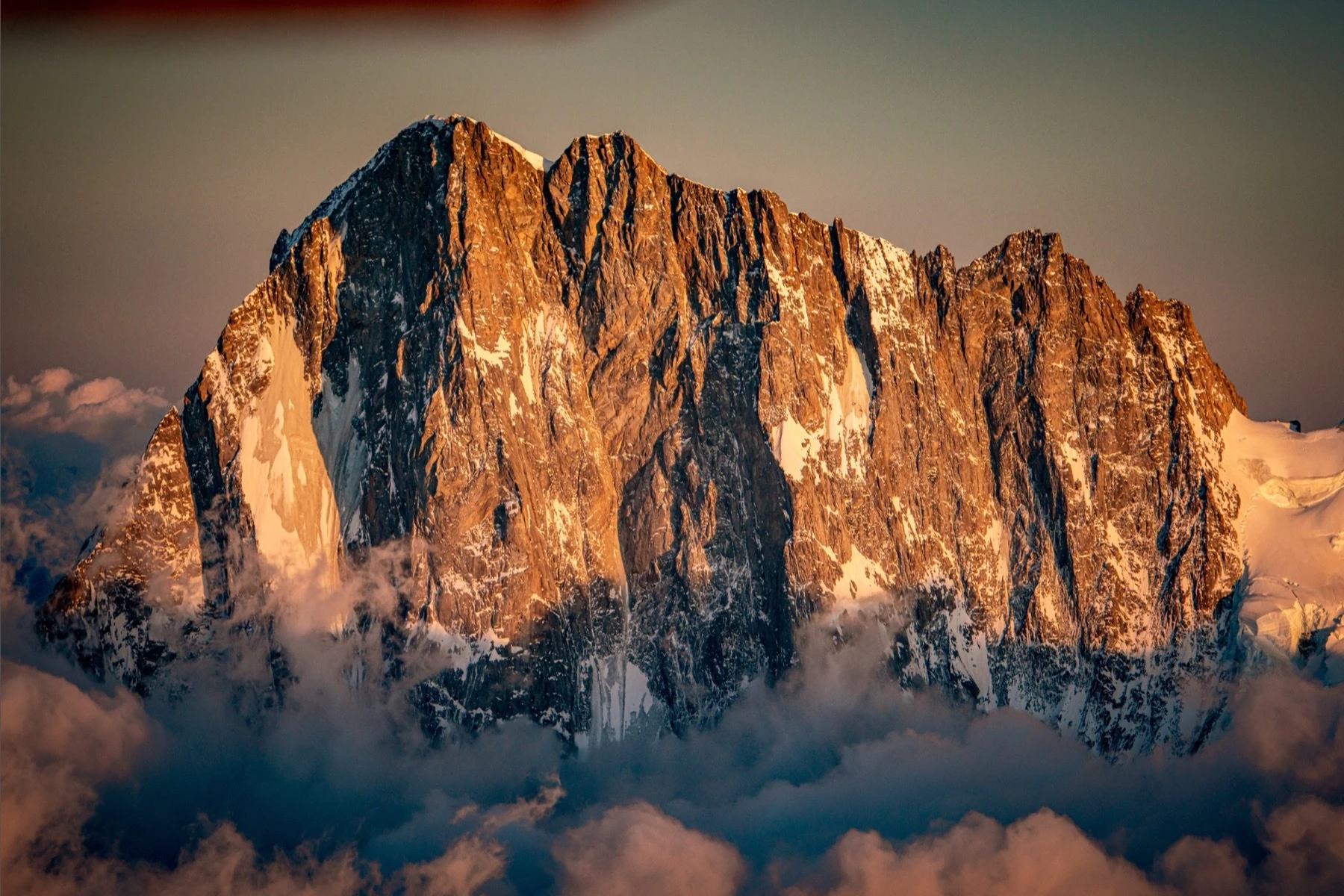
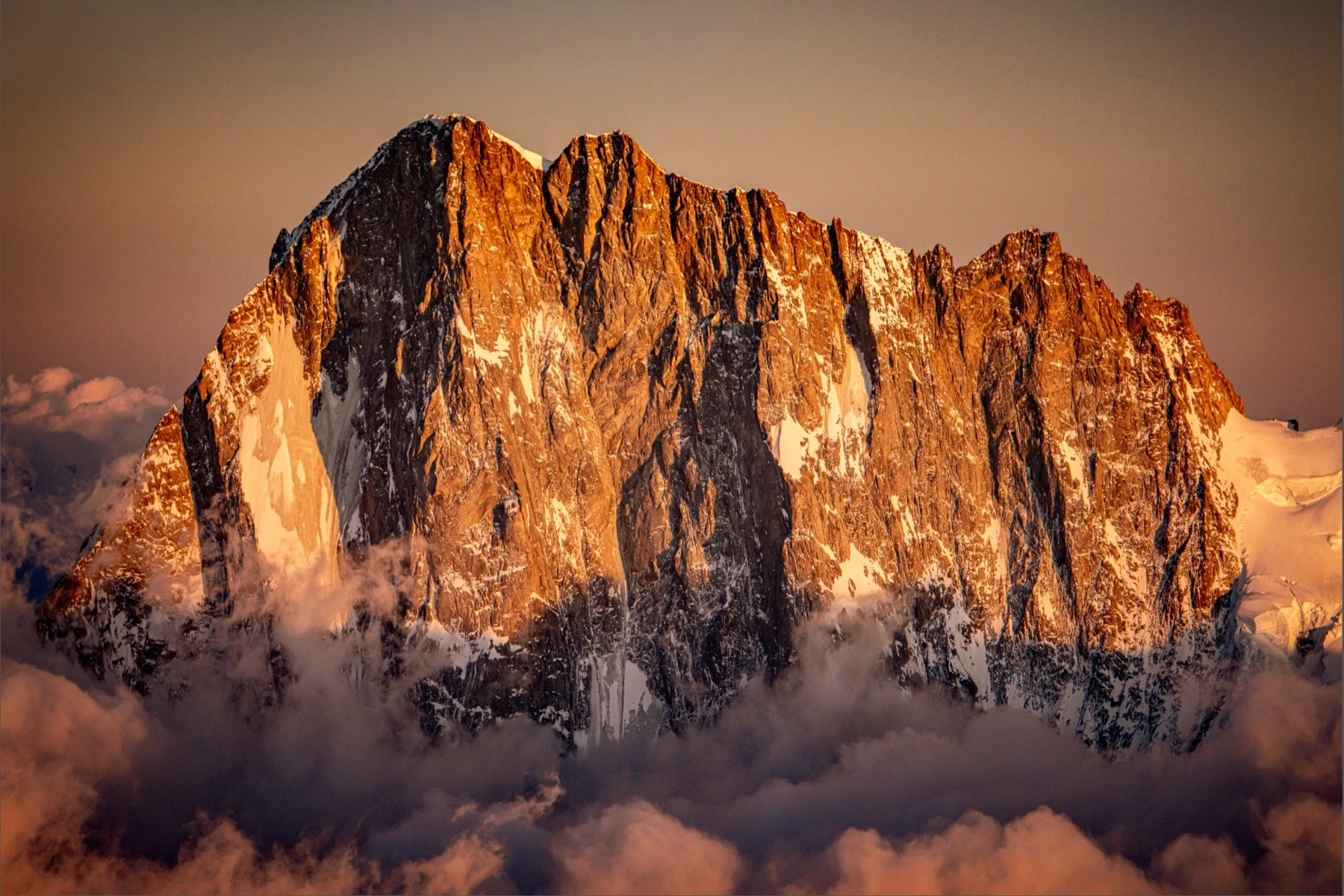
I am working on an old file from a Nikon D810, and when I use either AI Denoise or Generative Remove, the white balance changes starkly over the whole image. See screenshots below, the only change is that I did a generative remove of the top left blurry section. The same happens with Denoise, though not with Super Resolution. When I try to modify the white balance, it has a clear threshold where adding a single digit to e.g. the tint completely changes the image.
This is on Lightroom Classic 15.3.1 on macOS on Apple Silicon. I reimported the image to a clean catalog in case the AI info had somehow been corrupted, but the issue persisted.
 AdChoices