


December 1, 2025
Question

AI Generative Remove Tool Disappears/Not Saving

  • December 1, 2025
  • 2 replies
  • 268 views

Hi, @Aleke, or anyone, need help!


Running into a reocurring issue with a recent shoot of mine, I've called ADOBE on three separate occasions, I've walked with them through the process, shared my screen, tried troubleshooting found here- nothing seems to be working. I will work tirelessly on one photo to match my preference, then work on a few more, only to return to that photo's AI removed pieces returning with these symbols [view attached]. This issue is very disheartening after a lot of hard work- is this shoot corrupted? I've never had this issue before, please help.
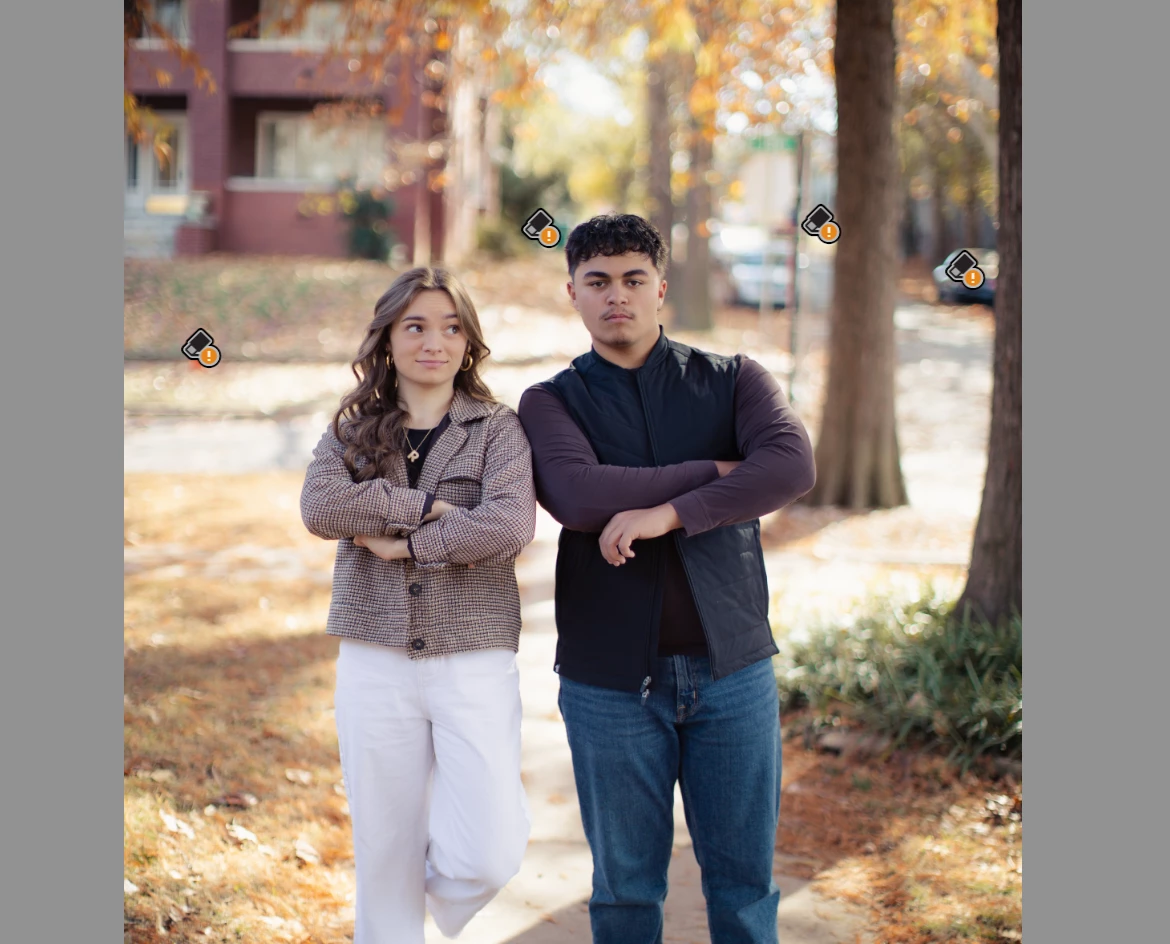
Screenshot 2025-12-01 at 12.21.24 AM.png

2 replies

JohanElzenga
Community Expert
Community Expert
December 1, 2025

Lightroom Classic stores AI masks, AI remove and other stuff like that in 'catalogname.lrcat-data'. Sometimes that package gets corrupted, or the permissions get faulted up, so Lightroom can't write to it anymore. It looks like this is your issue. What you can try is removing this package from the catalog folder, so Lightroom will rebuild it. It does mean you'll have to update all AI settings for all your photos, but then things should be back to normal and your removals should 'stick'.


-- Johan W. Elzenga
December 2, 2025

Hi, thank you for your response,

How exactly would I go about removing it? Do you have any steps for this?


JohanElzenga
Community Expert
Community Expert
December 2, 2025

Using the MacOS Finder, just drag it out of the Lightroom Classic catalog folder to your desktop or to some other folder...


-- Johan W. Elzenga
Community Expert
December 1, 2025

Please describe more detailed what's exact the issue. In you screenshot I don't see what's going wrong.

Please provide also a copy of your 'System Info'. This can be get from the LrC Help > System Info menu item. There's a copy button in the System Info dialog. Press this button and paste the info into your next forum post.


My System: Intel i7-8700K - 64GB RAM - NVidia Geforce RTX 3060 - Windows 11 Pro 25H2 -- LR-Classic 15 - Photoshop 27 - Nik Collection 9 - PureRAW 6 - Topaz Photo AI