


AI mask screwing up image color for some reason with the last update
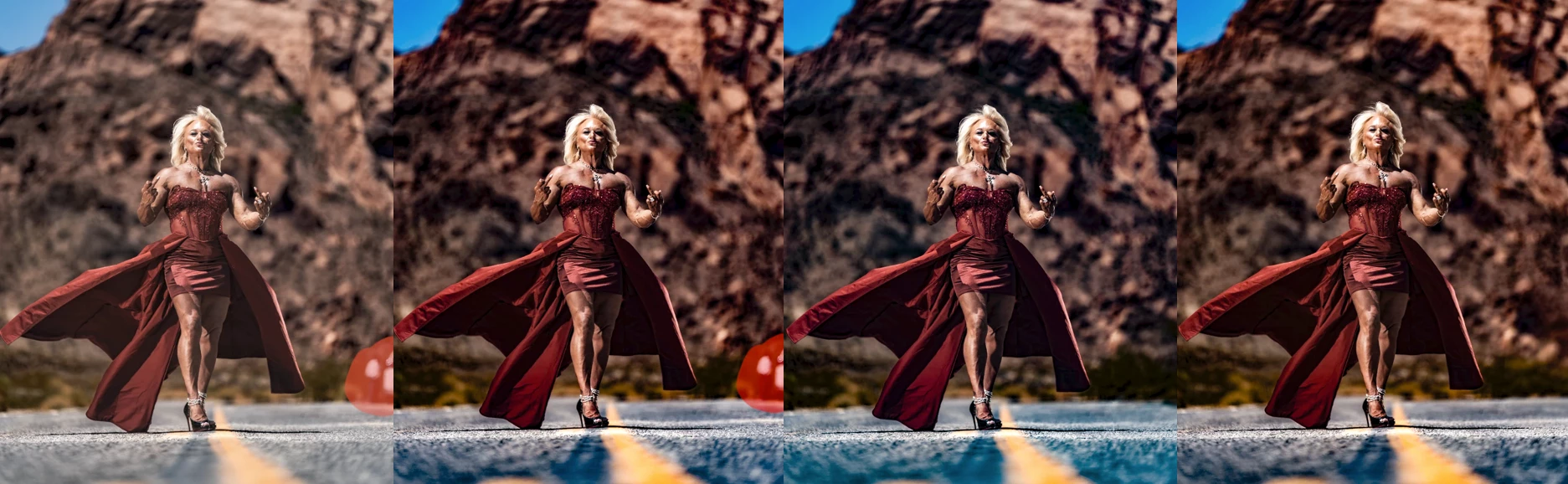
Why is the AI removal in lightroom classic now screwing up the color across the entire photo when clicking remove now? This is only just now happening after I just updated to the most recent update.
Before it worked just perfectly fine, removed and replaced things without ruining the image color.
Now it changes the entire image. This is unusable now and I can’t find any new option or reason it would do this.
To update…...it appears to screw up any background masks that are created. regardless if turning them off or not before doing removal.
This is 100% a bug, because I’ve removed things using this exact same process the last time I used this before the update and it does not bug the mask. It for some reason is baking color into the background mask that does not exist, making it Extremely cold temperature.
I tried doing a brand new background mask after the removal, and it is getting a completely different result of the first one before it was messed up with the removal. Almost like it needs 20x the strength on each setting to match it.
Clone stamp is doing the exact same issue.
can see here is where I started. and then what it does after removal or clone stamp or heal brush.


 AdChoices