Participating Frequently
May 7, 2024
Answered

AI Noise Reduction not working Lightroom Classic

  • May 7, 2024
  • 5 replies
  • 8290 views

Hello everyone,

I'm encountering a significant issue with Lightroom Classic that I hope someone here might be able to help me with. I shot a series of RAW photos and began editing them, utilizing AI noise reduction on some. However, I haven't finished editing all the photos yet, and when I returned to the project after about two weeks, I found that I could no longer use the noise reduction function. Even reverting the photos that had already the noise reduction back to their original versions didn't solve the problem (I thought the new photos might have had import issues, so I tried reverting an older one to see if I could at least apply it). I haven't made any changes to the settings, and I've also freed up a considerable amount of space on my computer. Despite this, the issue persists.

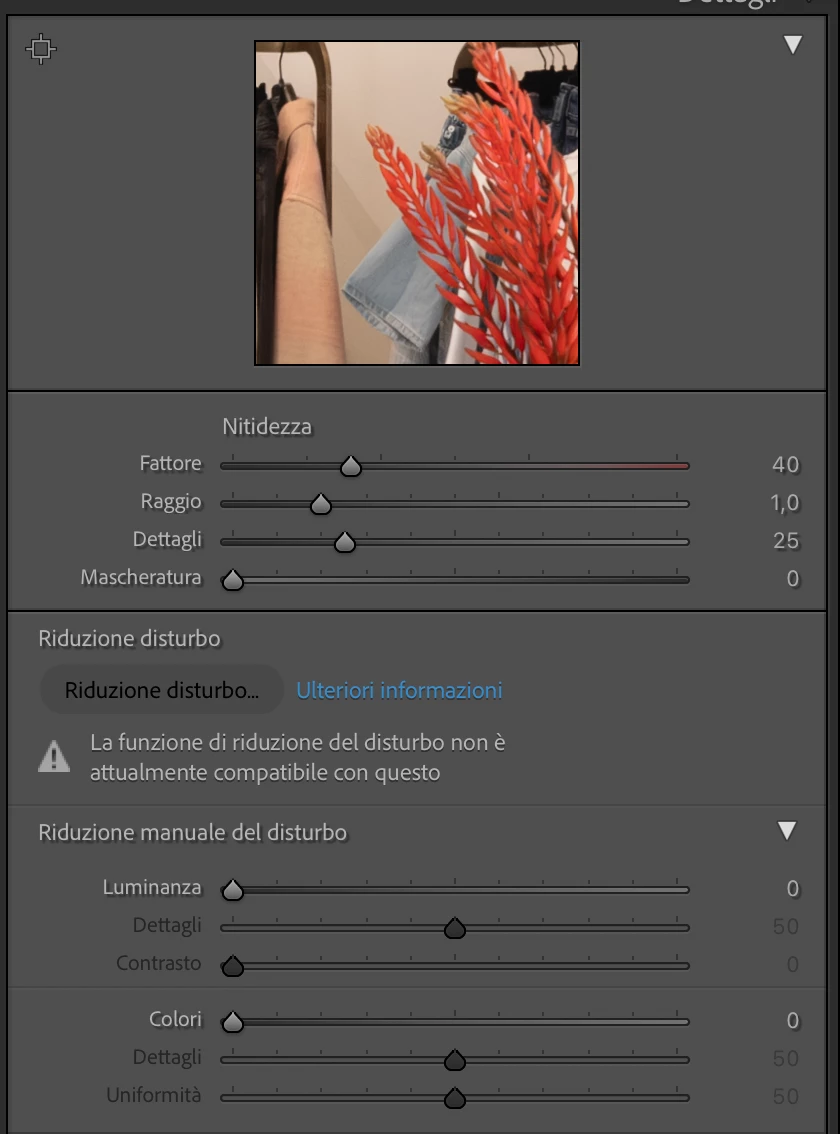
I'm attaching the error message that Lightroom displays for reference. If anyone has encountered a similar problem or has any suggestions on how to resolve it, I would greatly appreciate your help. This function is essential for my work, so finding a solution is urgent.

Thank you all in advance for your assistance

Correct answer D Fosse


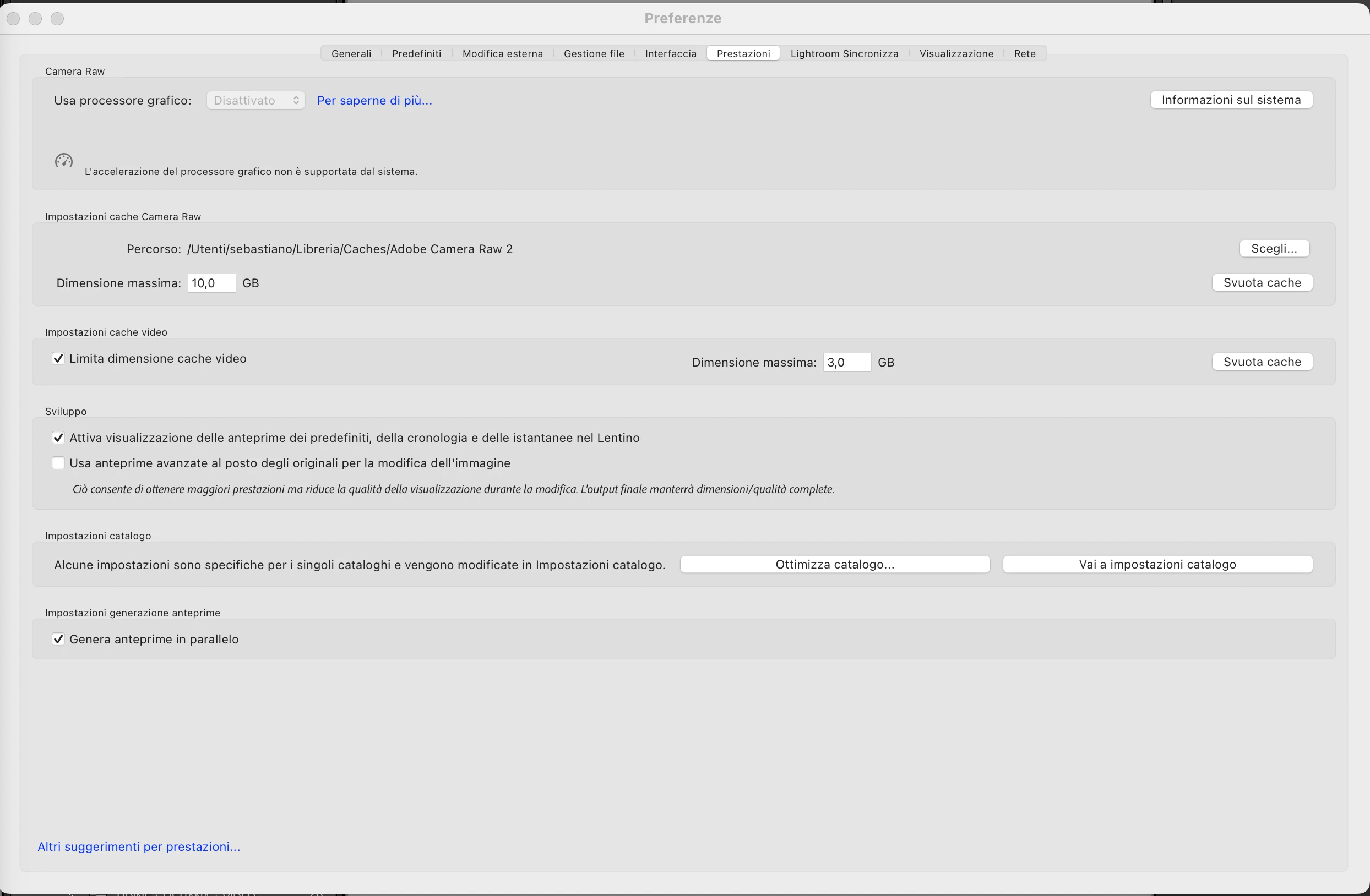
thank you everyone for keep helping me, this is what i have (screen)

but the problem is that i'haven't changed any setting on lightroom or on the camera since i've started editing, i've also deleted stuff and now i have 200GB of free space in my computer, i also deleted old stuff from lightroom 

maybe i have to make or find a way to make rhe RAW file lighter? btw Yes they are from a Fuji so they are RAF i don't know if it may be a problem


https://helpx.adobe.com/camera-raw/kb/acr-gpu-faq.html 


Scroll down to section 6, "Check for and Delete TempDisableGPU3 or TempDisableGPU2 Files"


If ACR/LrC crashes in the GPU, it leaves behind a log file that prevents the GPU from starting up next time. Deleting this file lets it initialize again.

5 replies

Participant
February 10, 2025

Yeap having the same problem 

øyvindd84274811
Participant
August 10, 2024

I have the same problem. I have edit half of my photes in a serie. When I should continue with the rest of the serie, Noise Reduction did not work. And it does not work on other RAW files in series where it worked before. Something must have happend with the LrC on my iMac. On my iMac Air all is working. 

Participant
September 18, 2024

Hi everyone, just checking in to see if you ever had you question answered? I had the same problem tonight but I created more space on the ssd that the original images were on and the denoise worked for me. 

Participating Frequently
May 9, 2024


here you can what you mean. If I restore a photo that had noise reduction applied and then try to reapply it, it's not possible.

D Fosse
Community Expert
Community Expert
May 9, 2024
quote If I restore a photo that had noise reduction applied and then try to reapply it, it's not possible.

By @Duca34648252z5zl


You're missing the point. You cannot "restore" a raw file that has had Denoise applied. It's a new and separate file, not the same file as your original raw. You cannot go back, you need to leave this file and go to the other, original file. You can remove the Develop settings, but it's still a new DNG separate from the original raw file.


What you're showing here is two instances of the new denoised DNG. You cannot denoise that a second time. This is now a demosaiced three-channel RGB linear DNG. Denoise doesn't work on this type of file.


Participating Frequently
May 9, 2024

I understand now. Even when I import new untouched RAF files, I still can't use the function. Perhaps I didn't explain it well enough initially. Look here: new untouched photos, there are no DNG files, only RAF, and still, I can't use it.

D Fosse
Community Expert
Community Expert
May 7, 2024

Denoise produces a new and separate file, a demosaiced RGB (three-channel) DNG.


Denoise will only work on mosaic raw files (single channel Bayer/x-trans encoded) files directly from the camera sensor.


It looks like you're trying to use denoise on demosaiced RGB files. That won't work. The same goes for Super Resolution and panos by the way, these tools also produce demosaiced RGB files that won't work in Denoise.  And rendered RGB files from Photoshop. It has to be raw files directly off the camera.

Participating Frequently
May 9, 2024

I've only uploaded RAW files; I haven't included any JPGs. As I mentioned earlier, the problem is that I shot everything with the same camera, and it's precisely that before I could use it, and now, after a few weeks, it's no longer usable... I haven't changed any settings, and if by chance I try to open the RAW file in Photoshop's Camera Raw, then I can apply it there... It seems like this Lightroom option has been put into "maintenance."

Participant
February 21, 2025

I am having the same issue. Sometimes AI noise reduction works and somtimes it does not. Most of the time it does not work!  I shoot stricktly RAW files directly from my Nikon D500. When the AI noise reduction feature first came out, it worked on most of the images that I uploaded to Lightroom Classic. However now, I can hardly get any of AI noise reduction to work on any of my images. Once in a great while it will work on one! It's very frustrating.  I use an desktop Imac and it has always worked very well with Lighthoom Classic but after they statred upgrading things I am having issues. Anyone have any aswers for my problem out there?   I even uninstalled Lightroom Classic and then reinstalled it. But the AI donoise tool still is not working!

GoldingD
Legend
May 7, 2024
Even reverting the photos that had already the noise reduction back to their original versions 

What do you mean by reverting?


AI DeNoise creates a copy of the original RAW file, This copy is a DNG file. So are you trying to revert that DNG file back to a state before AI DeNoise, or are you bringing up the original RAW file?


I found that I could no longer use the noise reduction function

On the LrC AI DeNoise DNG file, or the original RAW file? Trying to do so on the former is not possible.


Participating Frequently
May 9, 2024

I mean to say that having a list of photos where some are edited (with noise reduction) and some are not, if I go to take an edited one, ready with noise reduction already applied, and then if I restore it and bring the photo back to its original state, at that point I can't redo the noise reduction even though I had previously applied it... So it seems to be an issue with Lightroom, not the photos, because I previously applied it to the same photos where now I can't apply it anymore.