
Participant
July 6, 2026
Question

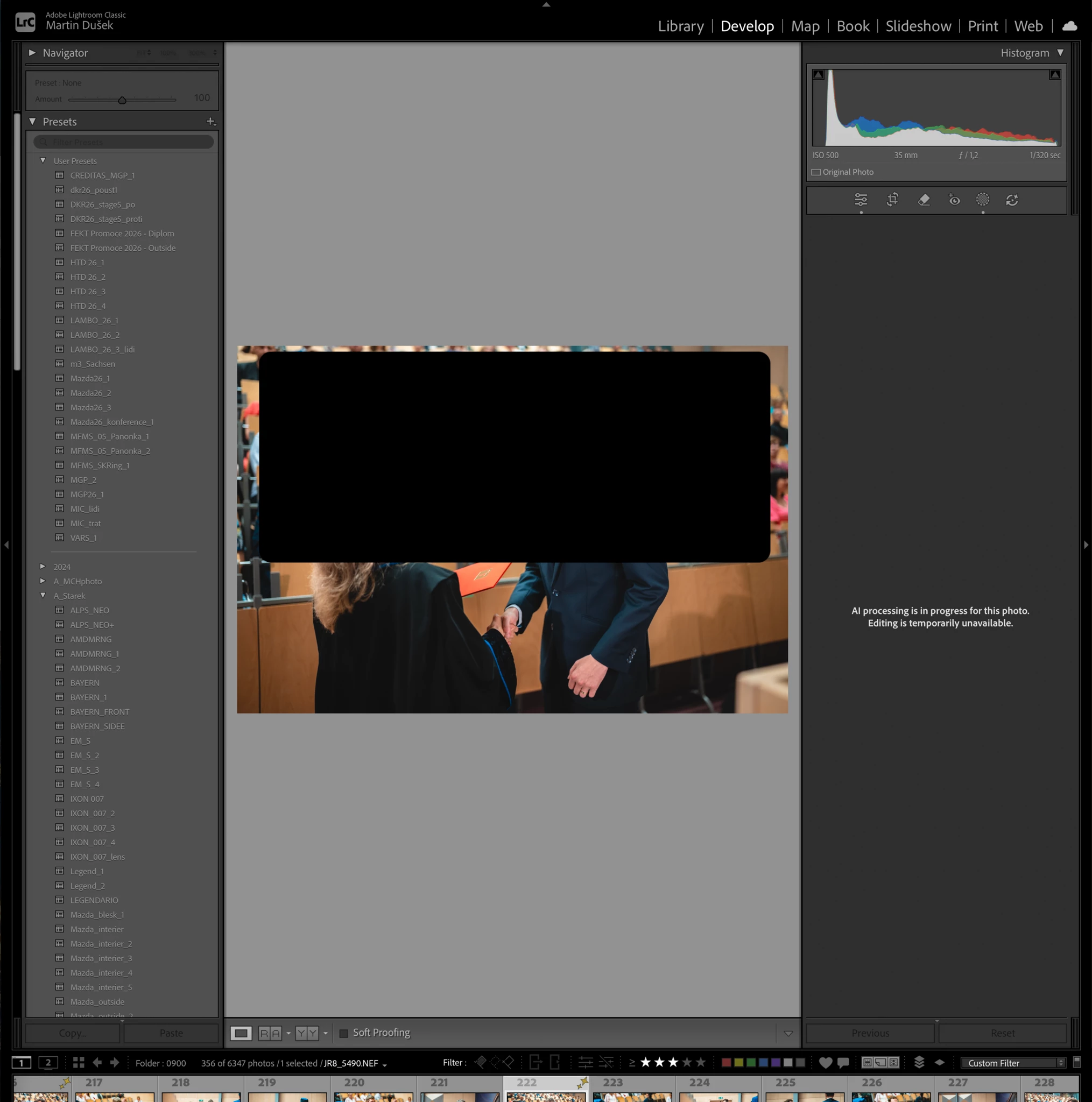
AI processing on photo getting stuck

  • July 6, 2026
  • 1 reply
  • 15 views

When I paste settings threw Auto Sync. The AI processing will start. After while if it is multiple pictures like 30+ it will get stuck on Information "AI processing is in progress for this photo. Editing is temporarily unavailable." Even though the progress has already ended. So no proces is running. Obviously the photo can not be edited so I need to restart lightroom. Can you add some function to stop the proces on the photo itself? Otherwise I can not do anything with it.
 

1 reply

Srishti Bali
Community Manager
Community Manager
July 6, 2026

Hi ​@Martin335457469f0c 


Apologies for the experience you're having. Would you mind sharing a few more details?

  • Please copy and paste your System Info from Lightroom Classic by going to Help > System Info > Copy and pasting the entire output here.
  • Has this issue started happening recently? If so, were there any recent changes made to your system (such as OS updates, driver updates, or new software installations)?
  • Is the issue specific to a particular file format or catalog, or does it occur across all catalogs and file types?
  • You can also try resetting preferences manually after creating a backup: https://helpx.adobe.com/lightroom-classic/help/reset-preferences.html

Once we have this information, we'll be happy to look into it further and help you get this resolved.

Thanks, Srishti Bali | Community & Engagement Strategist, Digital Imaging | Adobe