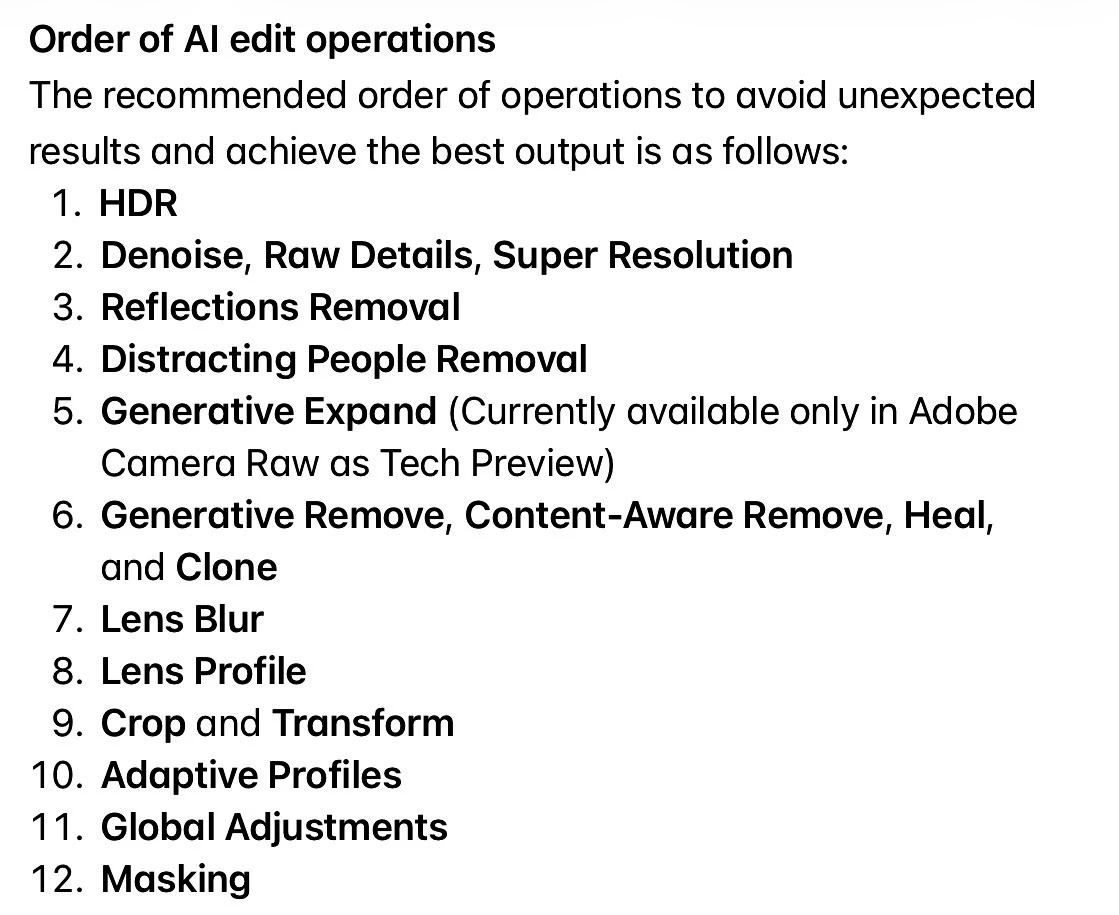
Inspiring
April 23, 2026
Question

Ai Updates Required-What to do?

  • April 23, 2026
  • 3 replies
  • 108 views

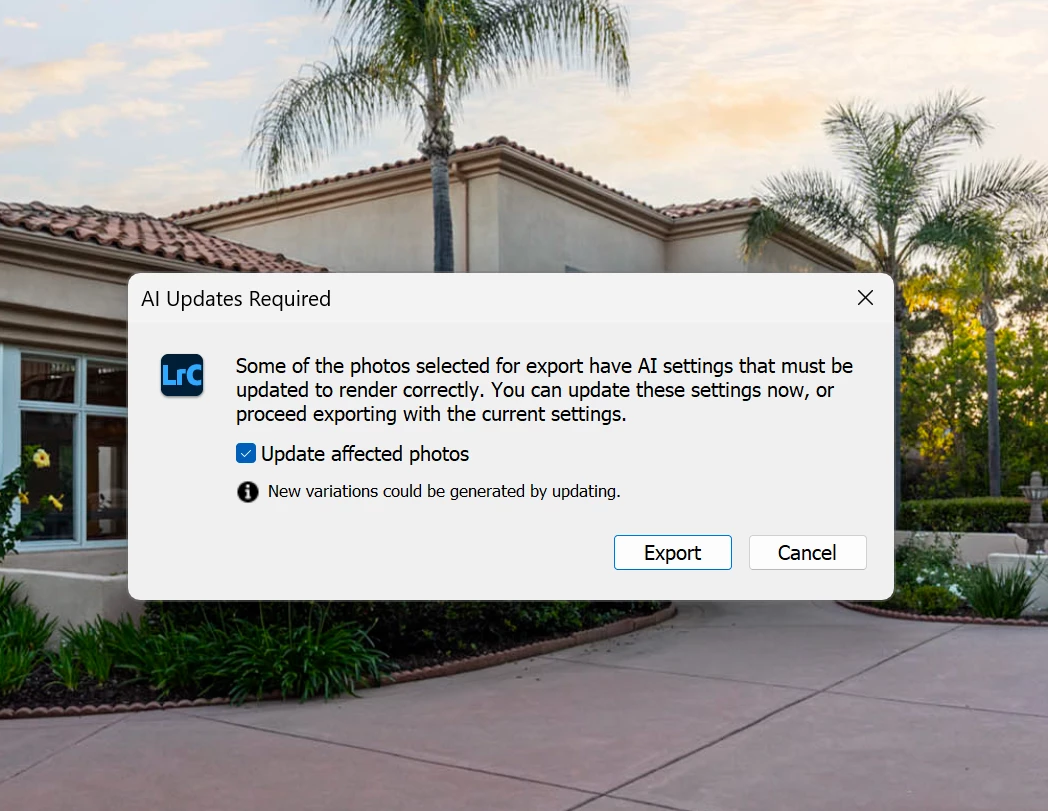
I just updated Lightroom Classic and I just finished an edit. As I try to export I’m getting a dialog warning that AI Updates Required. What the heck is that all about? What am I supposed to do? I just edited the photos, and they are exactly as I want them. I don’t want anything “updating” or changing what I just spent hours editing. This is lunacy. Why am I getting this and what to do about it? Do I need to update to keep my photos as they are? Or will updating change them into something different, ruining the batch? This is terrible. 
 

    3 replies

    Participating Frequently
    April 25, 2026

    thanks for this thread. I kept getting the message and had no idea what was going on. guess this is what I get for updating Lightroom Classic LOL

    JohanElzenga
    Community Expert
    Community Expert
    April 23, 2026

    The warning comes from your Generative Removes. That is what the ‘variations’ refer to. This sounds like you may have a known problem with the storage of AI related data. Lightroom Classic stores AI masks and other AI data in 'Catalogname.lrcat-data'. Sometimes this file (Mac)/folder (Windows) gets corrupted, or the permissions are getting set wrongly, so Lightroom Classic cannot write to it. That would explain what you are seeing. Take the following steps:

    1: Review this document: https://helpx.adobe.com/lightroom-classic/kb/ai-edits-storage-error.html to make sure you are not affected by the items listed there. 
    2: Contact Adobe Support as they have an lrcat-data recovery tool that can fix your corrupt file. Contact Adobe Customer Care at https://helpx.adobe.com/contact/what-contact-options.html. Scroll to the bottom and click on the “Start Now” live chat link in the lower right of this page. Typing “Agent” into the chat text field will bypass the initial chatbot.

    -- Johan W. Elzenga
    Inspiring
    April 23, 2026

    John, I get the same message as the OP posted if I export and image with the orange/yellow icon for AI update needed….and I do not have a storage problem…just an image needing AI update.  or are you just referring to when it happens with Generative Removes?


    Inspiring
    April 23, 2026

    Ooops…meant Johan (sorry)

    Inspiring
    April 23, 2026

    Well, first, you should have updated the AI settings when the orange/yellow icon came on to show it was needed.  Since you didn’t, Adobe is letting you know it should be done.  I find it is better to do it.  If you are REALLY happy with what you have, you can uncheck the box and the files will export as is….or you can cancel and update the images before export so you can review changes…..no lunacy at all

    Inspiring
    April 23, 2026

    Thanks but...There are zero “orange/yellow” icons and I cannot remember ever seeing one in the past. I use LRc nearly every day and have for years, this is the first time seeing anything like this and I just updated a couple of days ago.

    Inspiring
    April 23, 2026

    Nothing like this…??