
Participant
August 2, 2026
Question

Al copiar ajustes tarda demasiado lightroom si se trata de copiar algún preset o la herramienta quitar (cosa que antes no me pasaba)

  • August 2, 2026
  • 4 replies
  • 25 views

Suelo trabajar con un ajuste general a todas las fotos y luego repaso una x una en caso de necesitar algo más.
El caso es que a veces uso la herramienta quitar (con IA) o bien, algún preset que contiene alguna máscara.

El problema ha empezado cuando le he dado a quitar ruido (y no funcionaba) he actualizado lightroom y ha funcionado. Pero a partir de ahí, cada vez que copio una foto que tiene la herramienta quitar o el preset con máscara, se convierte en una odisea, y me sale en el cuadro de ajustes esto:
 

“El procesamiento de IA está en curso para esta foto.

La edición no está disponible temporalmente.”
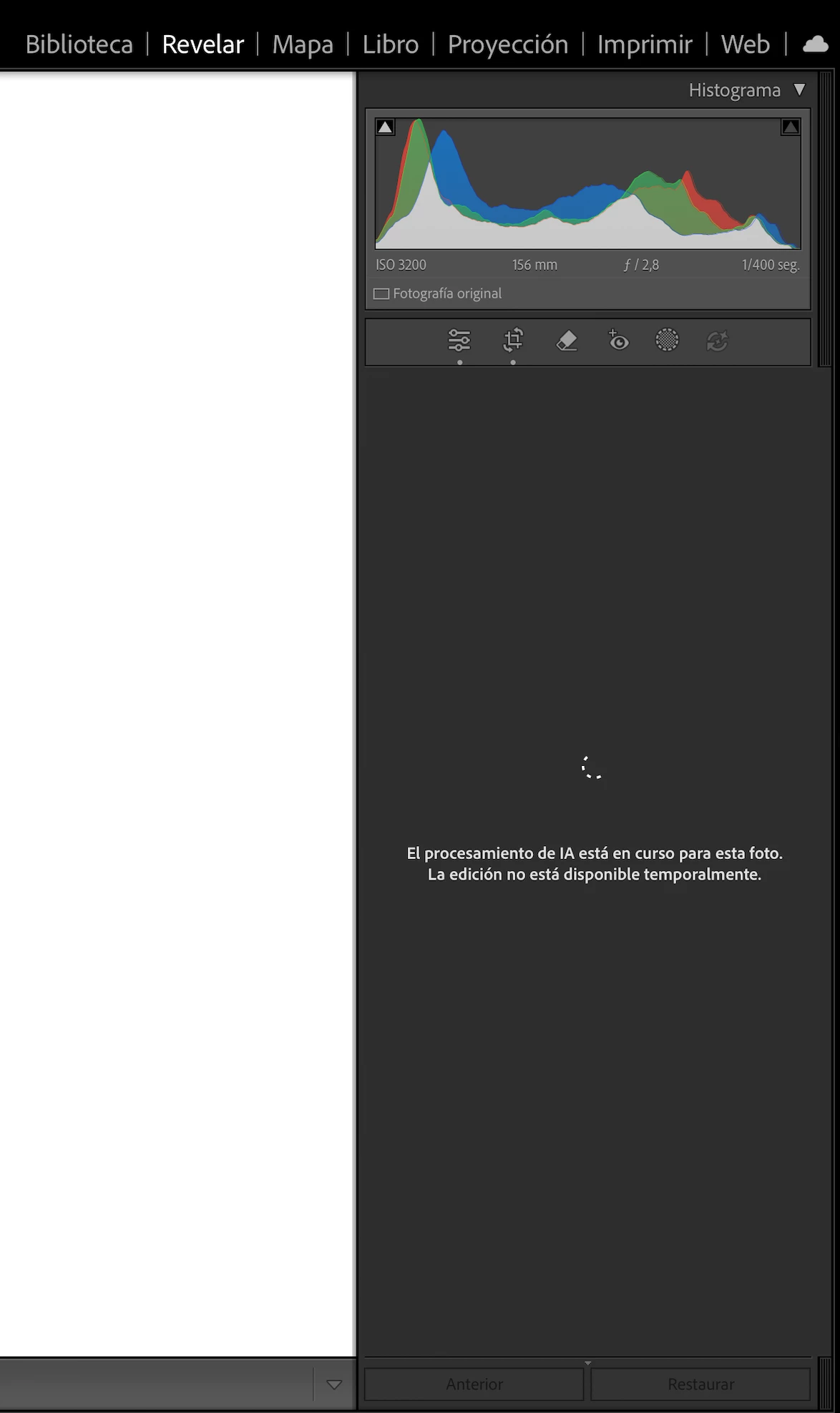

Insisto, hace 4 fotos no me pasaba. Y no sé que hacer. Es muy desesperante.

    4 replies

    dj_paige
    Legend
    August 3, 2026

    Translation to English:

    But from then on, every time I copy a photo that has the remove tool or the masked preset, it becomes an odyssey, and I get this in the adjustments panel: “AI processing is in progress for this photo. Edit is temporarily unavailable.” Insist, four photos ago it didn’t happen. And I don’t know what to do.

    This is normal and correct when AI tools are being used. When AI edits are being performed on a photo, or on many photos in a queue, you get this message “AI processing in progress for this photo. Edit is temporarily unavailable”. You cannot make further edits on these photos in the queue. However, you can still switch to other photos which are not in the queue of photos waiting for AI edits, and work on those other photos. This is a recent change in Lightroom Classic (are you using Lightroom Classic? what version NUMBER?) but I don’t remember exactly what version number the change was implemented.

    dj_paige
    Legend
    August 3, 2026

    Updating a poorly worded sentence. It should say:


    You cannot make further edits on these photos in the queue until the AI edits are finished on that photo.

    Community Expert
    August 3, 2026

    First try to reset the preferences of Lightroom Classic:  How to reset Lightroom Classic preferences (adobe.com)

    It's recommended to backup your preferences before you reset the preferences to the default settings: 

    https://helpx.adobe.com/lightroom-classic/kb/preference-file-and-other-file-locations.html


    If this doesn't help we need more informations about your environment.

    Is your system up-to-date? Do you have installed all recent updates and patches for the operating system and the device drivers, especially the graphic driver. Please make also sure that you have installed the Studio version and not the Game Ready version of your NVidia driver.

    Please provide a copy of your 'System Info'. This can be get from the Lightroom menu item Help > System Info. There's a copy button in the System Info dialog. Press this button and paste the info into your next forum post.


    My System: Intel i7-8700K - 64GB RAM - NVidia Geforce RTX 3060 - Windows 11 Pro 25H2 -- LR-Classic 15 - Photoshop 27 - Nik Collection 9 - PureRAW 6 - Topaz Photo AI
    Participant
    August 3, 2026

    Muchas gracias por tu respuesta.
    Lo tengo todo actualizado, tanto macbook como lightroom (de hecho, el error viene de actualziarlo) que yo creo que no es un error, si no que simplemente con la nueva actualización han tocado eso. Porque llevo como una hora hablando con un agente de adobe y no hay manera de solucionarlo. 
    El problema real es que, antes yo podía cancelar que se copiaran los ajustes de la opción de quitar/borrar cuando copiaba y pegaba la foto anterior, eso hacía que tanto los ajustes básicos como las máscaras, se copiaran pero no los objetos quitados.
    Ahora, al haberse actualizado esto, entiendo que lightroom bloquea cualquier opción y copia sí o sí todo de la foto anterior sin poder cancelar el proceso a medias.

    Me resigno y tendré que cambiar mi flujo de trabajo.