

all images in libraries have a pink tint to them as well as in camera RAW
all of a sudden today when i opened lightroom classic (v12,2) all of my images have a pinkish tint to them. and not just one library but any library i open. i even created and imported into a new library with the same results. the RAW files are fine and look correct outside of camera RAW, but in lightroom and Camera RAW they look pinkish.
here is what the raw file looks like in a normal file viewer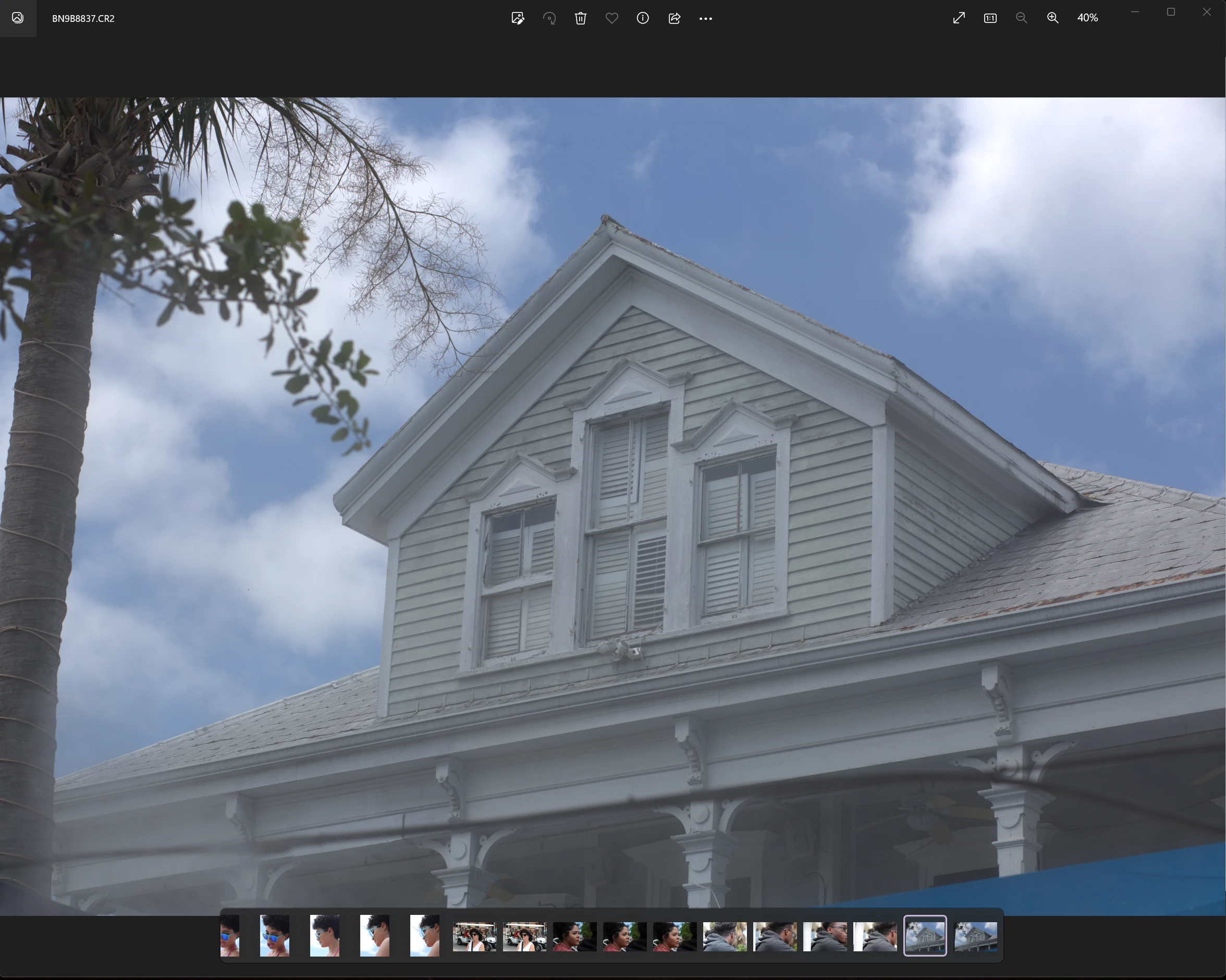
here is what it looks like in lightroom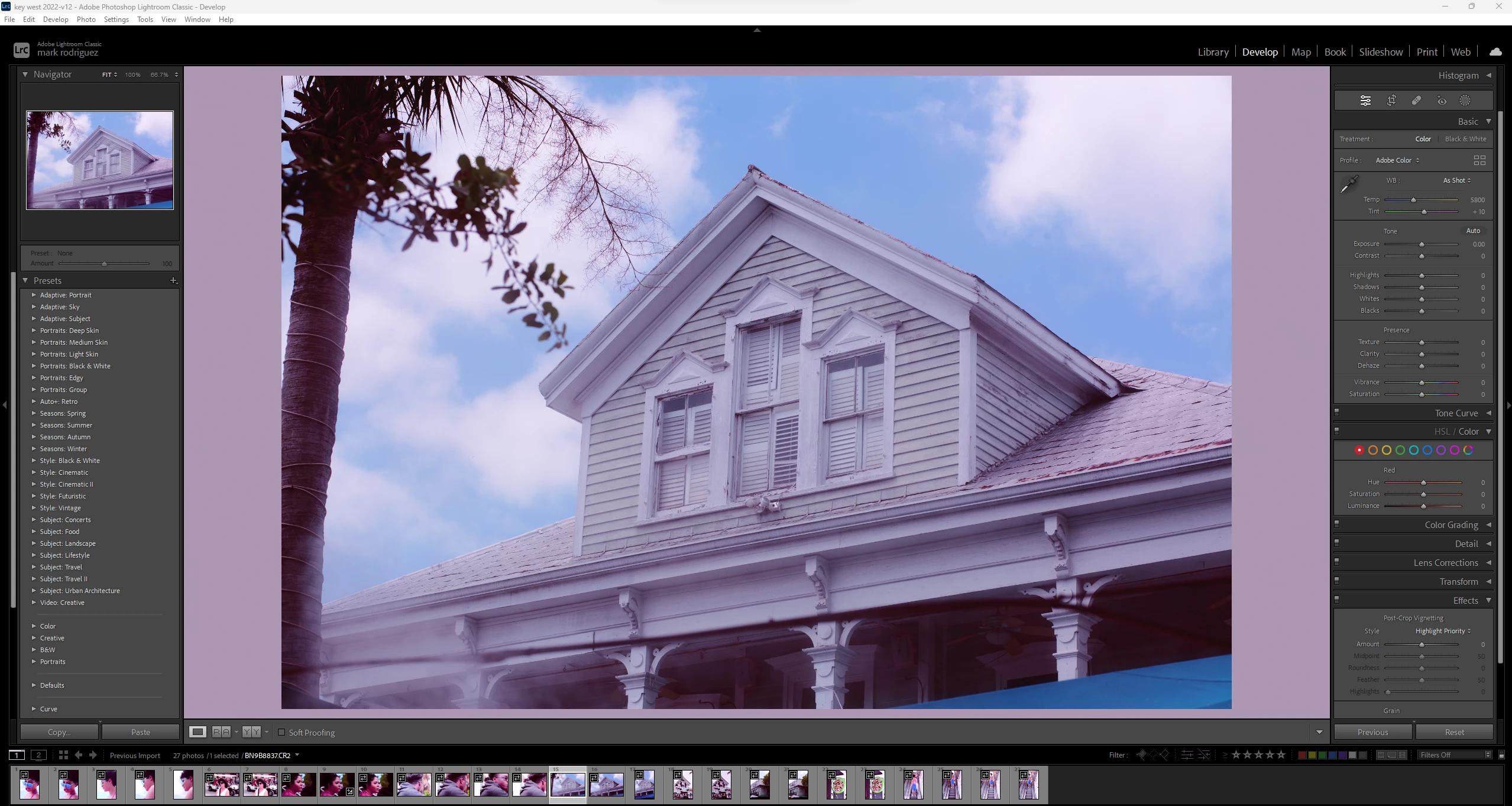
and what it looks like in camera RAW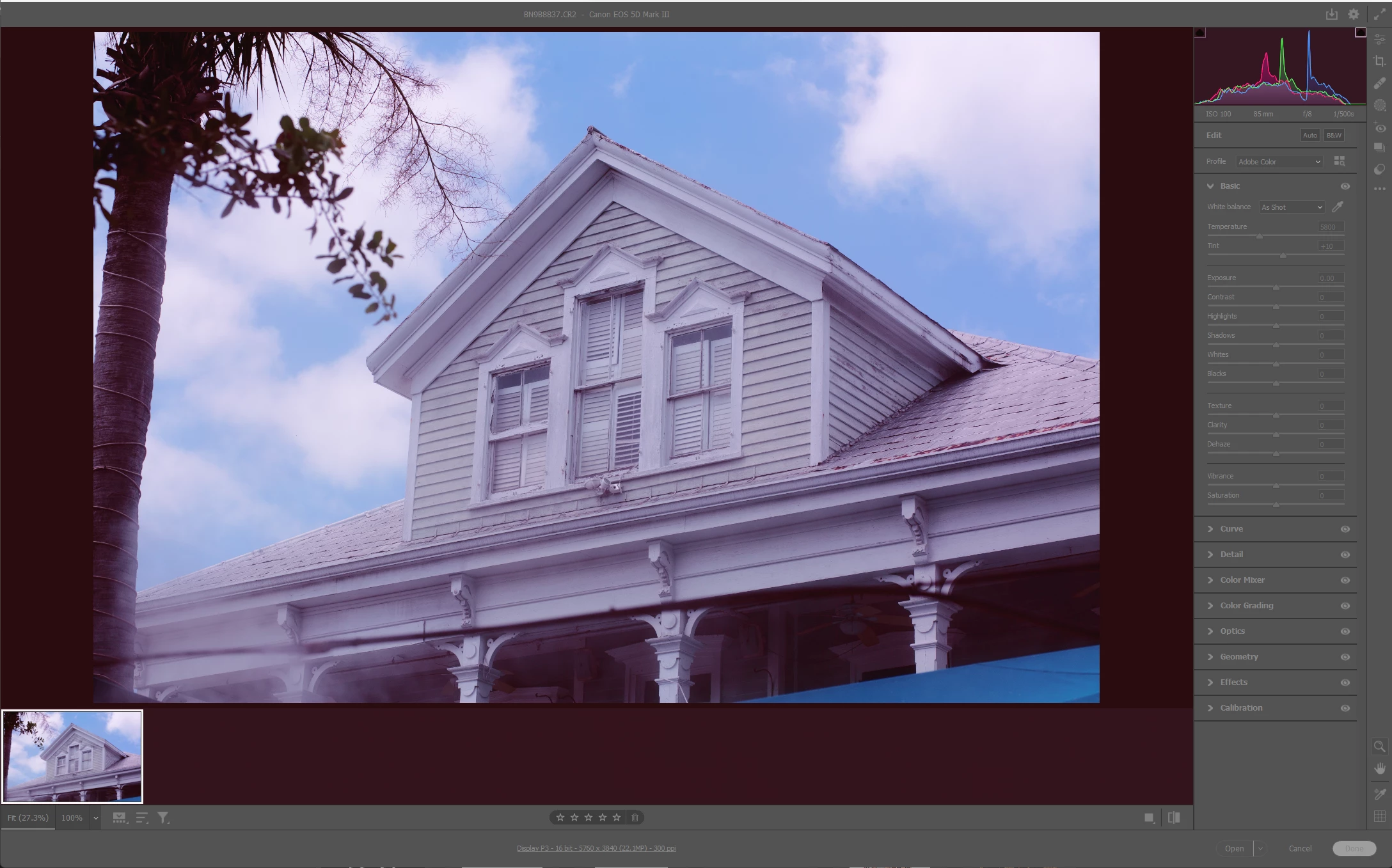
this is happening no matter what library i open in LR or what RAW file i open in Camera RAW, they all are pinkish
i have updated both camera raw (V. 15.2) and Lightroom classic (V. 12.2) and neither update changed anything. i have restarted my computer after each update and still the same results
i have not yet tried to completely uninstall both LR and Camera RAW but was seeing if there was a fix before i went through all of that
system:
alienware Aurora R13
windows 11 pro v22H2
12th Gen Intel(R) Core(TM) i9-12900KF 3.19 GHz
128 GB RAM
 AdChoices