Participating Frequently
August 1, 2025
Answered

All my photos of 4+ years have turned purple

  • August 1, 2025
  • 1 reply
  • 791 views

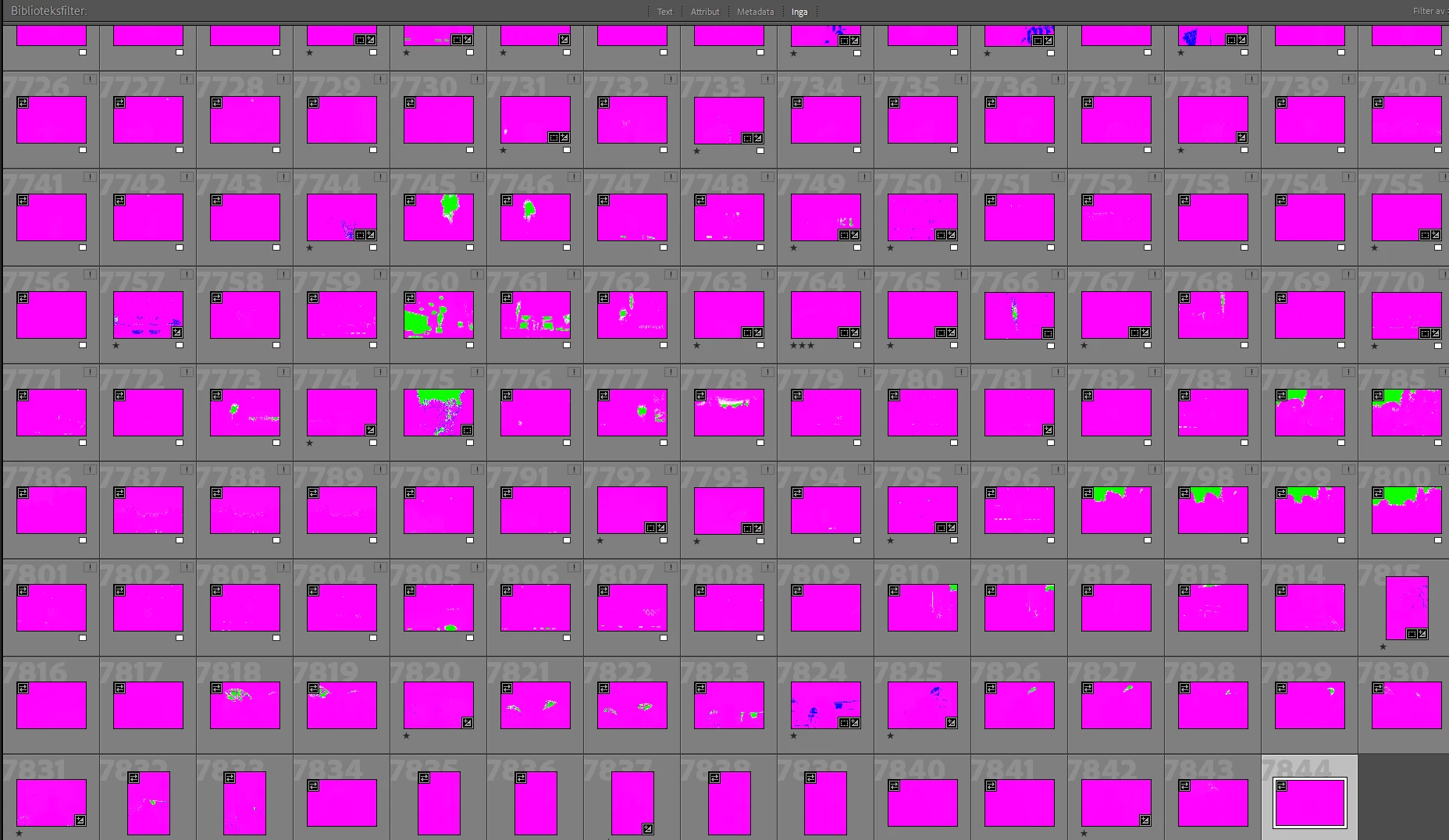
Opened up Lightroom today to edit some photos. All my images dating back to 2021 are completely purple. Tested updated GPU drivers, updated LCC, reset monitor settings and window settings. The same photos are completely normal on my Macbook. And they have been completely normal until today, any one know any tips?
Correct answer Per Berntsen

Now tested with previews built on each one of my 4 discs but same problem. The same images have been imported to both Lightroom (not CC) and Capture One with no defects... Tested GPU off, HDR in library off and rebuilding previews.


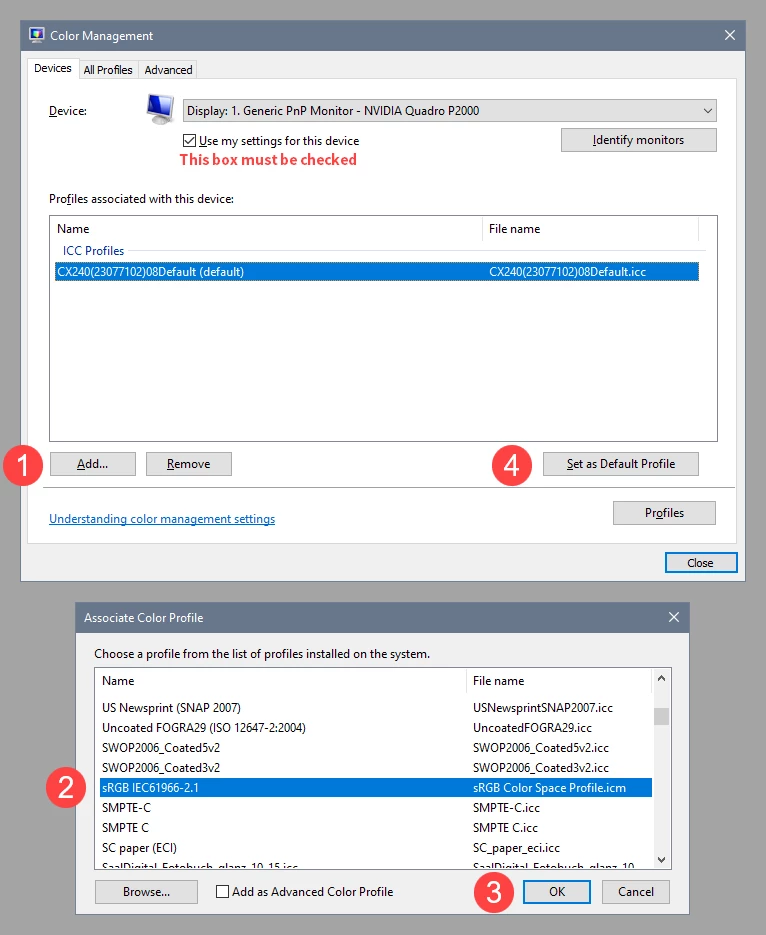
Your screenshot shows that no profile is associated with your monitor.

Click Lägg till, and add the sRGB profile, then set it as Default. If you have a wide gamut monitor, use Adobe RGB.

If LrC is running, it has to be relaunched to become aware of the new profile.


1 reply

dj_paige
Legend
August 1, 2025

It could be that the previews are corrupted. Select one of the photos and go to the Develop module, does it look normal or does it look corrupted?


It could also be a corrupted GPU driver (but since you tested the newest one, unlikely).


Alternatively, there is a hardware malfunction somewhere that is causing the photos to be displayed as corrupted. This magenta color for some reason is often associated with corrupted files. You need to test your hard drive for faults, you need to test your memory chips for faults, and you need to test the connection between hard drive and memory (motherboard, USB ports, etc.)

Participating Frequently
August 1, 2025

Looks normal in Develop mode, just the picture selected all else is purple still. Tested to generate new previews same problem. Ran some diagnostics on my hardware and nothing came up defect. Even tried to install LCC on a separate drive but same problem

johnrellis
Legend
August 1, 2025

Building on @dj_paige's suggestions:


- Try deleting the entire preview cache and letting Lr rebuild it:

https://helpx.adobe.com/lightroom-classic/kb/lightroom-gives-error-preview-cache.html


- There may be a color profile assigned to your display that is corrupt or incompatible with LR. This is not uncommon, especially on Windows, and it an affect Library and Develop differently.  Quickly test for that:

https://www.lightroomqueen.com/how-do-i-change-my-monitor-profile-to-check-whether-its-corrupted/


That article explains what to do next if the profile is bad.