Both LRCC and Camera Raw are up-to-date if you refer to that.
[This post contains formatting and embedded images that don't appear in email. View the post in your Web browser.]
The issue is not that the clipping indicators don't work but rather that the camera profiles are clipping blacks and whites a little lighter than pure black and a little darker than pure white, regardless of the Develop settings.
For example, here's an X-T5 raw with Whites +100, Blacks -100 and extreme clipping set in Tone Curve, first with Camera Classic Neg and then Camera Provia/Standard:
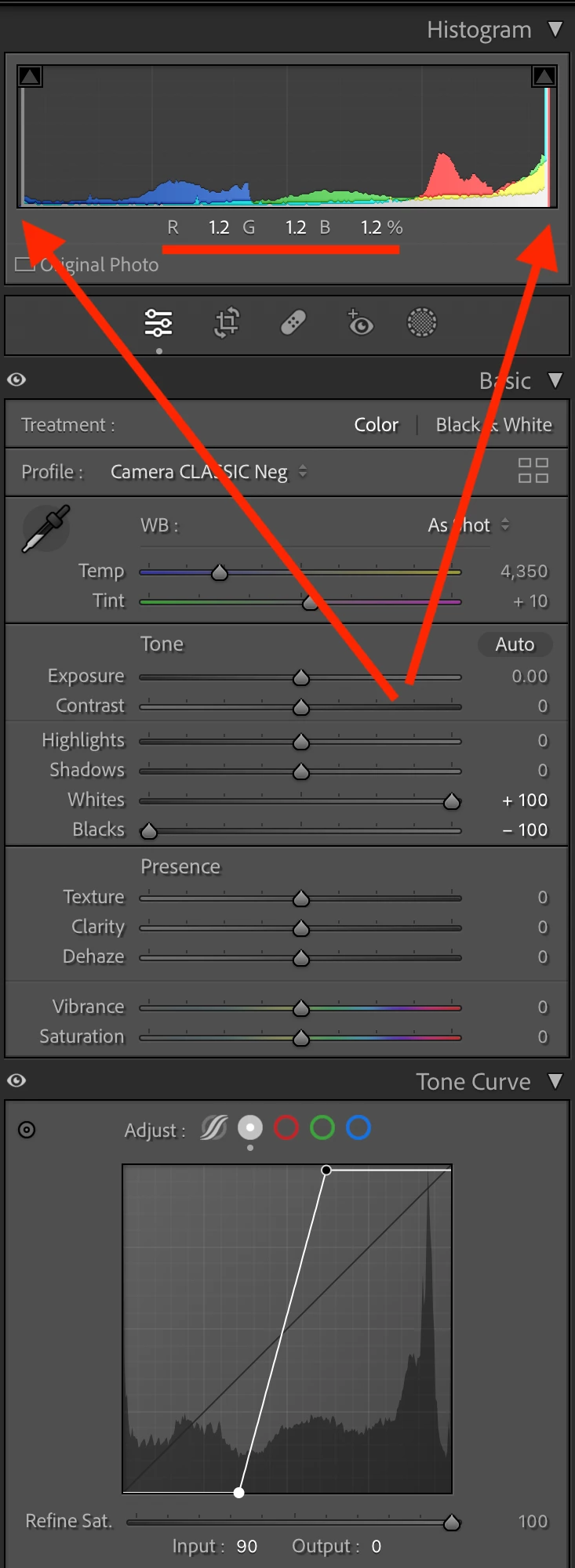
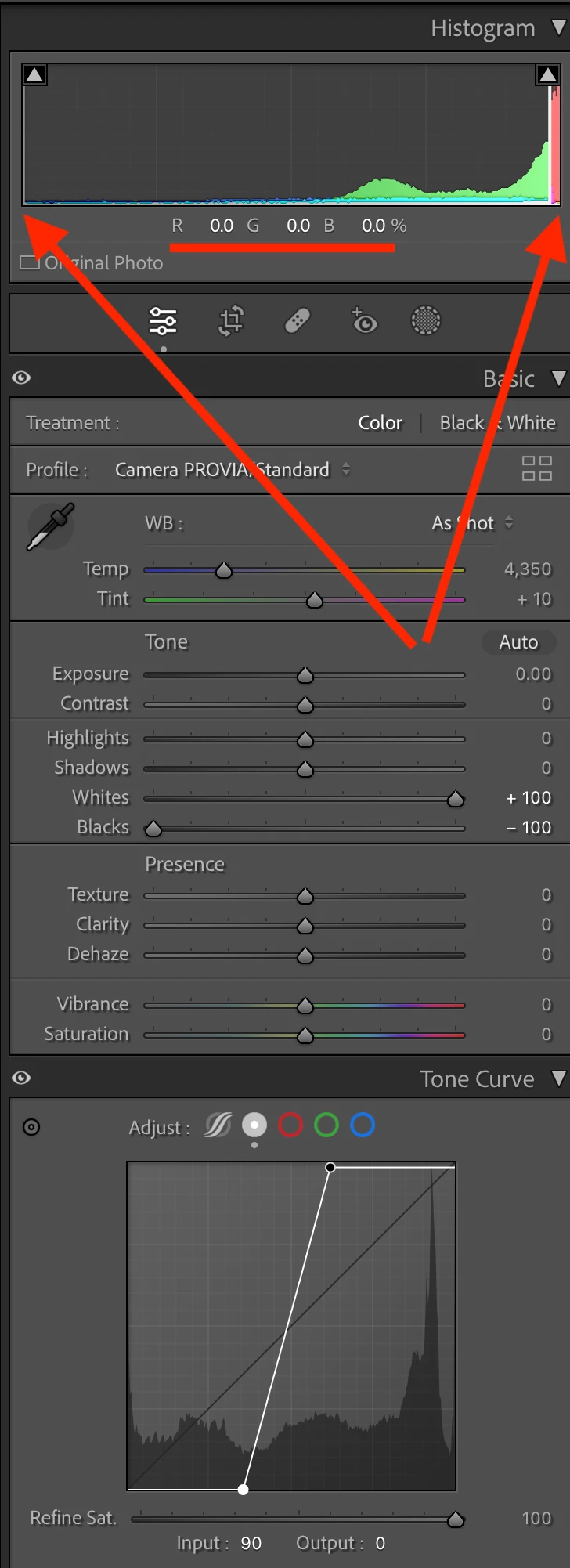
With both, I've hovered the mouse over the blackest area in the photo. For Classic Neg, the histogram shows that blackest area is R 1.2 G 1.2 B 1.2, whereas for Provia/Standard, it's R 0.0 G 0.0 B 0.0. It's similar for the whitest areas also.
Of all the X-T5 camera-matching profiles, only some under-clip this way: Bleach Bypass, Classic Neg, Nostalgic Neg, and Sepia.
I tried another camera, the Nikon Z 8, and many of its camera-matching profiles also under-clip: Blue, Carbon, Charcoal, Denim, Dream, Melancholic, Morning, Pink, Pop, Pure, Red, Sepia, Silence, Sunday, Toy.
I don't know whether this under-clipping behavior was a deliberate design decision or an accident. Of all the profiles for the X-T5 and the Z 8, the only ones with under-clipping are implemented as enhanced profiles (.xmp files) that refer to the .dcp profiles Camera Provia/Standard (X-T5) or Camera Standard (Z 8). These enhanced profiles apply a LUT on top of the base .dcp profile, so it's the LUT that's doing the under-clipping.
Not all enhanced profiles with LUTs under-clip. For example, the Z 8's Toy profile under-clips, while Bleach does not. The only difference between the two is the LUT they apply.
Someone else noticed this two years ago:
https://community.adobe.com/t5/camera-raw-discussions/show-clipping-not-working-for-some-camera-profiles/m-p/12167814
https://community.adobe.com/t5/lightroom-classic-discussions/show-clipping-doesn-t-work-for-some-camera-profiles/m-p/12167810





 AdChoices