Participant
December 29, 2022
Question

Artefakte in Bildvorschau

  • December 29, 2022
  • 1 reply
  • 312 views

Hallo,

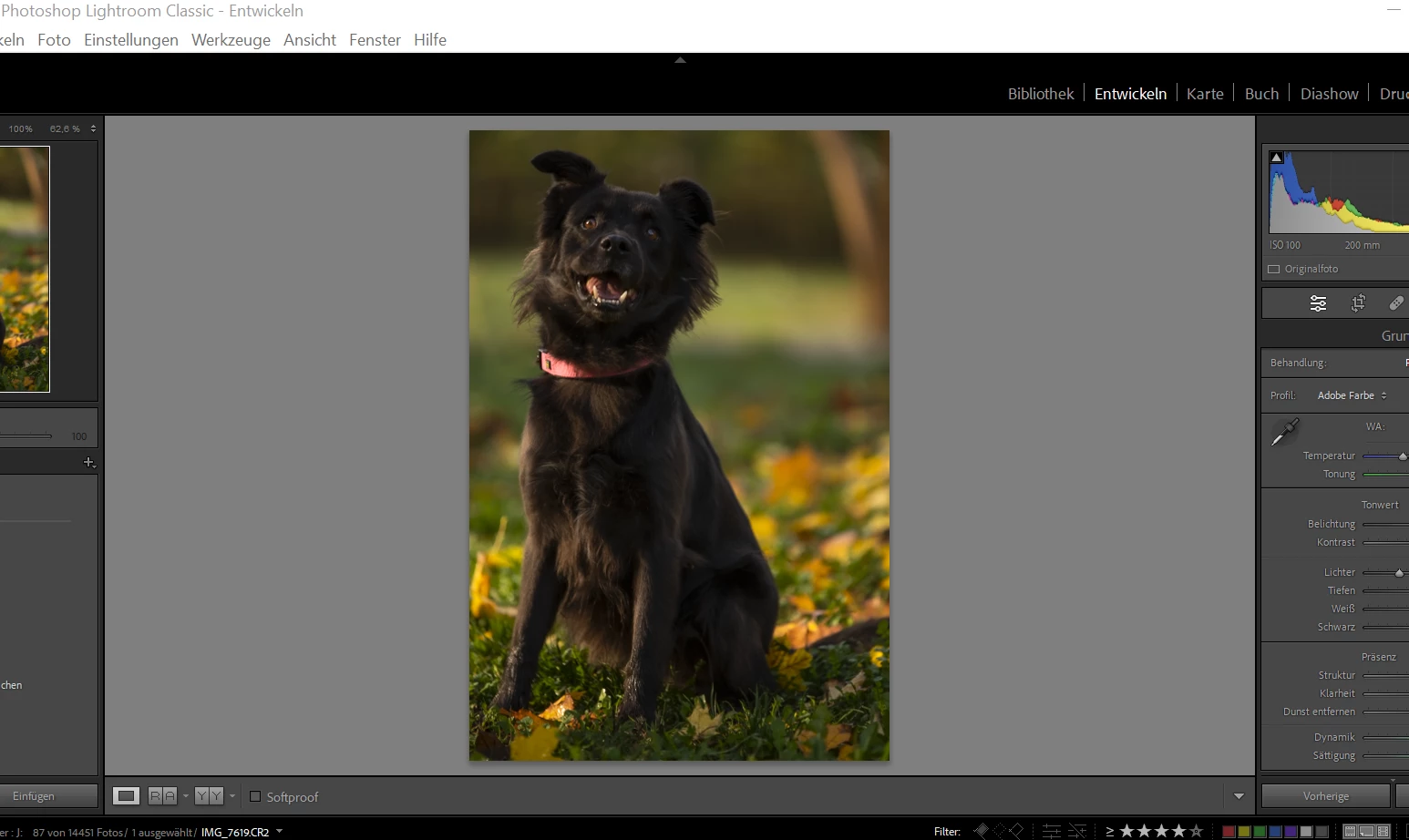
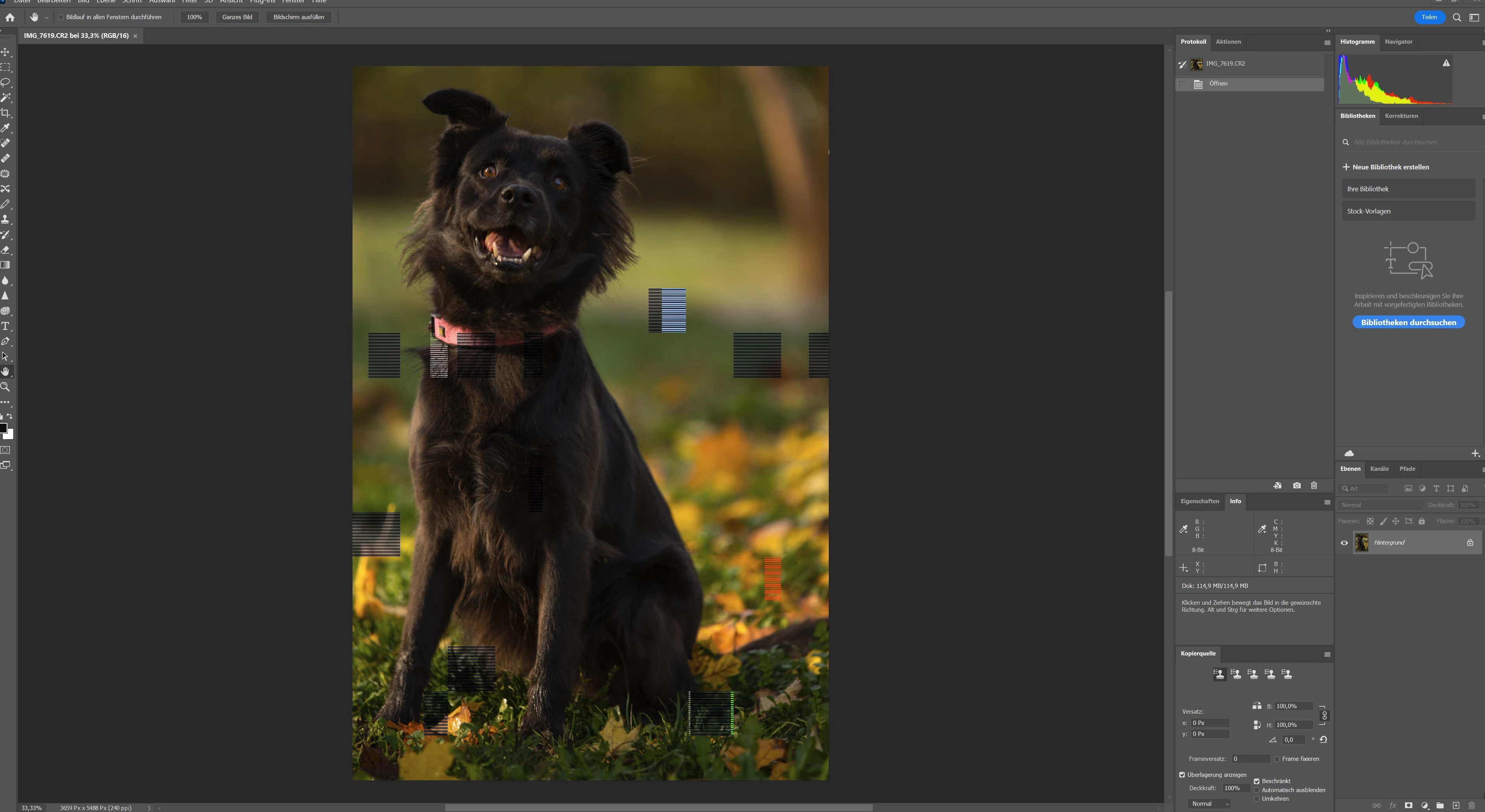
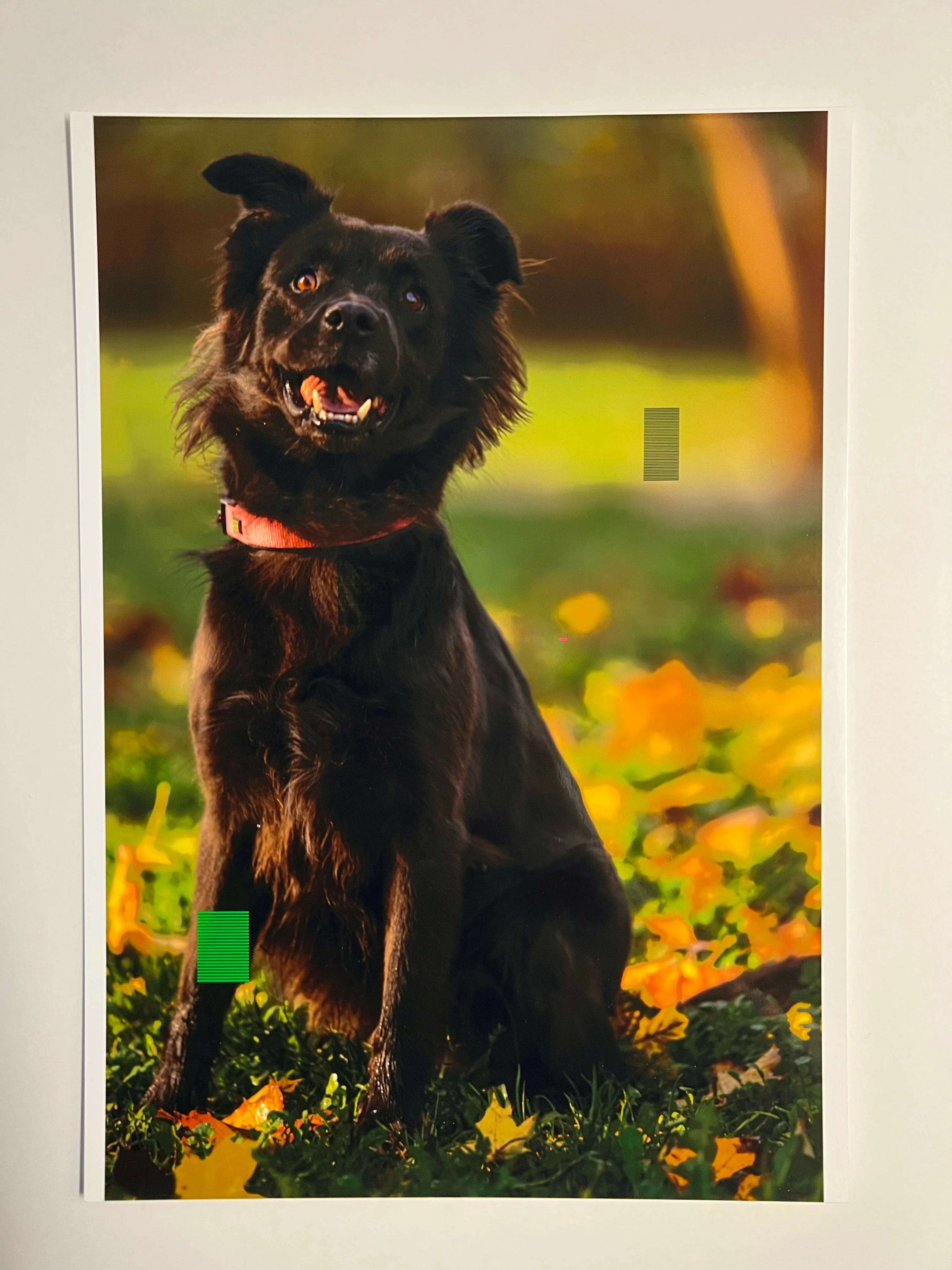
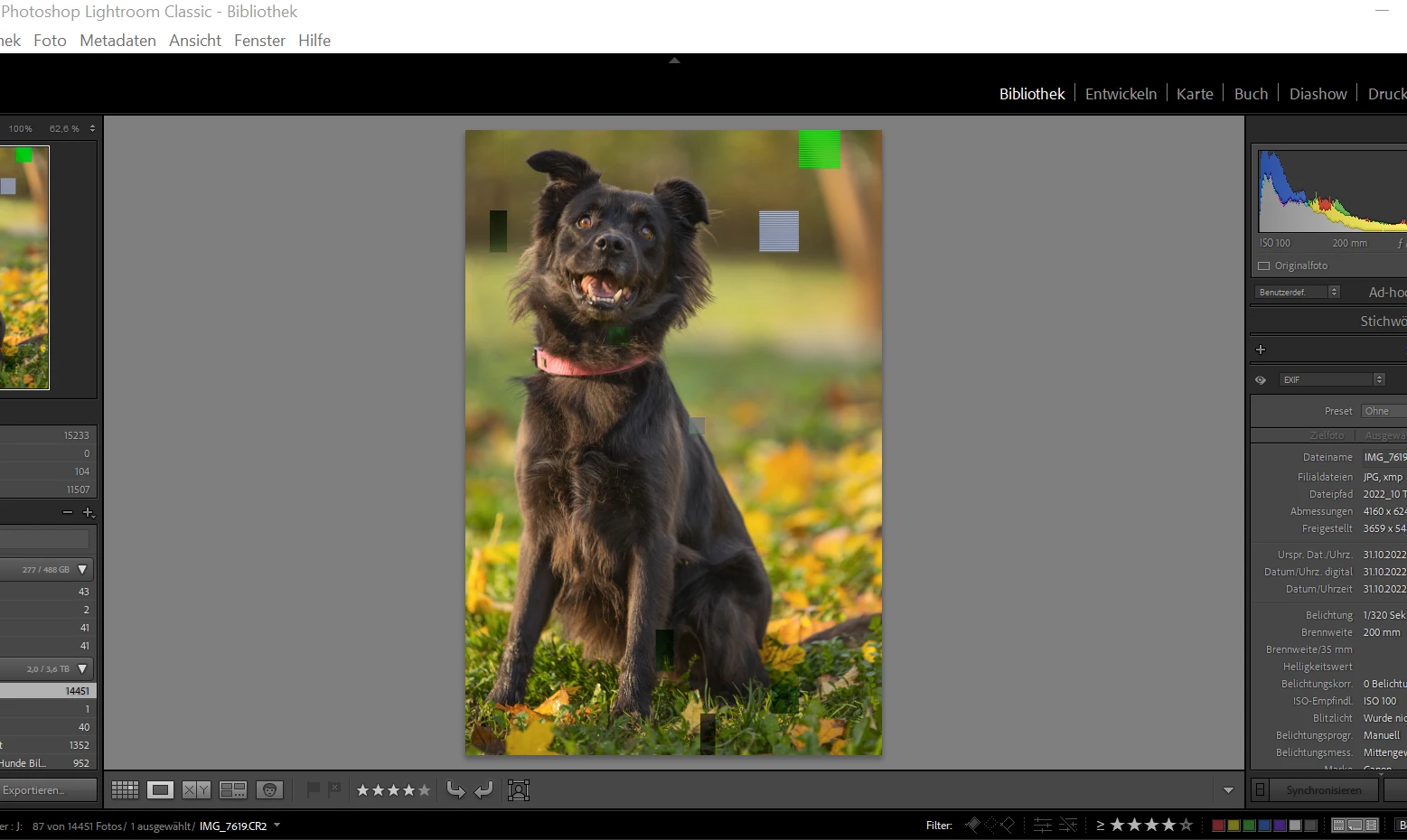
Wenn ich Vorschaubilder erstelle, oder in Lightroom ein Bild mit Photoshop bearbeiten möchte, oder Drucken möchte, werden Artefakte in Form von bunten Streifen in das Bild gearbeitet...

(Drucke ich über Windows direkt oder andere Software gibt es keine Probleme.)

An Hardware habe ich den Ram, die Graka und Festplatten getestet und keine Fehler gefunden.

In den Leistungsoptionen habe ich die Grafikkartenbeschleunigung deaktiviert ohne Auswirkungen auf die Probleme.

Hatte auch schon einmal Neuinstalliert ohne veränderung.

Bitte um Ratschläge!

MfG Felix
This topic has been closed for replies.

1 reply

TheDigitalDog
Inspiring
December 29, 2022

First, try disabling GPU in the preferences (Performance) or alter the settings. Any better?


If turning OFF the GPU works, it's a GPU bug, and you need to contact the manufacturer or find out if there's an updated driver for it. This is why disabling GPU is an option as more and more functionality moves to the GPU in newer versions of many Adobe products. Disable third-party graphics accelerators. Third-party GPU overclocking utilities and haxies aren't supported.


Also see: https://helpx.adobe.com/lightroom-classic/kb/troubleshoot-gpu.html

Check to see that your GPU meets system requirements.

Author “Color Management for Photographers" & "Photoshop CC Color Management/pluralsight"
Participant
December 29, 2022

Hi, thanks for the answer,

The GPU Support has no effect on this Problem, I truned it off and have still the same artefacts.

TheDigitalDog
Inspiring
December 29, 2022

Recalibrate and build a new ICC display profile; the old one might be corrupted. If you are using software/hardware for this task, be sure the software is set to build a matrix, not LUT profile, Version 2, not Version 4 profile.


Author “Color Management for Photographers" & "Photoshop CC Color Management/pluralsight"