
Aspect ratio altered in develop module when importing Canon 5d mark iii photos
Hello there,
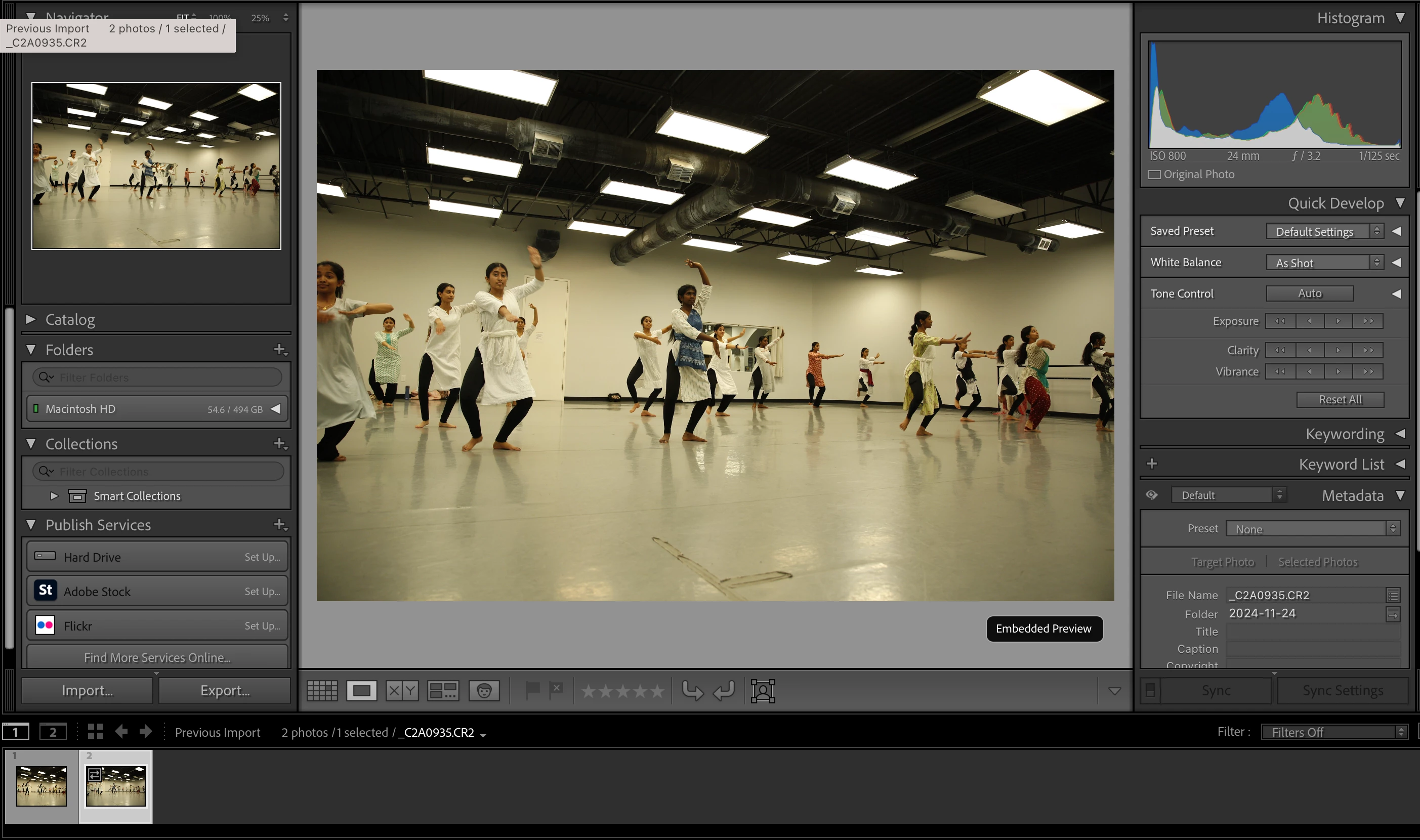
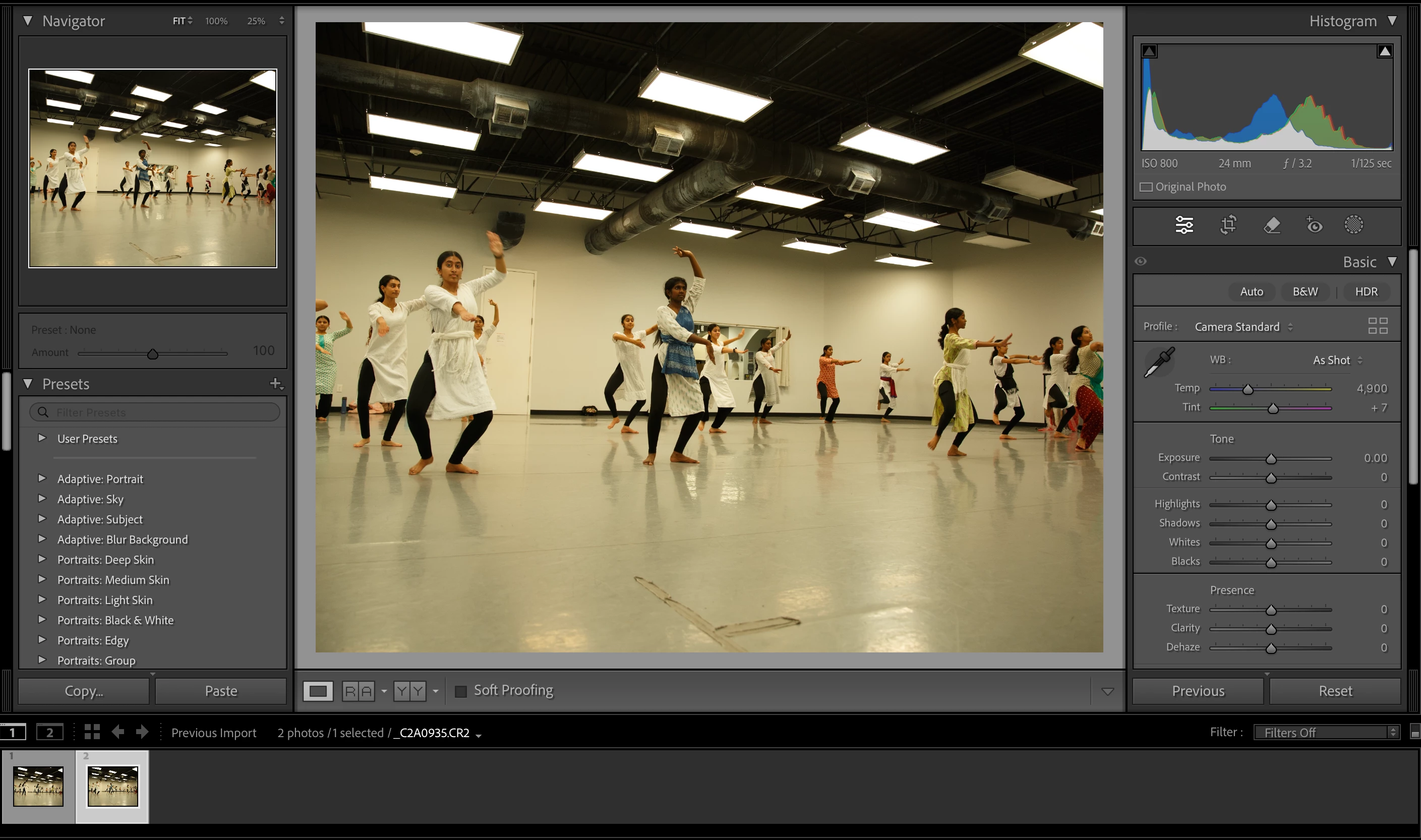
I'm reaching out with a problem I just can't seem to fix with Lightroom. I shoot my photos with a 3:2 aspect ratio on my Canon 5d Mark iii camera. When I import them to lightroom, in the library, the thumbnails show the full picture with the 3:2 ratio (I have it set to see the embedded preview in the library module). However, when I go to the develop module, the pictures are suddenly a different aspect ratio (looks like 4:3), and pixels from either side have been cropped out.
I have already checked the following:
- When I hit "reset" in the crop section of the develop module, nothing happens. The pixels aren't recovered.
- There are no develop settings being applied to the files upon import
- My preset is set to "Adobe default" for the global preset for RAW defaults
- When I import the RAW files to another platform like Capture 1, the cropping does not happen. All the pixels are conserved and the photo remains 3:2 even after editing and exporting as a JPEG.
- I have updated to the most recent version of Lightroom and I tried resetting my preferences but that did not work.
Does anyone know how to solve this issue? Is there a problem with my camera software (ie. some kind of metadata telling Lightroom to impose a crop even though the original image has more pixels?) Please, any guidance would be wonderful. I've really tried everything.
I've attached a screenshots below: the embedded preview (where original aspect ratio is conserved) in the library module, then the same image in the develop module (you'll see the sides have been cut off). No edits have been applied manually between the two steps.
Thank you so much for all your help and guidance.
Kind regards,
Sujena


 AdChoices