

Question
ASUS Zenbook Duo control panel not working properly with Adobe programs
I have a ASUS Zenbook Duo which have a secondary screen that is suppose to show contorls for the individual Adobe program.
Lately it says it is connected and I can see wrting and the controls work, but the interfaces is just not looking right starting recently. It is suppose to look like this
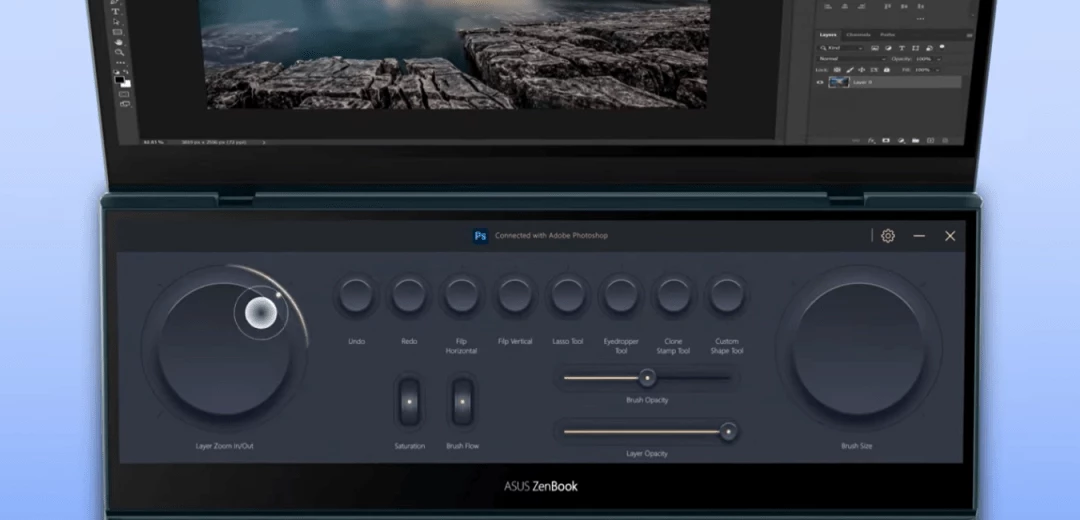
But now it looks like this ... this is from Photoshop
It is connected and the text is there. But hard to see.
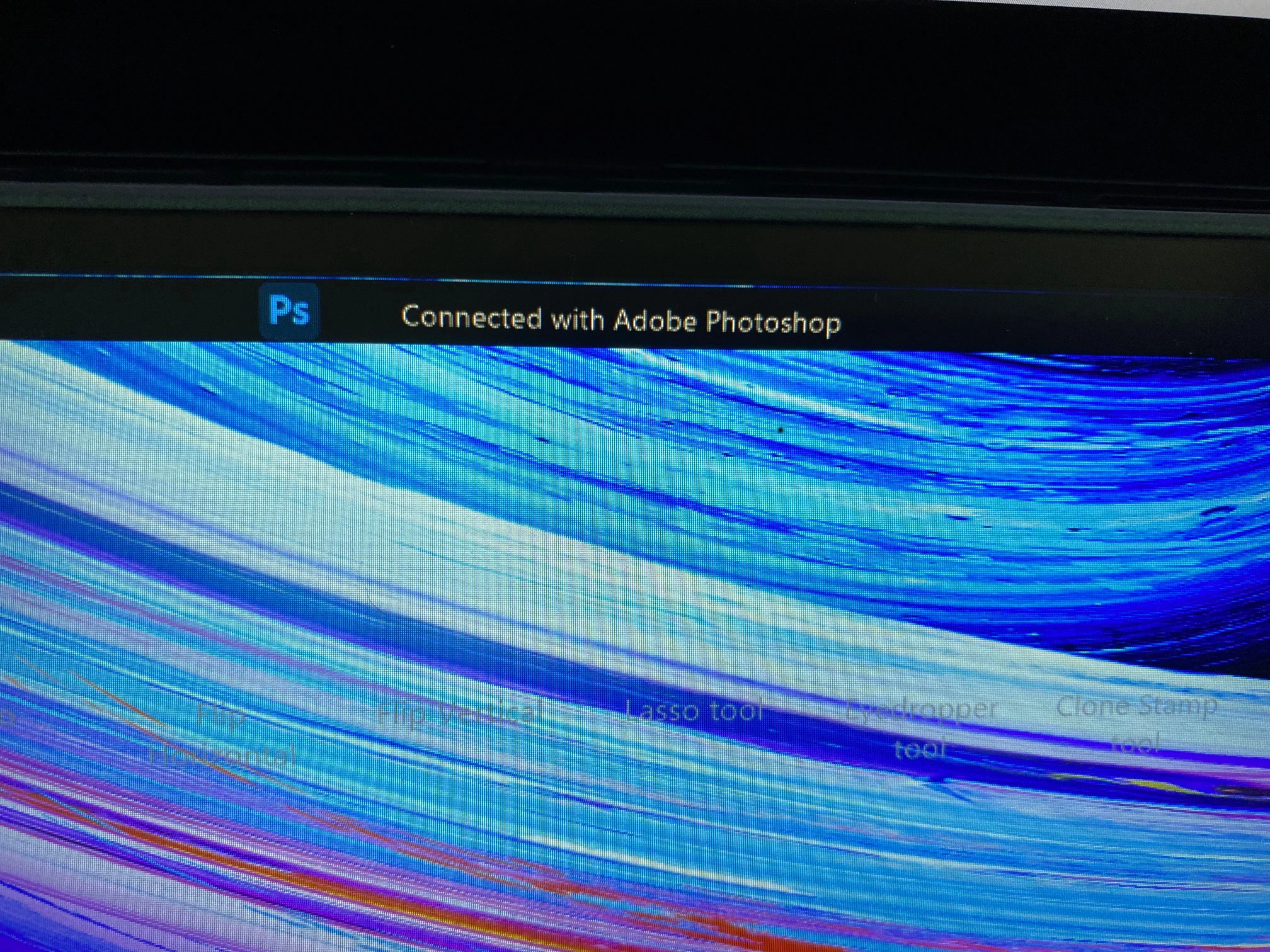
I have a debate with ASUS and I believe that it is their ScreenXpert that is the problem. But they are making me reinstall the Adobe programs even though it doesn´t make a difference.
Anybody else experienceing this problem and have a solution?!
Have updated everything ...
 AdChoices