
Auto Import not working in Version 14.0.1
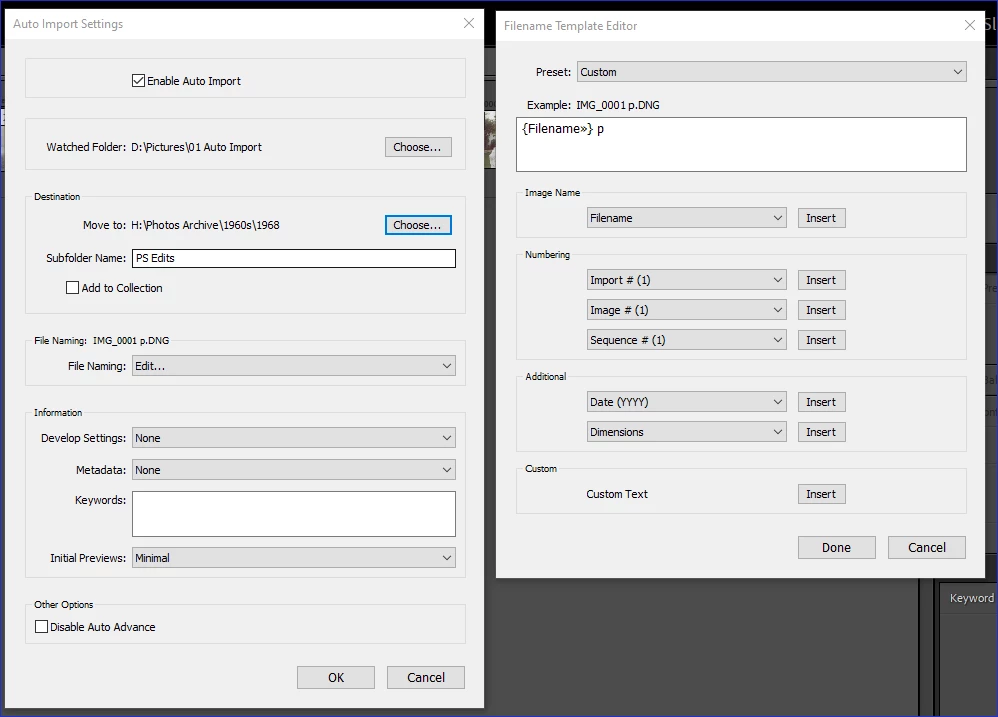
Auto Import Preferences are set to:
Watched Folder: Pictures\01 Auto Import
Destination Folder: The folder of images being edited (I change this each time that changes)
Move to Folder is specified as 'PS Edits', since I am editing PS (Beta version 26.1), and I have the file naming set to simply a space and the letter 'p' to the filename
In Photoshop I select File>Scripts>Image Processor and process the file to be saved to the above 'Auto Import folder:
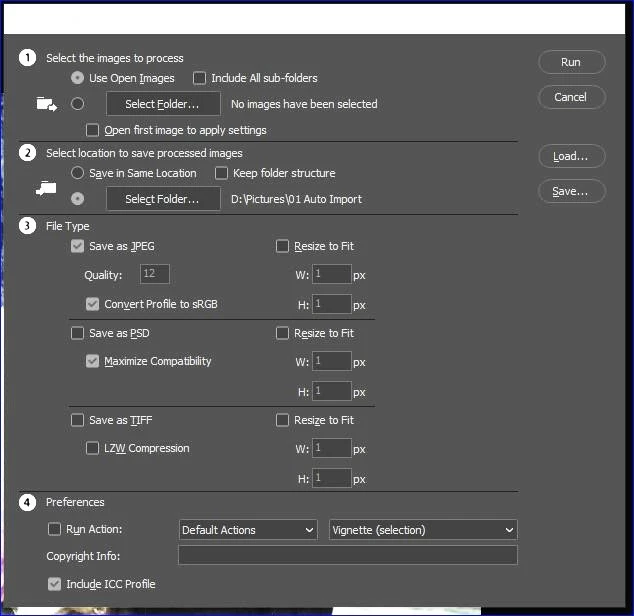
I then Run to run the process.
The file goes to the '01 Auto Import' folder as specified in the processor, but instead of it moving to the folder specified in LrC's Auto Import Preferences, a folder called "JPEG" is created as a sub folder within the '01 Auto Import' folder and the image is saved there:

Nowhere in LrC is that location specified to move the file to and this basically corrupts the Auto Import process.
It was working in the last version of LrC so this appears to be a bug in 14.0.1


 AdChoices