

N_M_BO
Participating Frequently
February 14, 2023
Answered

Auto-stack by Capture Time not working anymore

  • February 14, 2023
  • 1 reply
  • 1968 views

Hi, 

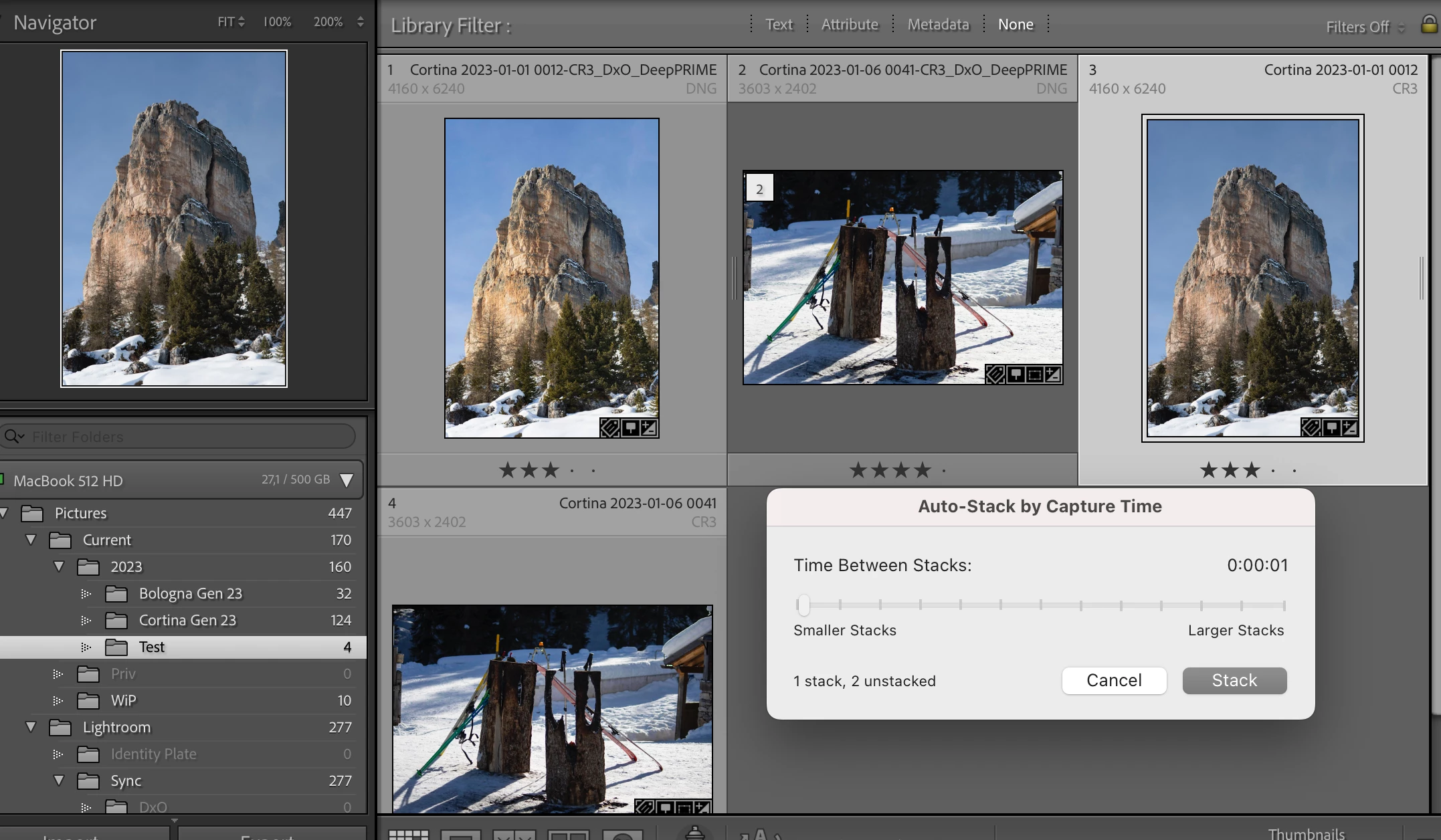
Auto stacking does not seem to work anymore. I have a folder with a bunch of CR3 raw photos and a DNG copy of each, created by DxO PureRAW 2. When I try to auto stack by capture time, 0 seconds as interval, no photos get stacked except the first one with the last one of the folder (incorrectly, of course). Prevously I got a stack for each CR3 + DNG photo, as expected. Any ideas?

Running Ventura 13.2.1 + LrC 12.2 
This topic has been closed for replies.
Correct answer johnrellis

Hi John, thanks for your help.

I've reset my preferences but no luck: still the same bizarre behavior:

Any other suggestion?


Are you created the DNG files by invoking Pure Raw as an external editor with the Photo > Edit In Command?


I'm wondering if there is a metadata problem with the way LR is importing the DNGs after they are created by Pure Raw.  Try this: Take the four sample photos you uploaded, put them in their own folder, and import them into LR (make sure Don't Import Suspected Duplicates is unchecked).  Can you Auto Stack those imported copies?

1 reply

johnrellis
Legend
February 15, 2023

[This post contains formatting and embedded images that don't appear in email. View the post in your Web browser.]


Double-check that each of the photos has a valid capture date recorded in its metadata.  Look at Date Time Original in the EXIF tagset of the Metadata panel:


Ignore all other date fields -- they're not relevant for this issue. Since the font size is tiny, look very carefuly at the dates and times.


If that doesn't help, upload a set of photos that isn't stacking properly to Dropbox, Google Drive, or similar and post the sharing link here. We can see if the issue is specific to your configuration and perhaps suggest workarounds or file a bug report.

N_M_BO
N_M_BOAuthor
Participating Frequently
February 19, 2023

Hi,

thanks for the reply. The dates match, here is a link to the photos: https://www.dropbox.com/sh/hovogocw7793q32/AADVdJjA8uzuDtQBlF2sz49qa?dl=0

johnrellis
Legend
February 20, 2023

[This post contains formatting and embedded images that don't appear in email. View the post in your Web browser.]


Hmm, those four photos auto-stack properly in my LR 12.2 / Mac OS:


One thing to note: If you run Auto-Stack while viewing a folder or All Photographs, the stacks won't be visible while viewing a collection, and vice versa.  (Stacks are specific to a folder or collection.)


Unfortunately, if we can't produce a precise recipe that allows Adobe to reproduce the problem, they won't look at it.


It's a long shot, but you could try resetting LR's preferences:
https://www.lightroomqueen.com/articles-page/how-do-i-reset-lightrooms-preferences/


LR sometimes soils its preferences file, and resetting it can fix all sorts of wonky behavior. That article explains how to restore the old preferences if resetting doesn't help.