
Participant
August 7, 2020
Answered

Automatic start up - Lightroom Classic Import window opening when connecting hard drive to laptop

  • August 7, 2020
  • 1 reply
  • 1392 views

Hello, everytime I plug in my external hard drive to my laptop, Lightroom Classic starts up and want to import my photos. The curious thing is that I haven't set it up.

So my question is: How can I disable the auto-start-up everytime I plug in a hard drive?


Maybe anyone has a solution. 🙂


{Thread title edited by moderator}
Correct answer nikunj.m

Hi there,


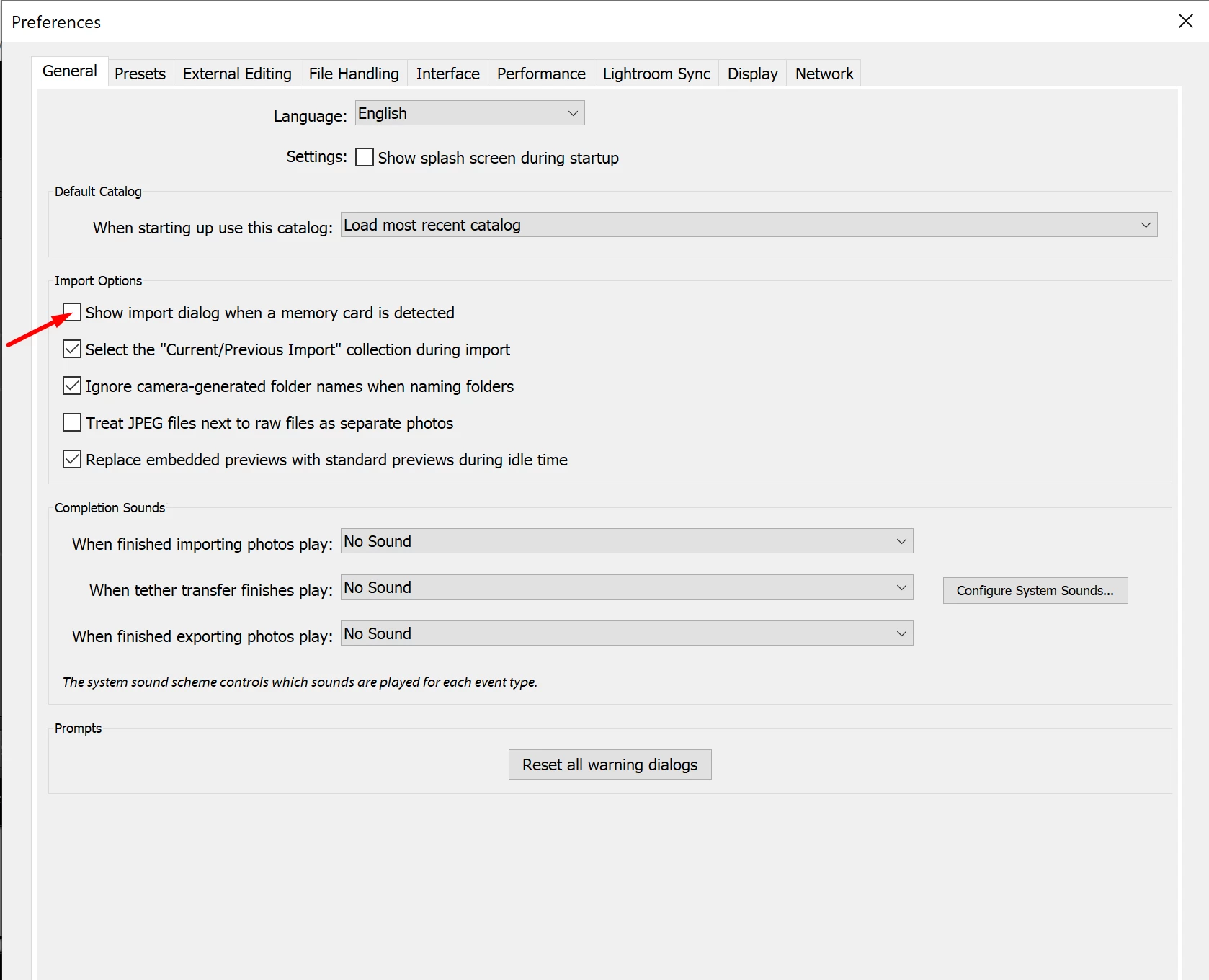
We're sorry about the trouble with Lightroom Classic. You can try disabling the option to Show import dialog when a memory card is detected by going to the Preferences for Lightroom Classic, then General. Once done, quit and relaunch Lightroom Classic to check if that helps.


Let us know if it helps!

Regards,

Nikunj

1 reply

nikunj.m
nikunj.mCorrect answer
Legend
August 7, 2020

Hi there,


We're sorry about the trouble with Lightroom Classic. You can try disabling the option to Show import dialog when a memory card is detected by going to the Preferences for Lightroom Classic, then General. Once done, quit and relaunch Lightroom Classic to check if that helps.


Let us know if it helps!

Regards,

Nikunj

Participant
September 28, 2020

I tried the 'fix' above. It was checked.  I unchecked it and restarted Lightroom.  I even rebooted my computer, but Lightroom Classic is still trying to import files whenever I plug in an external drive.  It doen't do it on my other laptop.


I recently updated my OS drive to a larger drive.  I cloned the old drive to the new drive and then installed the new drive into the computer.  Would that have anything to do with it.  I can still use PS and LrC, it's just a pain having LrC startup when I plug an external drive in.

Should I reinstall my LrC?


Steve