
Participant
August 7, 2020
Answered

Automatic start up - Lightroom Classic Import window opening when connecting hard drive to laptop

  • August 7, 2020
  • 1 reply
  • 1376 views

Hello, everytime I plug in my external hard drive to my laptop, Lightroom Classic starts up and want to import my photos. The curious thing is that I haven't set it up.

So my question is: How can I disable the auto-start-up everytime I plug in a hard drive?


Maybe anyone has a solution. 🙂


{Thread title edited by moderator}
Correct answer nikunj.m

Hi there,


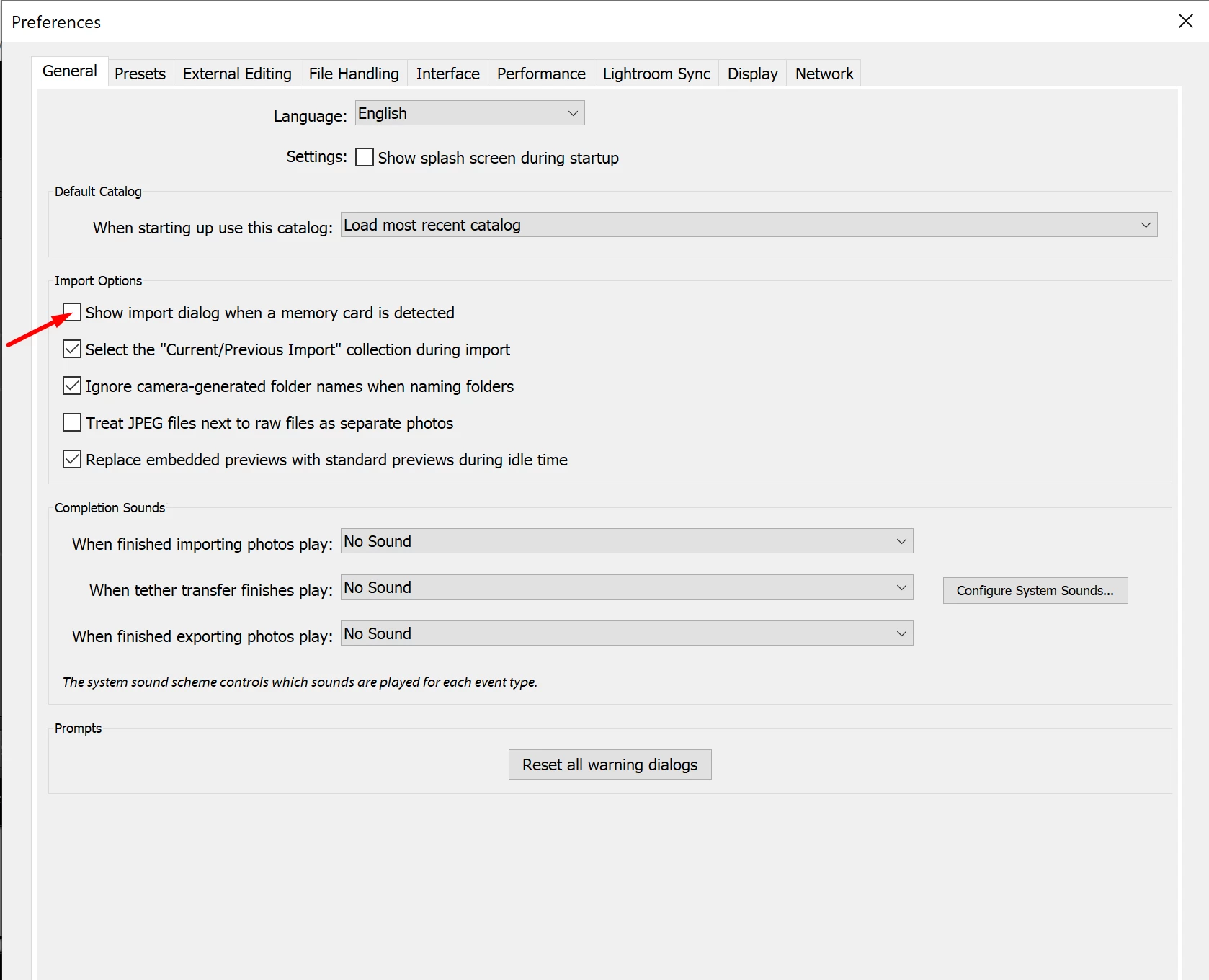
We're sorry about the trouble with Lightroom Classic. You can try disabling the option to Show import dialog when a memory card is detected by going to the Preferences for Lightroom Classic, then General. Once done, quit and relaunch Lightroom Classic to check if that helps.


Let us know if it helps!

Regards,

Nikunj

1 reply

nikunj.m
Community Manager
nikunj.mCommunity ManagerCorrect answer
Community Manager
August 7, 2020

Hi there,


We're sorry about the trouble with Lightroom Classic. You can try disabling the option to Show import dialog when a memory card is detected by going to the Preferences for Lightroom Classic, then General. Once done, quit and relaunch Lightroom Classic to check if that helps.


Let us know if it helps!

Regards,

Nikunj

Participant
February 14, 2024

No, it did not.

Per Berntsen
Community Expert
Community Expert
February 14, 2024

If you're on Windows, disable Autoplay in settings. That should stop it.

I imagine there's a similar setting on Macs.