

Question
Avoid duplicate on import is not working when photo as been already auto imported
LRC 15.3
Windows 11
Step to reproduce
- Configure auto import. Don’t rename and don’t apply any preset. Keep is simple
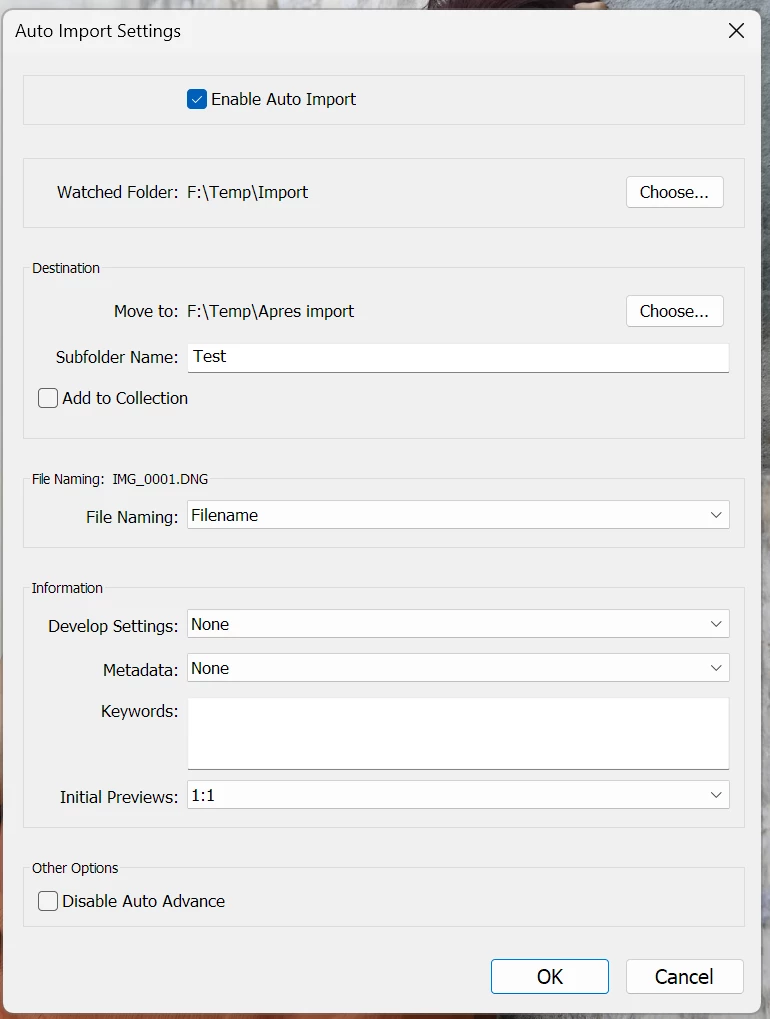
Auto import settings - Copy a photo in the auto import folder. The photo is imported automaticly
- Launch a normal import with the "don’t import suspected duplicates" box checked
- Point to the initial folder were the photo was (not the auto-import one)
- The photo that is already in the catalog is not greyed. You can reimport it and create a duplicate even if you ask to avoid duplicates.
Kind regards
 AdChoices