

Background on some GUI buttons wrong colour
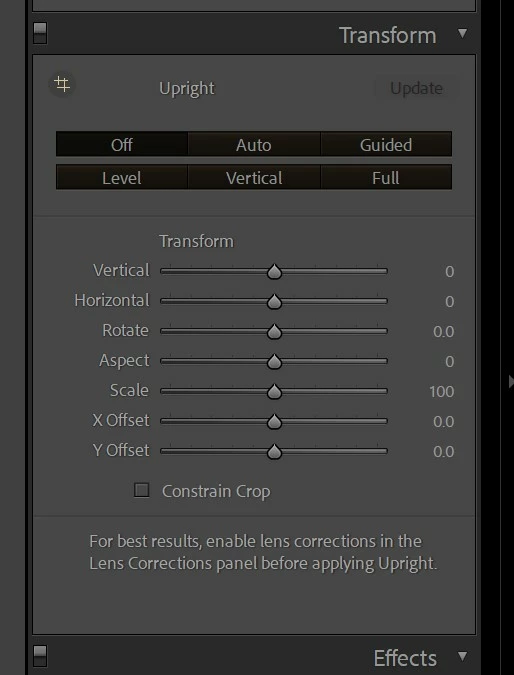
For some reason the buttons in the transform panel (and a couple of other places) are now being drawn with an almost black background. The buttons still work, they're not ghosted out because the file is missing or anything like that. They are simply the wrong colour.
I first noticed this yesterday and have tried the following without success:
Renamed the prefs file
Rolled back to the previous version
Rolled PS back to the previous version (just in case the latest update broke some shared resources)
A complete uninstall/reinstall
Contact Adobe support who also renamed the prefs file, then decided it was because my monitor was using the sRGB profile. They then arranged a call back for this morning, the guy did exactly the same things again - he's now arranged another call back for tomorrow.
Clearly this isn't prefs or colour management, it's likely some obscure resource file somewhere that's been deleted, overwritten, corrupted.
Anyone got any suggestions on what else I could try?
I'm running Win11, AMD Ryzen 9 3900x, 64gb ram, RTX3080 and everything is up to date.


 AdChoices