
Participant
October 15, 2023
Answered

Backup not working

  • October 15, 2023
  • 2 replies
  • 436 views

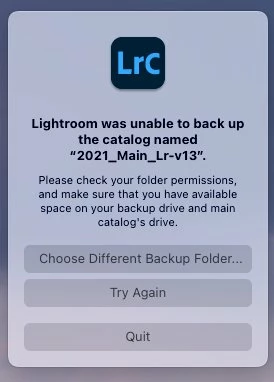
I perform a caftalog backup on exit each time and now under Lr 13.0.1 on Senoma (14.0) I am not able to perform a backup. I get the below pop-up window. If I select local, NAS or cloud storage, all give the same response.

I undertook a fresh install of 13.0.1 from 12. And I have checked that all of my backup destinations are writeable. 

I've tried switching off 'test integrity' and 'Optimize catalog' but nothing seems to be working. 

Thank you. 
This topic has been closed for replies.
Correct answer noodleJam

So, I've been around the houses trying to resolve this and I finally have.

Including, uninstall/ reinstall, repairing permission, import catalog, etc. and nothing seemed to work.

Then I thought I'd reopen and upgrad my v12 catalog creating v13-2 and it seems to have worked and I can now backup my catalog on export.

Therefore, be warned when upgrading… you might have to do it again.

Thank you to all who tried to help.

2 replies

noodleJamAuthorCorrect answer
Participant
October 16, 2023

So, I've been around the houses trying to resolve this and I finally have.

Including, uninstall/ reinstall, repairing permission, import catalog, etc. and nothing seemed to work.

Then I thought I'd reopen and upgrad my v12 catalog creating v13-2 and it seems to have worked and I can now backup my catalog on export.

Therefore, be warned when upgrading… you might have to do it again.

Thank you to all who tried to help.

JohanElzenga
Community Expert
Community Expert
October 15, 2023

How much space is left on your main drive? As the dialog suggests, this is important as well.


-- Johan W. Elzenga
noodleJamAuthor
Participant
October 15, 2023

Many thanks for your reply. 

My main HD has 144GB space left on it (2/3rds full). 

The Lr catalog lives in an external Crucial X6 SSD. 
I've checked my Privacy settings as I thought this was a write permission issue, but that doesn't appear to be the issue. 

JohanElzenga
Community Expert
Community Expert
October 15, 2023

What about the free space on that Crucial SSD? That is the 'main catalog's drive' the error message mentions as possibility.


-- Johan W. Elzenga