Before/after colours are different prior to any editing. But the "before" better renders the colours
Hi, hive mind!
I have a GPU-related colour render issue in the Before/After in the Develop Module. I have found that they become the same if I switch off the GPU support.
However!
The Before look with the GPU support turned on is looking far better AND closer to the colours I see in Sony-rendered jpegs. The After one is blegh with some greenish cast, some being more yellow, some - more cold. It's a big difference and it cannot be corrected simply by temperature or tint slider.
Before I found out about the GPU, I tried copying settings between the Before and After. Interestingly, it can make Before look like After, but not vice versa.
I tried all the profiles coming with LR - they are all bad compared to even the Before, not talking about the Sony jpeg render (I had no profile turned on in the camera).
My question: how can I retain this Before render?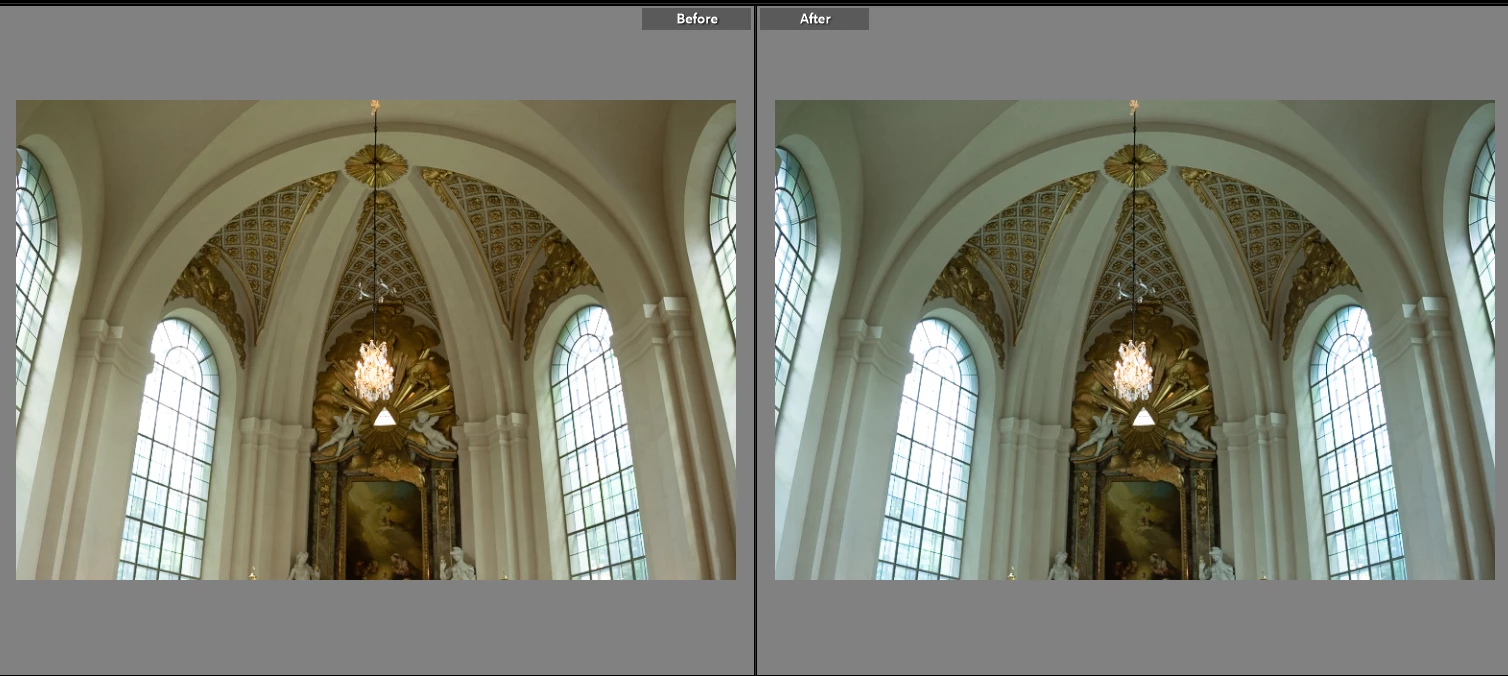
p.s. No, I have no preset upon upload and nothing has been touched.
 AdChoices