Participating Frequently
November 23, 2017
Answered

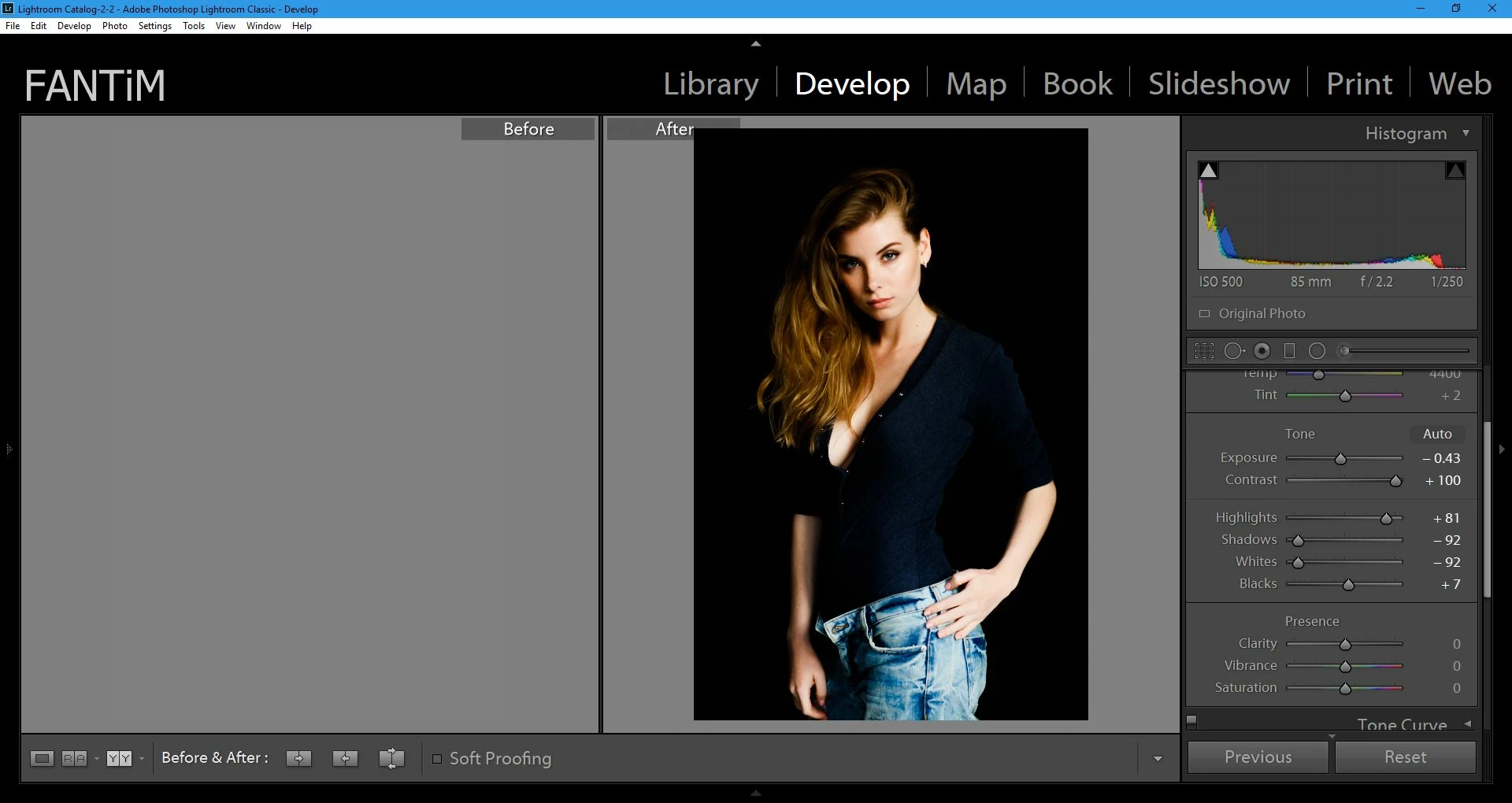
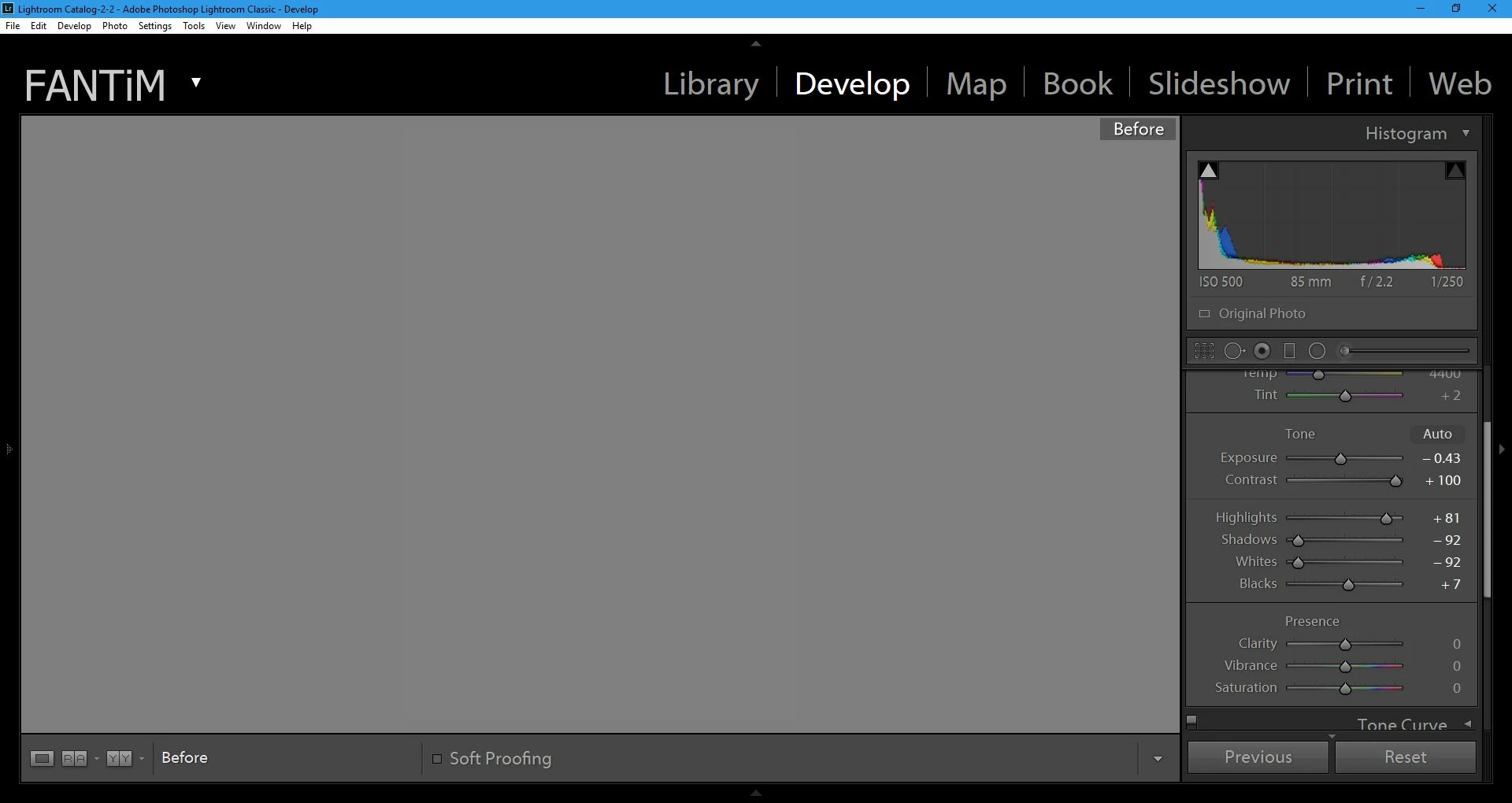
Before/After Not Working/Blank
  • November 23, 2017
  • 3 replies
  • 8741 views

I've been doing some research online to try to find a solution to this.  I've found several different people who've ran into this problem, but no solution.
Basically the before pane is blank.

I've tried disabling GPU acceleration, this has no effect.

I've also tried restoring Preferences to default settings.

And of course I've upgraded to the most current version of Lightroom.

I've even uninstalled Lightroom and reinstalled it.

Anyone else have suggestions on this issue, or  fixes for it?

This topic has been closed for replies.
Correct answer Per Berntsen

Above is an image with more drastic changes. 

Here is the '\' key


This might be caused by a defective monitor profile.

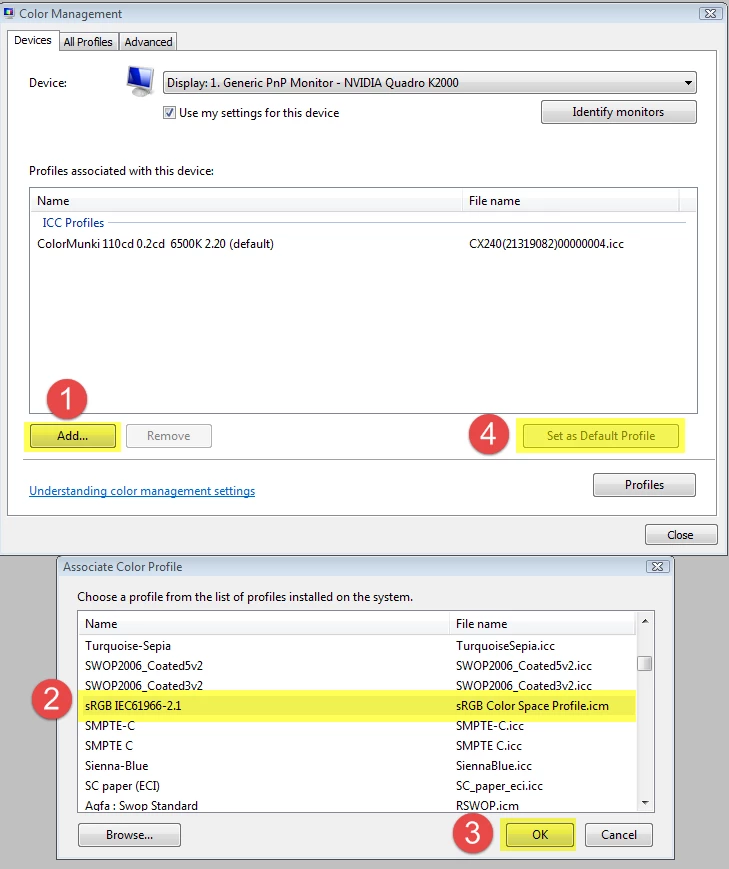
Try setting the monitor profile to sRGB, or Adobe RGB if you have a wide gamut monitor.

If that fixes the problem, you should ideally calibrate your monitor with a hardware calibrator.

Go to Control Panel > Color management.

Add the sRGB (or Adobe RGB) profile, then set it as Default profile. Make sure that Use my settings for this device is checked.

3 replies

Participant
May 31, 2020

I had the same issue on my new Surface Pro 7 I just got a week ago. I changed the moniter profile and stuff but it didn't work? 

Participant
June 9, 2020

I'm having the same issue on my surface pro 7 as well.  I tried all the things listed above, still doesn't seem to work. 

Participant
June 9, 2020

Having the same issue with new Suraface Laptop 3

Participant
January 27, 2019

i found solution for this problem!!!

RTX 2060, Windows 10 clean instalation, the new CC  2019, and typical problem, no before screen, many of us used msi afterburner and RIVA TUNER statistic to see fps in games, you must add to exclusion Lightroom i RIVA TUNER, he add fps when you work on it, after this, restart lightroom and no problem ever

dj_paige
Legend
November 23, 2017

I have not seen this particular failure. Perhaps you need to re-install your graphics driver — yes that's just a guess.

Also, we here in this forum really really need to know the version NUMBER of your Lightroom and not words like "most current version". Thank you.

fantim008Author
Participating Frequently
November 23, 2017

Adobe Photoshop Lightroom Classic CC 7.0.1

Abambo
Community Expert
Community Expert
November 23, 2017

The reason for asking for the exact version number is because

  1. some users think that they are current, but they are not
  2. after some time the message "current" will be meaningless, as the versions have accumulated.

May I ask you to go to help->system info and copy paste here that info from the start (Lightroom Classic...) up to the graphics card (stop at the application folder) .

May be someone with a similar configuration has a clue on what's going on.

What you could still do is to check for a graphics driver upgrade.

When did that problem exactly arise? May be you can retrace what was just before this started to happen, like OS update, some program install, graphics update...

and btw: it's a nice picture! :-)

ABAMBO | Hard- and Software Engineer | Photographer