Answered
Black thumpnails
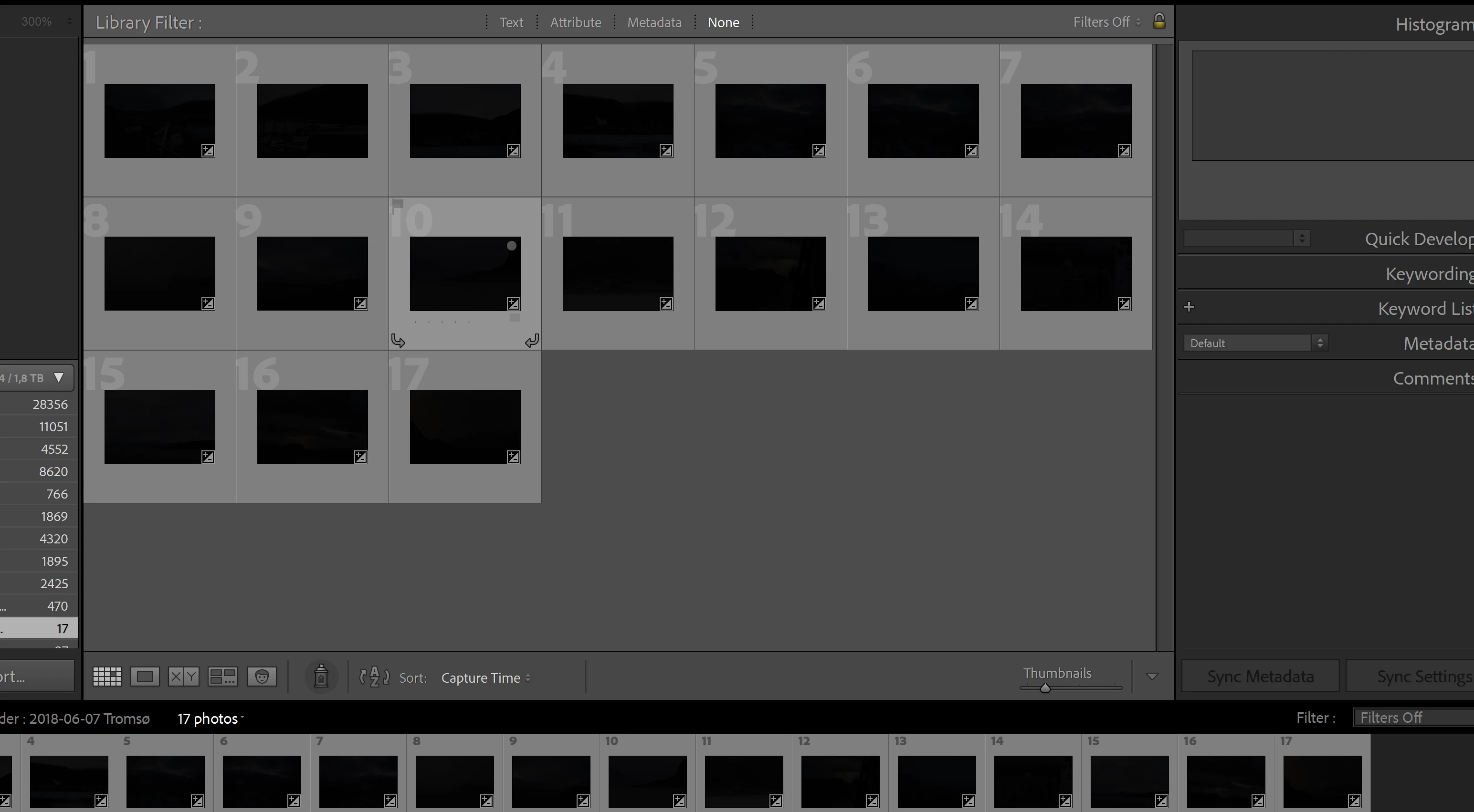 So I just got my new Zenbook pro, and this is what happes when I open lightroom!? When I go to develop mondule the picture is there? Anyone know about this issue?
So I just got my new Zenbook pro, and this is what happes when I open lightroom!? When I go to develop mondule the picture is there? Anyone know about this issue?
Try to disable the GPU. In both programs under Edit > Preferences > Performance.
It this fixes the issue, and your graphics driver is not up to date, update it, and try to enable the GPU.
Since you have a new computer, it's likely not up to date.
Another possibility is that you have a defective monitor profile.
Try setting the monitor to profile to sRGB (use Adobe RGB if you have a wide gamut display).
If this fixes the issue, it is recommended that you calibrate the display with a hardware calibrator.
This will also create and install a custom monitor profile that describes your display accurately.
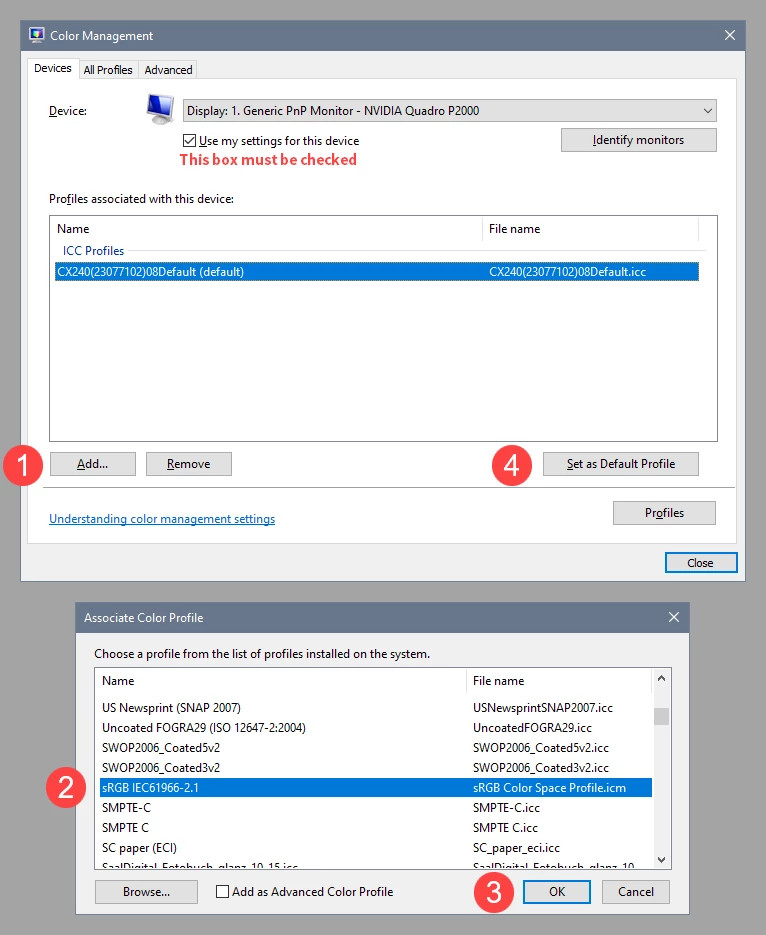
With Lightroom and Photoshop closed, press the Windows key + R, type colorcpl in the box and press Enter.
Add the sRGB profile, then set it as default.
Already have an account? Login
Enter your E-mail address. We'll send you an e-mail with instructions to reset your password.
 AdChoices