
Participant
November 14, 2016
Answered

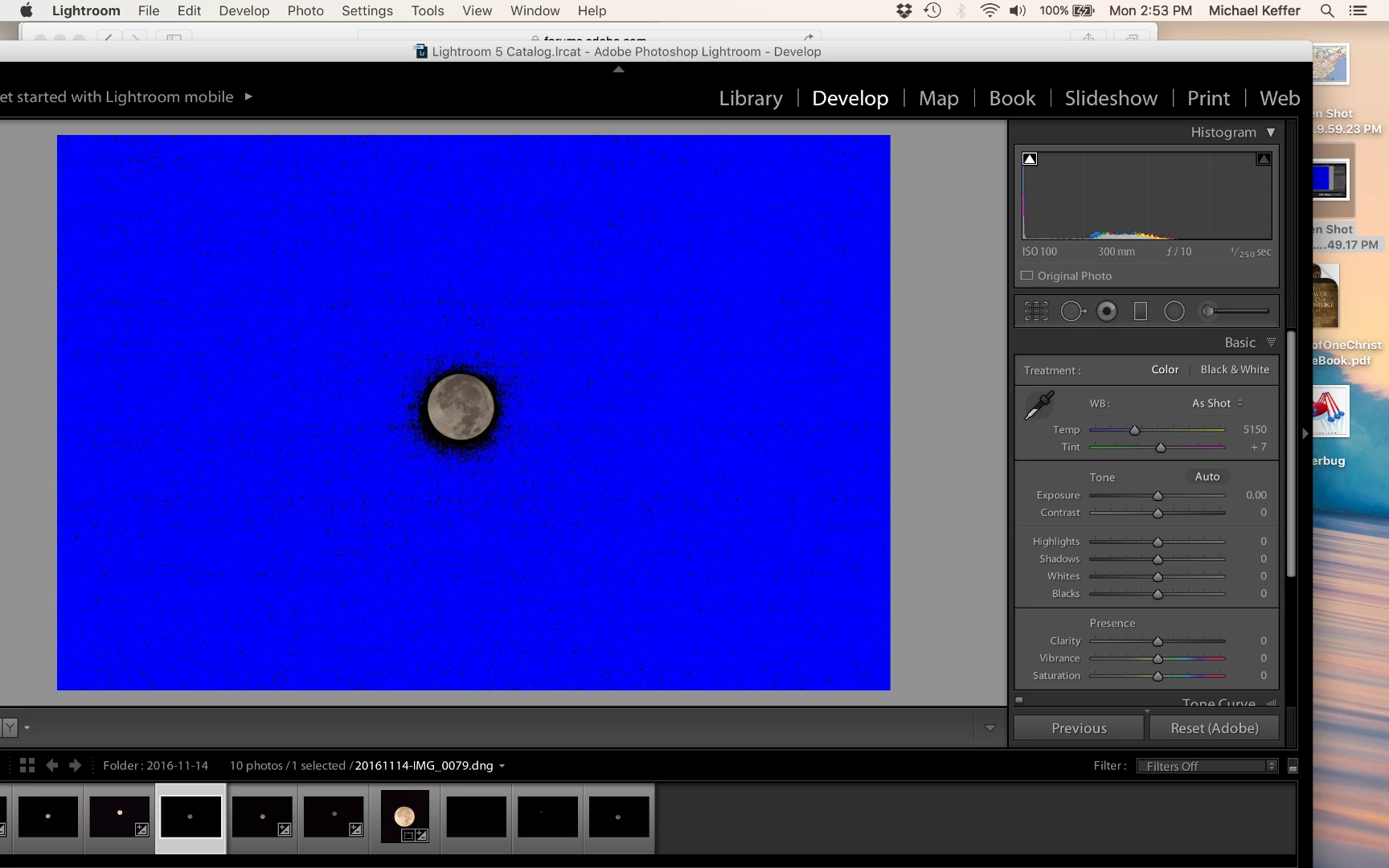
Blacks and shadows are blue in develop module.

  • November 14, 2016
  • 4 replies
  • 7581 views

I'm using a 2016 Macbook Pro with LR 5.71 and since LR5 I have had the same problem with darks, blacks and shadows, showing as blue in the develop module. I use a Canon and shoot in RAW, so I'm trying to edit DNG files. How can I fix this? other threads say goto preferences and performance then turn off the GPU but my screen does not have a performance tab. What should I try next

DNG of the moon
?

This topic has been closed for replies.
Correct answer dj_paige

Press J once or twice, or click the white triangle in the histogram top left. This is the clipping indicator.

4 replies

edstines
Participant
December 26, 2016

Thank you

John Waller
Community Expert
Community Expert
November 14, 2016

bengunn57 wrote:

I'm using a 2016 Macbook Pro with LR 5.71 and since LR5 I have had the same problem with darks, blacks and shadows, showing as blue in the develop module. I use a Canon and shoot in RAW, so I'm trying to edit DNG files. How can I fix this?

There's nothing to fix. Highlight and shadow clipping indicators are a feature in Lightroom for you to use

Quick Tip – Shadow and Highlight Clipping Warnings In Lightroom « Julieanne Kost's Blog

JP Hess
Inspiring
November 14, 2016

Or you can adjust blacks and shadows as well as the  dark end of the tone curve until the blue disappears.

dj_paige
dj_paigeCorrect answer
Legend
November 14, 2016

Press J once or twice, or click the white triangle in the histogram top left. This is the clipping indicator.

cherokeet34889102
Participant
June 26, 2024

Thank you So much for this anwser... The simplicity is as exciting and the lack of Any other anwsers is infuriating.