Participating Frequently
March 8, 2023
Question

Blank screen when starting up LR - Mac Ventura
  • March 8, 2023
  • 3 replies
  • 2054 views

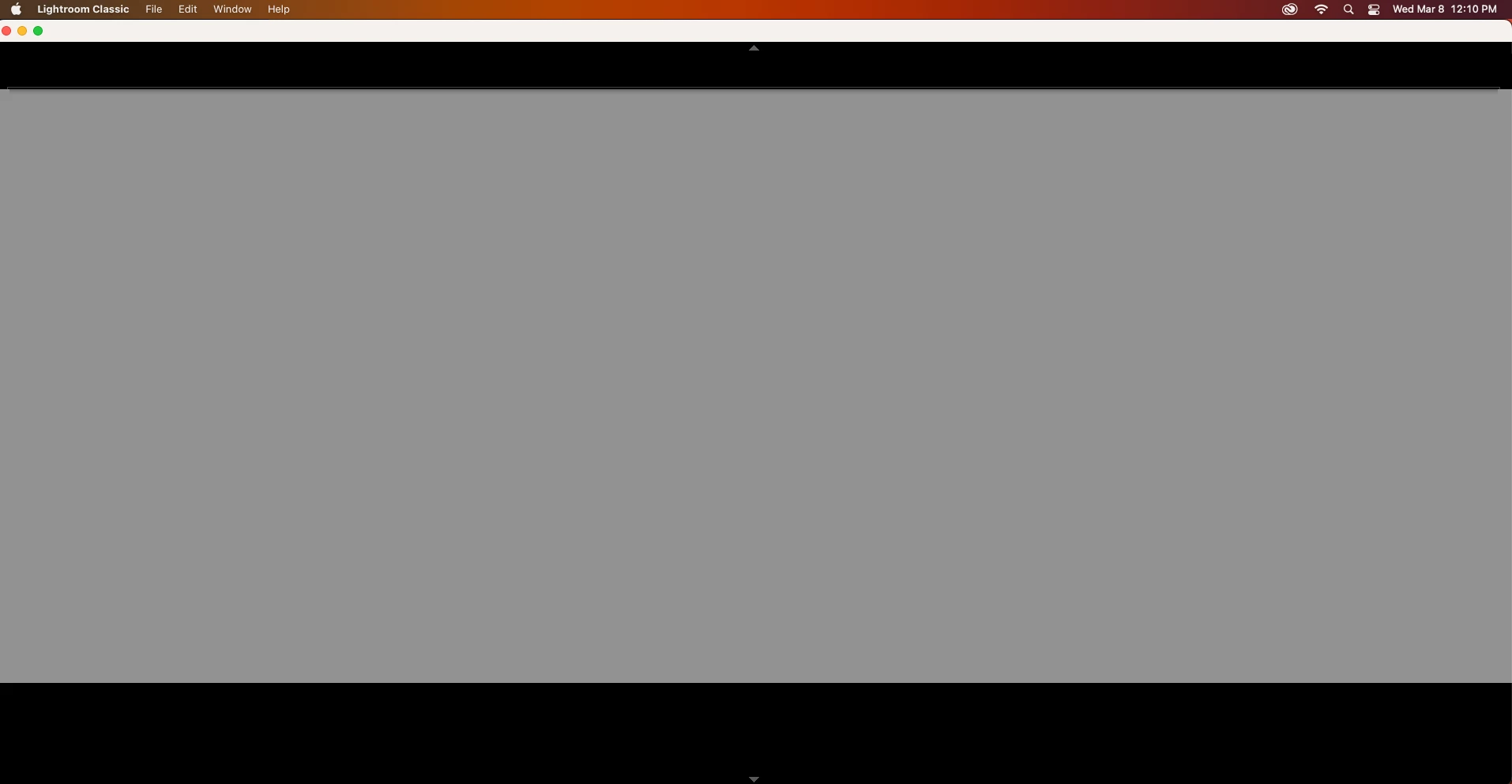
Fresh install.  This is what I get when I open LR for the first time.

I can't do anything.  Have to force close.

Can't create a new catalog or see any panels.

I tried uninstalling and reinstalling.  Rebooting.

Installing an older version.

Same thing.

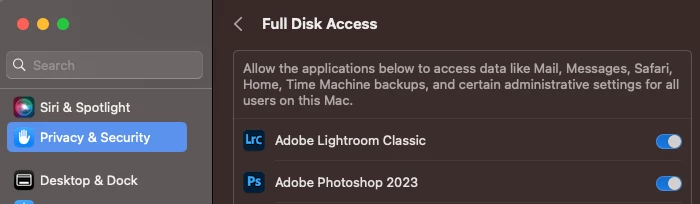
Gave permissions for sull disk access.
Please help!!! 
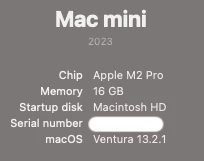
Ventura 13.2.1

LR Classic 12.2 

This topic has been closed for replies.

3 replies

Participating Frequently
March 8, 2023

Ok so I spent about 30m on a screen share and chat with someone from Adobe.

The long and the short of it is that LR is not compatible with the M2 yet.

It was funny watching him go through all the same steps I had gone through.

How did he not know from the beginning that there is an issue with M2 and LR?

Am I the first person to have a M2 and trying to run LR?  Apparently  🙂

That should be pinned at the top of these discussion boards.


So unfortunately I have to run in Rosetta mode until they update LR.


Participating Frequently
March 8, 2023

These are the quotes from the rep.


"The M1 chip is based on a different architecture than previous Macs, which means that applications designed for the old architecture may not work on the new M2 machines. However, Apple has provided a solution called Rosetta that allows these applications to run on the new machines.

Lightroom classic was showing compatibility issue with M2 chip which created this error. However rest assured we are continuously working on it and it will be fixed in upcoming updates."


"Thank you for bringing this to our attention. We apologize for any inconvenience this may have caused. Our team is actively working on identifying and resolving any issues related to Lightroom on the M2 Macs. We appreciate your feedback and will take it into consideration as we work towards providing better support and documentation for our users. Once the update is there you just need to update your apps and you will be able to use it perfectly fine."


Participating Frequently
March 8, 2023

I can't figure out how to troubleshoot this.

I just installed CC installer and LR.

I get this "somewhat" blank screen when I open LR and I can't do anything.

This is the 1st time opening LR so I have no catalogs, etc.

If I try to close it, I get the beach ball.

I have to force close.

I tried uninstalling/reinstalling it from CC and that didn't help.

Never had an issue running LR on my m1 mini.


Ventura 13.2.1

Lightroom 12.2

JohanElzenga
Community Expert
Community Expert
March 8, 2023
-- Johan W. Elzenga
Participating Frequently
March 8, 2023

Thanks I tried that.

It reset the preferences, but left with the same screen on startup.

This is driving me nuts.

It looks like when you first start and it gives you the tutorial overlay.

However I can't see anything but what I showed in my screenshot.

johnrellis
Legend
March 8, 2023

Try a clean uninstall/reinstall of all Creative Cloud apps using Adobe's Cleaner Tool:

https://helpx.adobe.com/creative-cloud/kb/cc-cleaner-tool-installation-problems.html

GoldingD
Legend
March 8, 2023

Do you use two displays by chance?

Participating Frequently
March 8, 2023

I admit that's what it looked like to me.  But on this computer it's just a mac mini hooked up to one display.  I've never hooked up this computer to anything else.