


Marge Rohr
Participant
Oct 27, 2026 5:56 PM UTC
Question

Book Module in Lightroom. Will not let me type text on the spine when I switch to softcover book. Blurb says there should be space for that and to ask Adobe. I have been working on this for 2 weeks and have read and tried every option. Help.
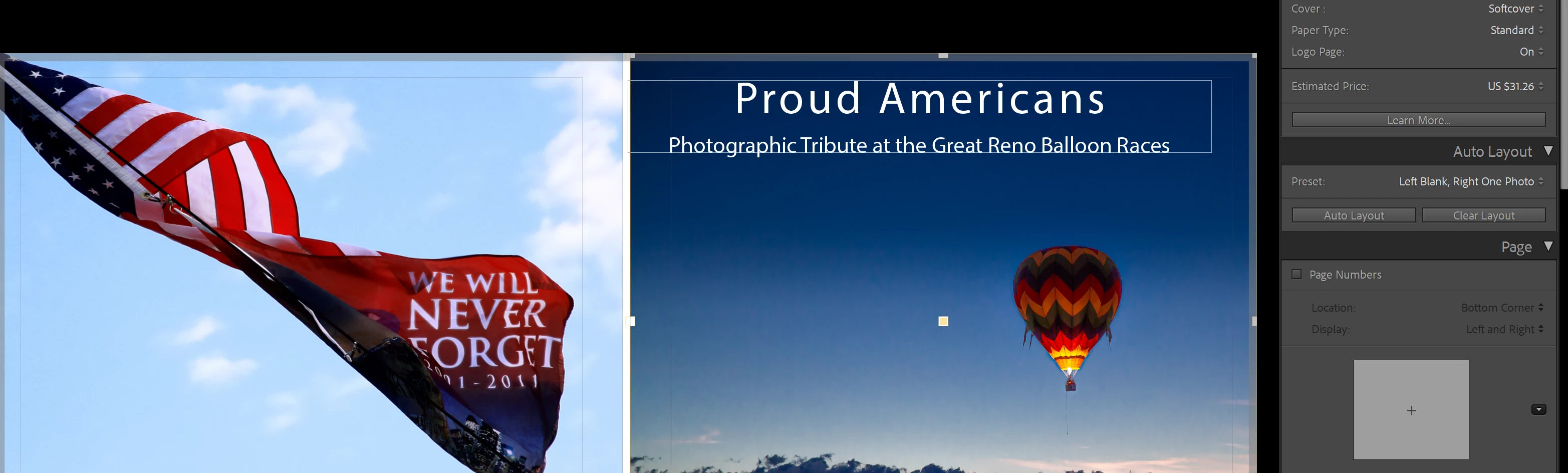
No spine to enter text no matter what I try to do when choosing Softcover.  It works when I select hardcover.

    4 replies

    Marge Rohr
    Participant
    Oct 28, 2026 2:48 AM UTC

    see above

    Translate
    Marge Rohr
    Participant
    Oct 27, 2026 10:56 PM UTC

    See above


    Translate
    Marge Rohr
    Participant
    Oct 27, 2026 10:05 PM UTC

    Lightroom Classic 13-3, 8X10 landscape, Windows 11, 30 pages, 


    Translate
    Claire H.
    Community Manager
    Community Manager
    Oct 27, 2026 9:20 PM UTC

    Hi @Marge Rohr, Thanks for reaching out to the Lightroom Classic Community Forum! Please share your Lightroom Classic version, operating system, book size, paper type, and page count, along with screenshots of the cover and Book Settings.

    Before changing your existing project, try a separate softcover test book with more pages to see whether the spine text area appears. Please also ask Blurb to confirm that your exact book specifications support spine text when created through Lightroom. This will help narrow down whether the issue is related to spine width or Lightroom’s editing options. Thanks! ^CH

    Translate