Inspiring
December 28, 2025
Answered

Bridge Lightoom compatibility

  • December 28, 2025
  • 2 replies
  • 422 views

I've used Bridge for years, but it seems that with later cameras, like the Nikon Z9 it does not show thumbnails of nor play videos, unless there is some secret I don't know about.  I've never liked Lightroom, but I found that it does show theses thumbnails, which would make it much easier to add desired metadata without having to use free programs like Nikon Studio to show or play the video.  So I was trying to test how compatible the 2 program in the title.  I see that LR shows my entered metadata, and keywords.  but I also saw that it had dates for the videos, which bridge lacks.  I tried exporting a file with the date and also added a keyword, saving with the same file name and location and checking back to see the file in the same folder in Bridge and nothing new added.  Is there someone familiar with both programs who can explain why this is so.

Correct answer dj_paige
quote

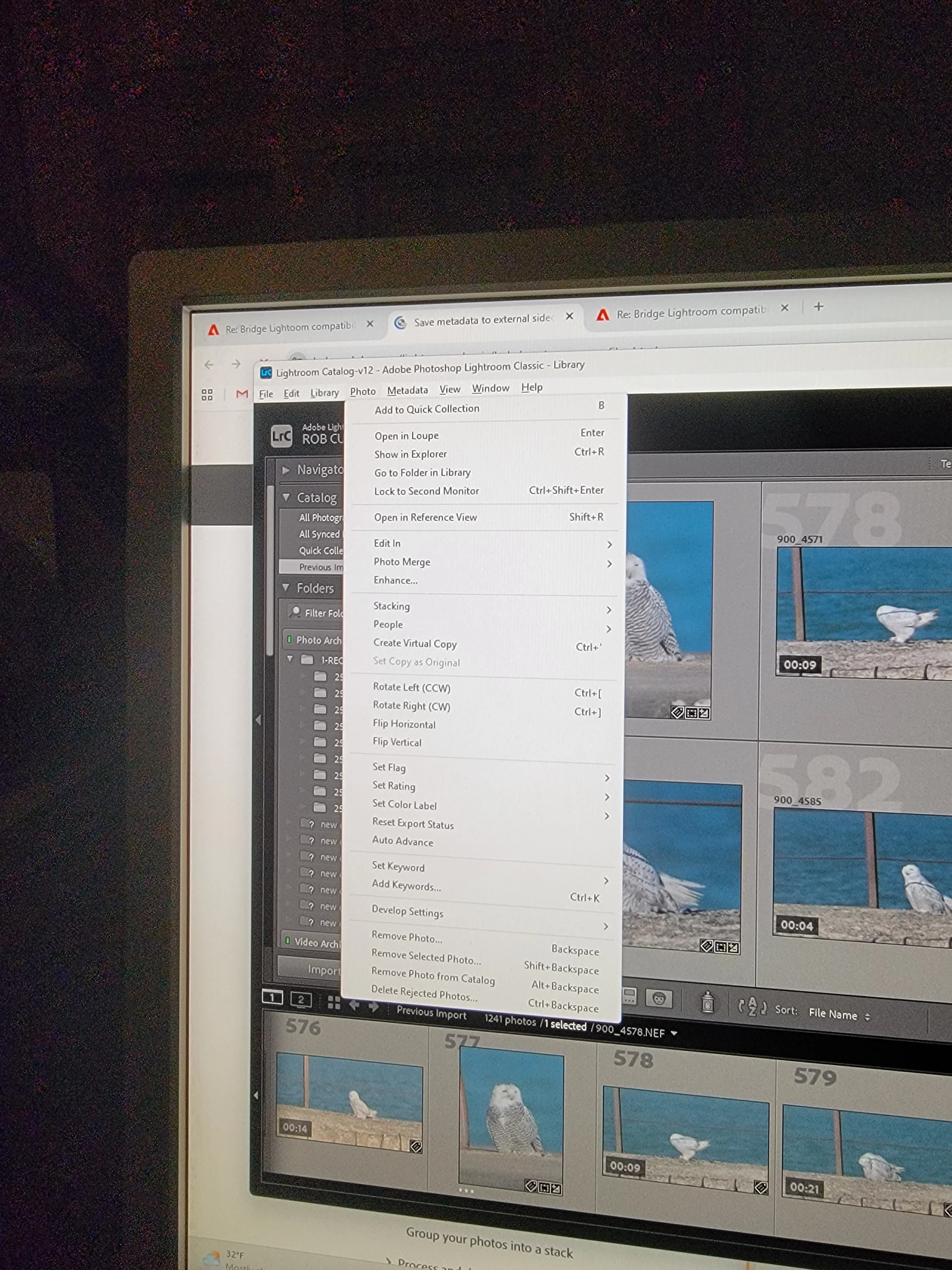
With latest CLR, I selected a photo and chose the keyword, yawning and then went to the photo menu to try saving manually and I don't see 'save metadata to file'.  Cell phone picture shown.

872873i2ECC790BB6A561AC.jpg


By @robirdman1


Try the metadata menu.

2 replies

Community Expert
December 29, 2025
quote

I've used Bridge for years, but it seems that with later cameras, like the Nikon Z9 it does not show thumbnails of nor play videos,


By @robirdman1


Do you have installed the latest version of Adobe Bridge?


quote

...I'I tried exporting a file with the date and also added a keyword, saving with the same file name and location and checking back to see the file in the same folder in Bridge and nothing new added. 


By @robirdman1


In order for Bridge to display the metadata from Lightroom, it needs the so-called sidecar files (.XMP).

See here: Save metadata to external sidecar files


My System: Intel i7-8700K - 64GB RAM - NVidia Geforce RTX 3060 - Windows 11 Pro 25H2 -- LR-Classic 15 - Photoshop 27 - Nik Collection 9 - PureRAW 6 - Topaz Photo AI
Inspiring
January 5, 2026

I had tried with the latest Bridge version from the cloud.  I wonder why in both programs, the 'developers' thought it was a good idea to remove the arrows for up and down at the top and bottom of the scroll bar.  I may have thousands of files in a folder and it is hard to just grab and pull without going past the desired file, when close but not quite there.

dj_paige
Legend
December 28, 2025

I tried exporting a file with the date and also added a keyword, saving with the same file name and location and checking back to see the file in the same folder in Bridge and nothing new added.


When you talk about "Lightroom", do you really mean "Lightroom Classic"?


I am struggling to understand what you did here. Could you clarify? Do you mean you had Lightroom Classic overwrite the original file? Are you working with RAWs or JPGs or something else. 


Lightroom Classic and Bridge should talk to one another if the right options are set in Lightroom Classic. But I need to understand what you did before we can talk about the options you need.

Inspiring
January 5, 2026

classic, yes.