
Participant
Jul 3, 2022 6:53 PM UTC
Question

Brush effects not working?

Hi.


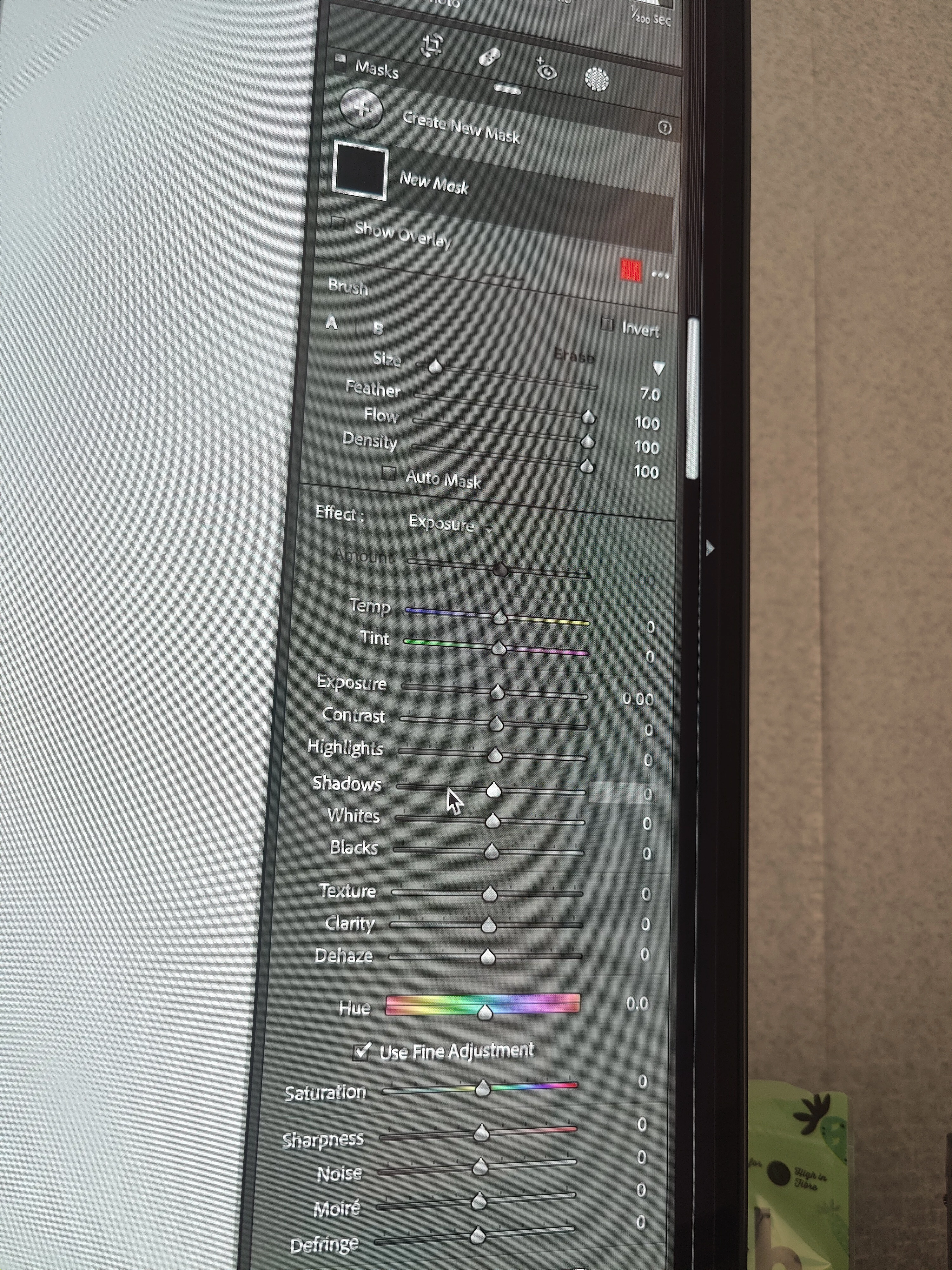
In lightroom im having some issues with the brush tool. On masks I select brush, and usually i would choose an effect and it would have a drop down triangle next to it with an ammount, its missing? and when i go to paint the brush nothing happens? Is there anything im missing here?
 

This topic is closed to new replies. Start a new post to keep the conversation going.

3 replies

JohanElzenga
Community Expert
Community Expert
Jul 3, 2022 8:01 PM UTC

P.S. The reason why your painbrush doesn't do anything is because all the sliders are set to zero. Check at the bottom of the panel. There is a checkbox to reset all sliders when you create a new mask. You probably have that checked.


Translate
-- Johan W. Elzenga
dj_paige
Legend
Jul 3, 2022 7:53 PM UTC

When you select brushing, then the next step is to actually use the brush on your image. The area brushed should be covered with the proper colored brushing overlay. (if you don't see the proper colored brush overlay, press letter O)


Nothing happens to your image when you brush because you have not selected any edits. All sliders are at zero. As soon as you change the sliders, the overlay should disappear and then you will see the changed image (changed based upon your brushing).

Translate
JohanElzenga
Community Expert
Community Expert
Jul 3, 2022 7:51 PM UTC

I think that triangle was removed, and the Amount slider now always shows, because it confused people that the panel could be collapsed and the Amount slider would only show when it was collapsed.


By the way: https://support.apple.com/en-us/HT201361#:~:text=To%20take%20a%20screenshot%2C%20press,to%20save%20to%20your%20desktop.


Translate
-- Johan W. Elzenga