Participating Frequently
June 23, 2025
Answered

Brushes missing from LRC. HELP needed

  • June 23, 2025
  • 3 replies
  • 320 views

Hello.


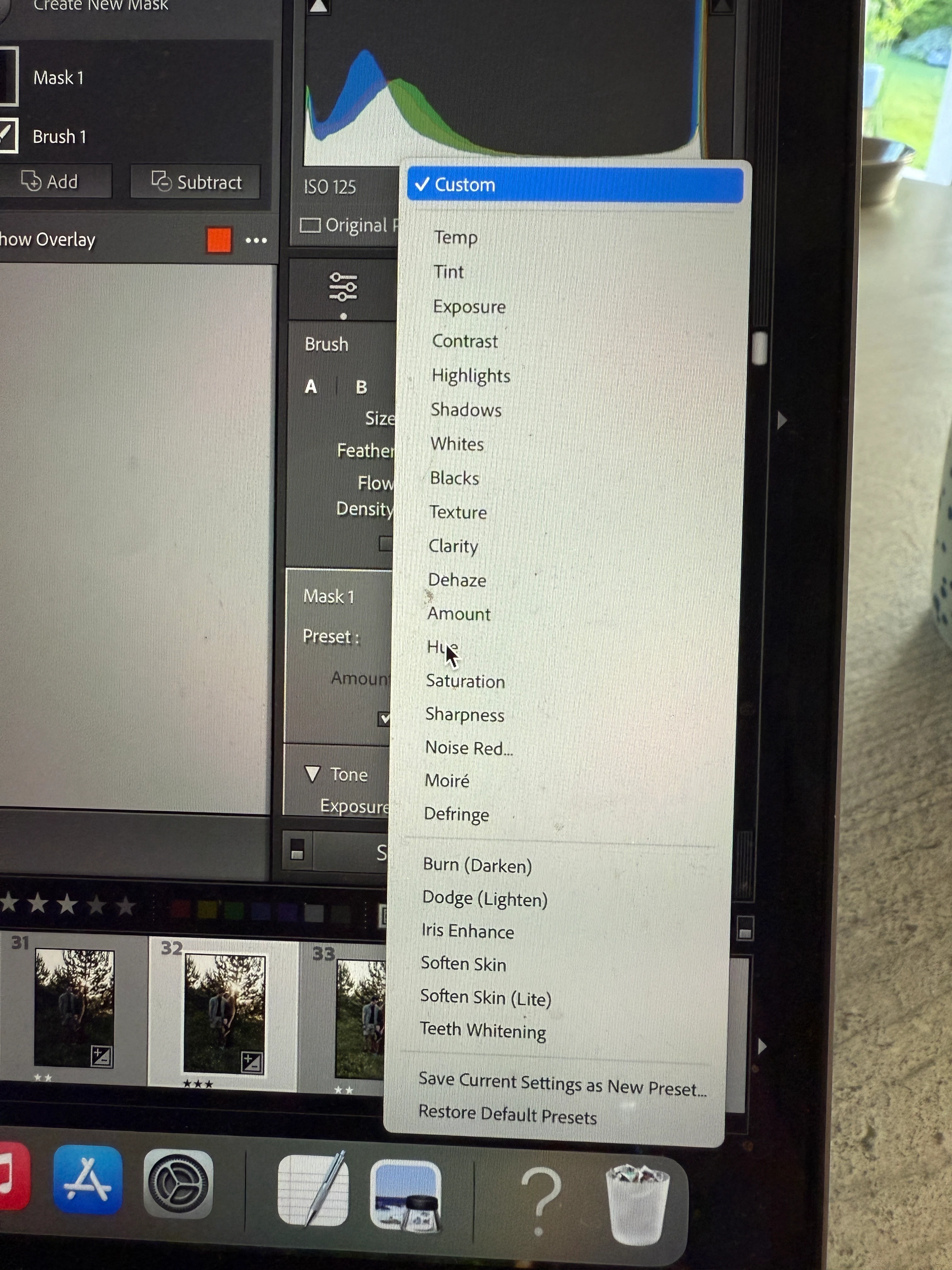
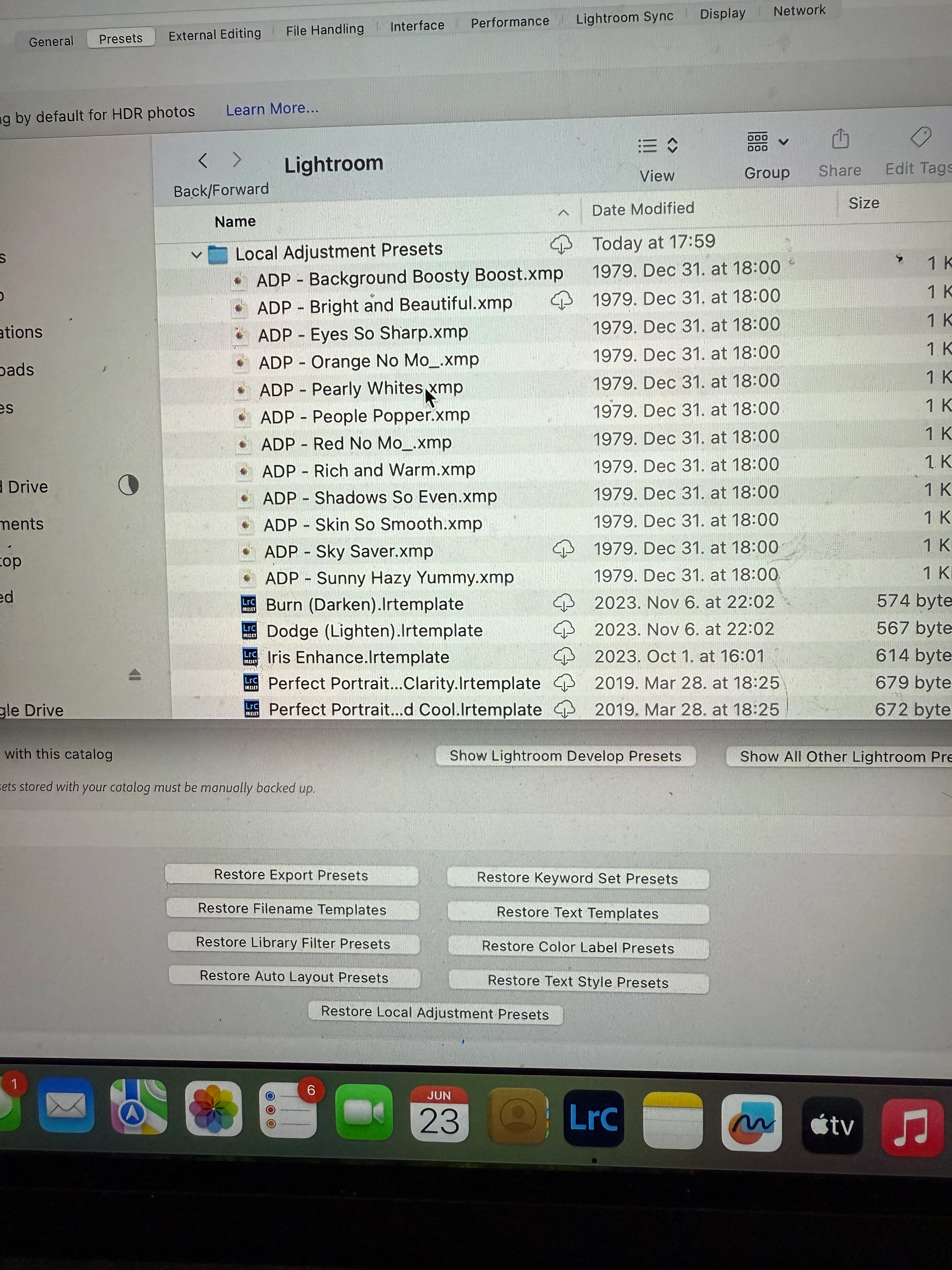
I have opened up my LRC, all my pregviously purchased presets are still in it but the brushes are missing. If I go into settings and choose Show all other lighttoom prestets-lightroom-local adjustment brushes....They are still all inthre. I treid to reinstall them, replace them, still once closing the LRC and reopening, getting a brush tool then go to the custom ...they are not there. 


If I go back to an older catalog, they are there again....


Any idea? Thank you!
  

Correct answer JohanElzenga
quote

Thank you. And how do I undo this?


By @Lili33429501ng2j


Go to 'Catalog Settings'. If the option to store presets with the catalog is enabled, then disable it. Restart Lightroom and see if your presets are back.


3 replies

JohanElzenga
Community Expert
Community Expert
June 24, 2025

If they are there when you open an older catalog, then that suggests that you may (inadvertently) have enabled 'Store Presets with this Catalog' for the current catalog.


-- Johan W. Elzenga
Participating Frequently
June 24, 2025

Thank you. And how do I undo this?

JohanElzenga
Community Expert
JohanElzengaCommunity ExpertCorrect answer
Community Expert
June 24, 2025
quote

Thank you. And how do I undo this?


By @Lili33429501ng2j


Go to 'Catalog Settings'. If the option to store presets with the catalog is enabled, then disable it. Restart Lightroom and see if your presets are back.


-- Johan W. Elzenga
Rob_Cullen
Community Expert
Community Expert
June 24, 2025

If this is some type of Cloud syncing- it might be a problem.

Regards. My System: Windows-11, Lightroom-Classic 15.1.1, Photoshop 27.3.1, ACR 18.1.1, Lightroom 9.0, Lr-iOS 10.4.0, Bridge 16.0.2 .
Community Manager
June 23, 2025

Hi @Lili33429501ng2j! Sorry to hear your brushes have gone missing — that’s definitely frustrating.

Could you let me know which version of Lightroom Classic you’re using? Did this start happening after a recent update? And are all the missing brushes from the same creator or manufacturer?

Thanks so much!
Alek

*(If you mention me with an @, like @Aleke, I’ll get a notification and can respond faster.)*
Participating Frequently
June 24, 2025

Dear @Aleke.


Thank you for your response. Actually at already happened before the update, but then i updated to the newest version and it is still a problem.  If I go back to older cataloge it is still there, but the current catalog missing all from all manufacturer. I tried reinstalling them, then reopening LRC but its just not working.