Answered

This topic has been closed for replies.
[This post contains formatting and embedded images that don't appear in email. View the post in your Web browser.]
The Constrain To Image option doesn't lock the aspect ratio. For that, click the padlock icon:
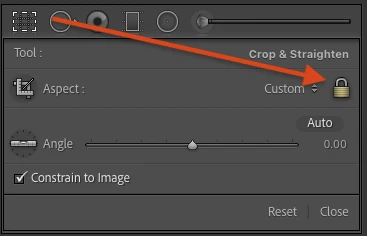
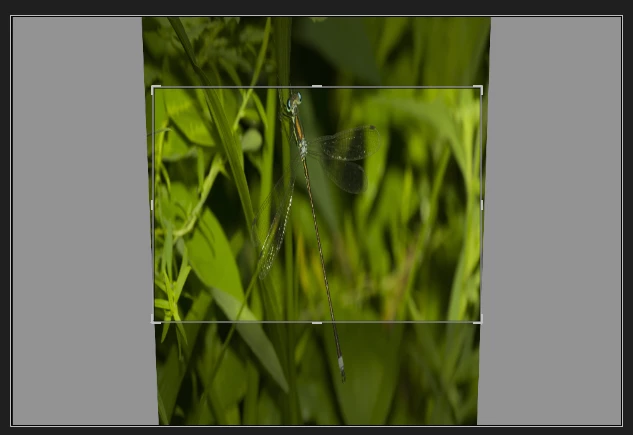
The Constrain To Image option is the same checkbox as that labeled Constrain Crop in the Transform panel, which can create white bars on the sides of images:

The Constrain Crop / Constrain To Image option limits the crop to be wholly within the image, not including any of the white/grey bars:
Sign up
Already have an account? Login
To post, reply, or follow discussions, please sign in with your Adobe ID.
Sign inSign in to Adobe Community
To post, reply, or follow discussions, please sign in with your Adobe ID.
Sign inEnter your E-mail address. We'll send you an e-mail with instructions to reset your password.
 AdChoices