Participant
March 30, 2019
Answered

Bug? "original file could not be found" search...

  • March 30, 2019
  • 3 replies
  • 473 views

Hello. Reattaching files has yielded a strange behavior.

I have identical files on drives A and B. Currently the catalogue is attached to the files on B. I disconnect B, click the upper right corner of a file to get 
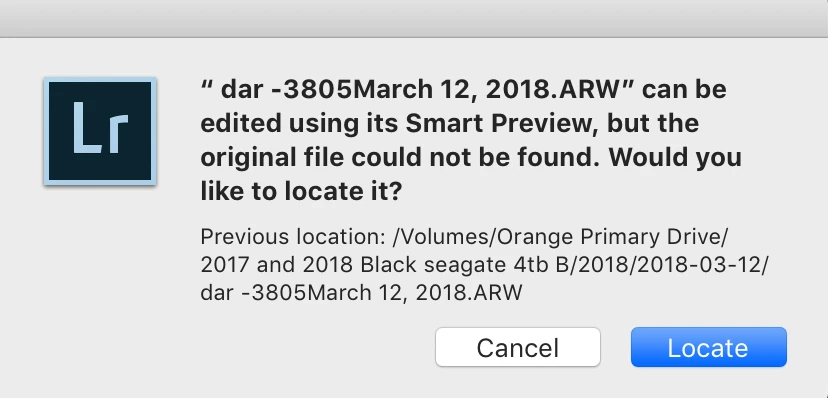
I copy the name to the clipboard and enter it in the search field. Normally, the file appears in whatever locations are currently attached:
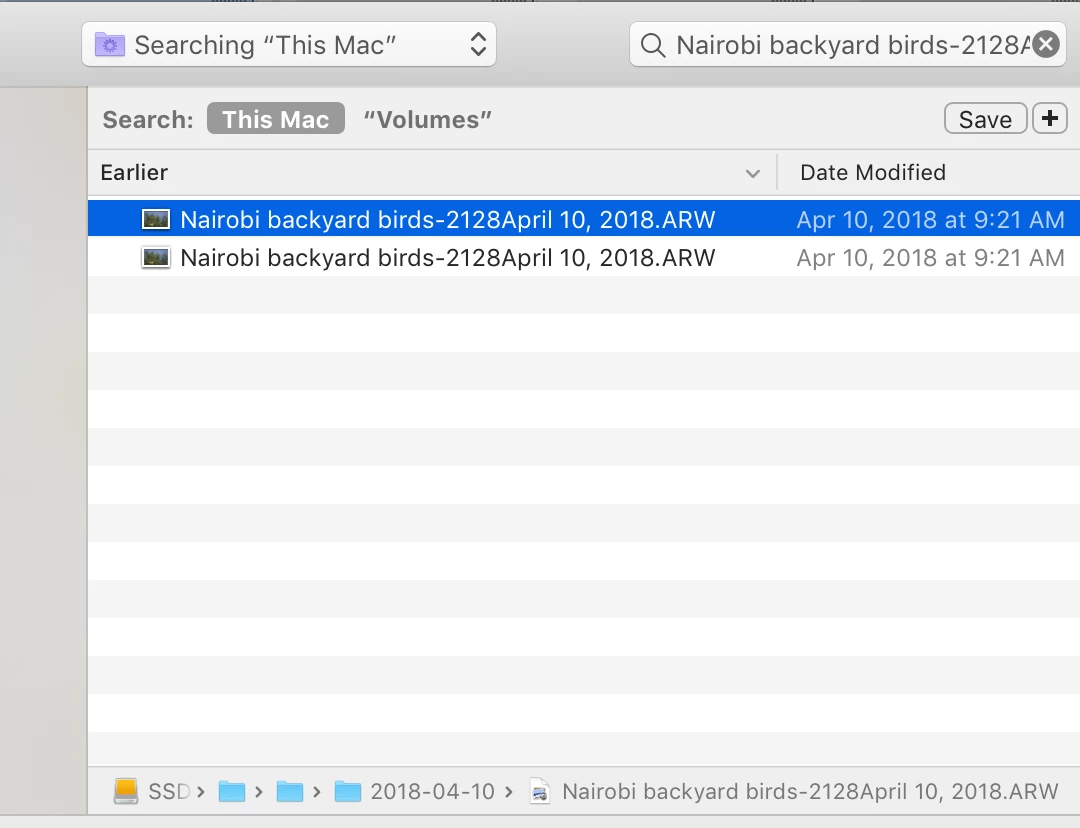
But in several instances in my current catalogue, the search returns everything BUT the file I'm seeking. If I'm looking for #405, it'll return 402,403,404, 406 etc.
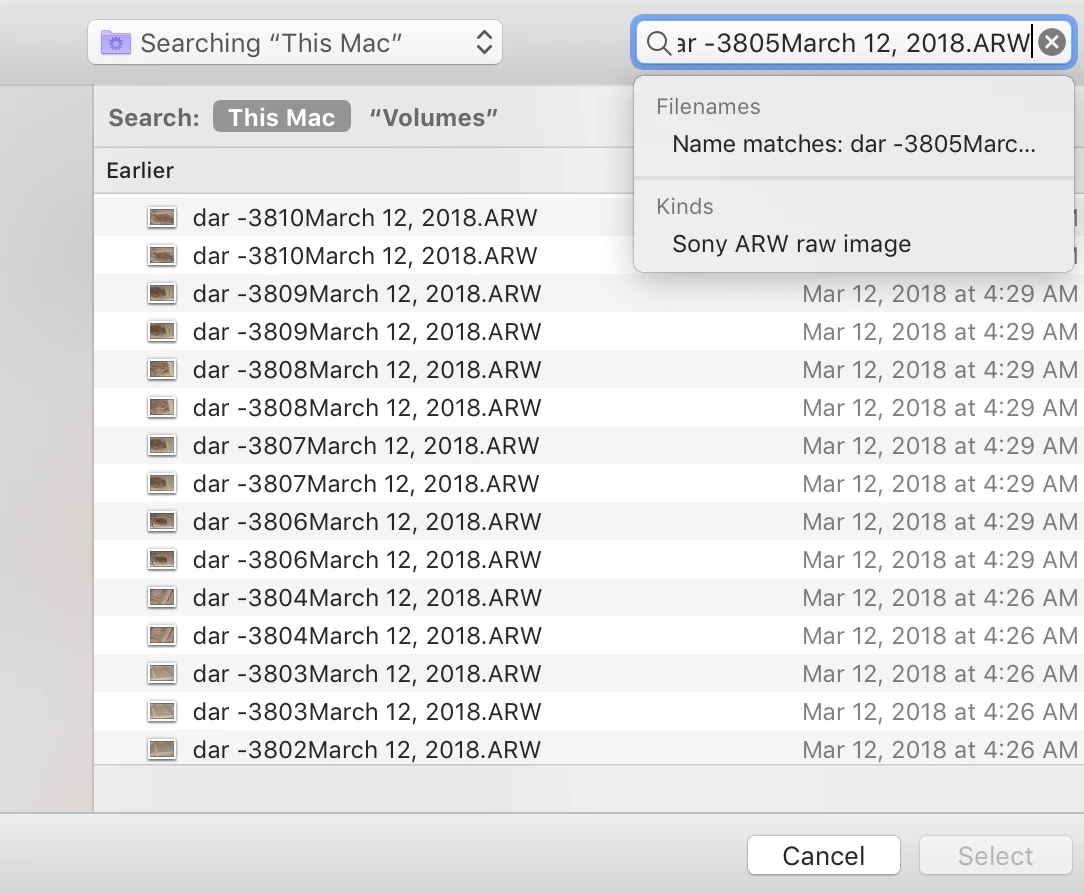
Any thoughts?

Thanks!

This topic has been closed for replies.
Correct answer GoldingD

How many image files do you have? That file name scheme is just begging for problems.

First off  while LR will accept blank spaces, it is not good practice. It can cause issues in older applications, older browsers. Not worth the trouble. Use _ instead.

Next up, use of a - (dash) is not uncommon, and Lightroom includes some name gem plants with it. BUT, the combination of a space then a dash leads to this search issue. Avoid the space/dash combination, and actually consider a underscore (_) instead (Without a space)

Use of a , (Comma)  I Would have thought LR would have prevented.  Avoid that use.

For a name context including date use a syntax more like YYYYMMDD, or even YYYYMMDD_hhmmss. Europe vs U.S might switch the order around, except that the above sorts better. Yes you can include additional info in the name. Note that if an image or more are clicked within the same second (ss) LR will just add a sequence number to differentiate.

I have no idea what dar represents, or 3810 (etc), hmm, interesting, duplicate entries, or one image on two locations,over and over.

3 replies

GoldingD
Legend
March 30, 2019

If you decide to rename your images, please remember to do so in Lightroom, not outside of Lightroom

Julieanne Kost's Blog | How and When to Rename Files in Lightroom

https://lightroomkillertips.com/10605-2/

Participant
March 30, 2019

Thank you.

GoldingD
GoldingDCorrect answer
Legend
March 30, 2019

How many image files do you have? That file name scheme is just begging for problems.

First off  while LR will accept blank spaces, it is not good practice. It can cause issues in older applications, older browsers. Not worth the trouble. Use _ instead.

Next up, use of a - (dash) is not uncommon, and Lightroom includes some name gem plants with it. BUT, the combination of a space then a dash leads to this search issue. Avoid the space/dash combination, and actually consider a underscore (_) instead (Without a space)

Use of a , (Comma)  I Would have thought LR would have prevented.  Avoid that use.

For a name context including date use a syntax more like YYYYMMDD, or even YYYYMMDD_hhmmss. Europe vs U.S might switch the order around, except that the above sorts better. Yes you can include additional info in the name. Note that if an image or more are clicked within the same second (ss) LR will just add a sequence number to differentiate.

I have no idea what dar represents, or 3810 (etc), hmm, interesting, duplicate entries, or one image on two locations,over and over.

Participant
March 30, 2019

Excellent answer. Thanks. All told there are about 60 thousand files, but only certain ones have been behaving this way, and I bet it's because of the name issue.

So, there are no duplicate files, only duplicate locations. DAR is for Dar Es Salaam. There seem to be duplicates because the hard drive search is searching two different drives.

This was my first big foray into Lightroom. Thanks for that info.

JP Hess
Inspiring
March 30, 2019

I don't fully understand your question. If the catalog is referring to the file that is on drive B, and that drive is not connected, what are you expecting Lightroom to do? Lightroom wouldn't know about the other copy because, from what you have indicated, it isn't in a catalog. It's just a file being stored on your drive A. Perhaps I'm missing the point. If so, I apologize.

Participant
March 30, 2019

Apologies. I gave you extraneous information.

What's important is the dialogue box to reattach. Normally it finds files wherever they may be (or returns no results) but what it shouldn't be doing is delivering results which are precisely NOT what I'm searching for.

JP Hess
Inspiring
March 30, 2019

I hope someone else will understand your dilemma and can answer your question. First of all, I'm not a Mac user. Never have been, never will be. And secondly, I'm not following your problem. Hopefully, someone else will understand. I apologize.