
Participant
November 16, 2018
Answered

Can't edit the photos on Photoshop if I use "Open as Layers in Photoshop" option

  • November 16, 2018
  • 3 replies
  • 4162 views

Hi,

I'm using the latest versions of Lightroom Classic CC and Photoshop CC on Windows 10 1809 with the latest updates (from november).

When I select 2 raw files (NEF files from a Nikon D810, to focus stack on Photoshop) and use the "Open as Layers in Photoshop" option, the 2 files open in Photoshop as layers but most of the menus are grey out. I can't select the "Auto-align Layers" nor most of the options...
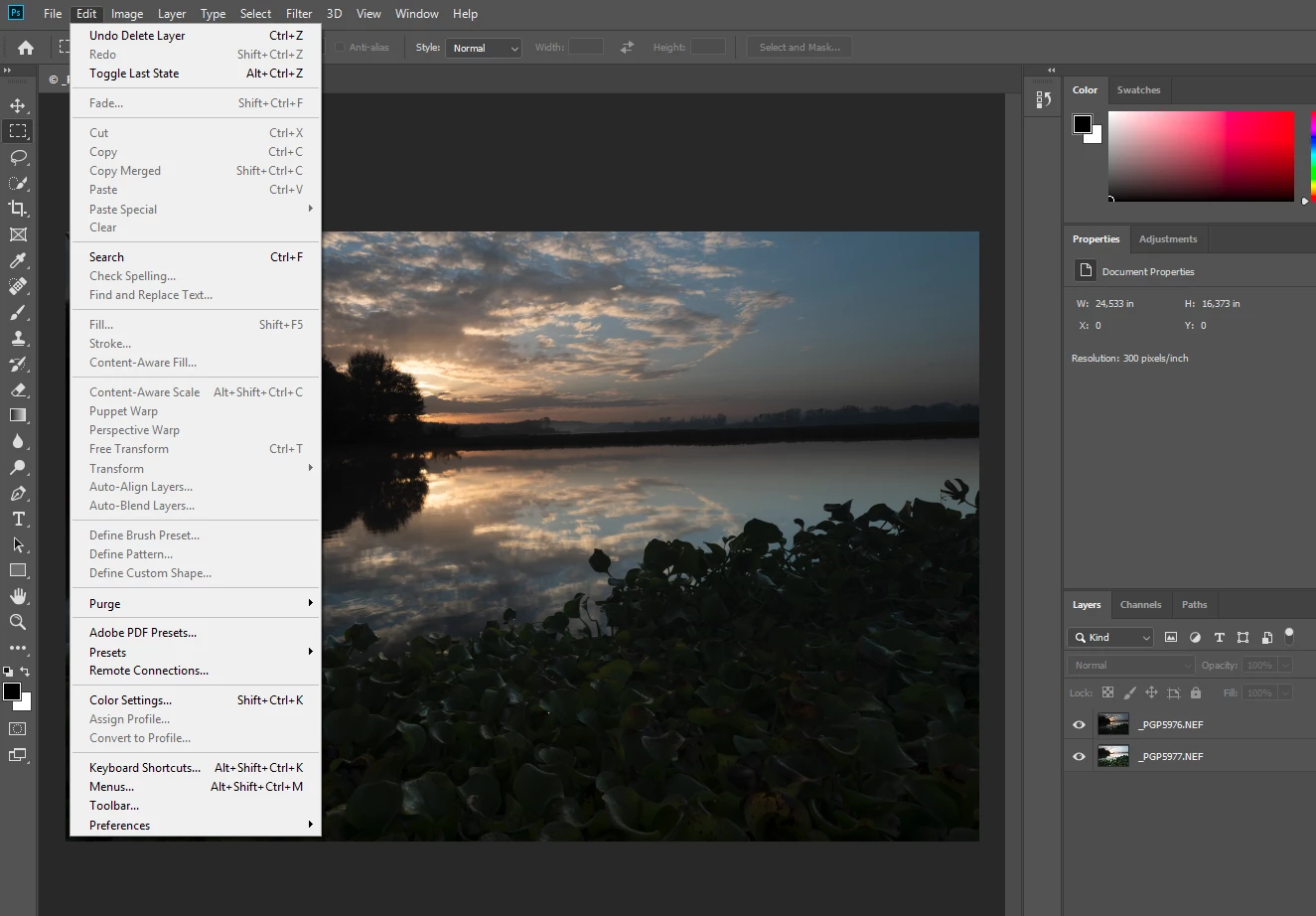
Also, If I select one single layer, I also can't duplicate that layer and most of the options are also grey out:
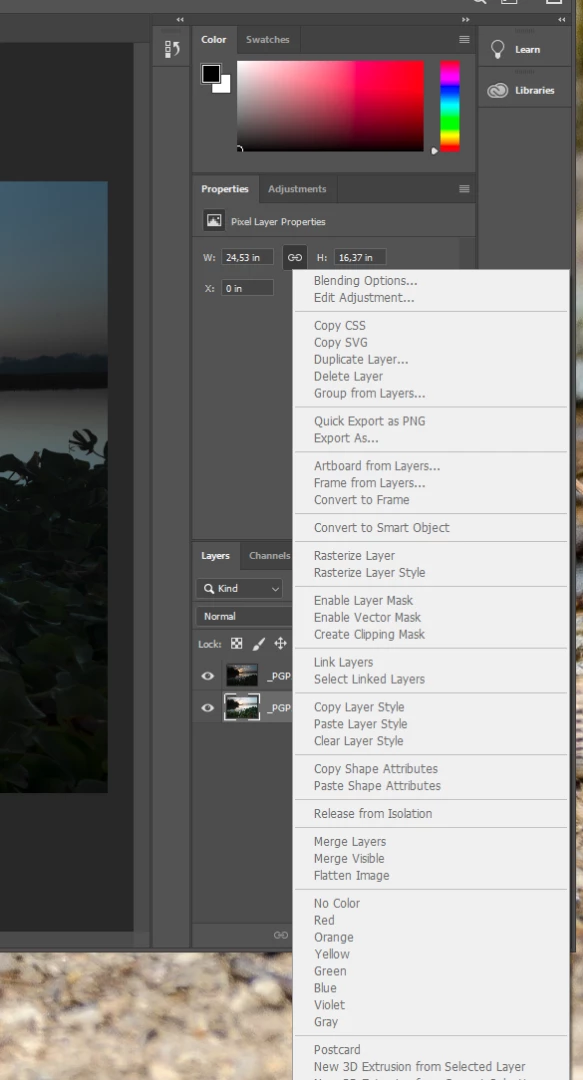
I've already tried to uninstall Photoshop CC and installed it again, but still have the same behavior. But this used to work flawlessly in the past. Any ideas?!?

Please help!

Best regards,

Pedro

    This topic has been closed for replies.
    Correct answer GoldingD

    Great timing on your inquiry. This subject has just shown up in other inquiries and an answer exists.

    NOTE: this is from a member not from Adobe, members of this forum are not techs at Adobe.

    Turns out a (now) known bug in the latest PS exists. If you launch PS from within LR (as in edit in Photoshop or what you are doing) then PS does not launch correctly, you get this result. Look for a fix coming from Adobe (do not have a clue as to when)

    IN THE MEANTIME, a workaround.

    before having LR launch PS, go and start PS, then have LR send the file over to PS.

    I have no idea if you need to start PS before starting LR, or just start PS after starting LR but before passing an edit from LR to PS.

    3 replies

    GoldingD
    Legend
    January 16, 2019

    Well, today Adobe has updated PS, looks like it fixes the LR to PS issue

    Fixed issues in Adobe Photoshop CC

    Participant
    December 6, 2018

    There should be a message that pops up letting people know this information. I just wasted two hours of my life trying to figure out what was wrong.  

    GoldingD
    GoldingDCorrect answer
    Legend
    November 16, 2018

    Great timing on your inquiry. This subject has just shown up in other inquiries and an answer exists.

    NOTE: this is from a member not from Adobe, members of this forum are not techs at Adobe.

    Turns out a (now) known bug in the latest PS exists. If you launch PS from within LR (as in edit in Photoshop or what you are doing) then PS does not launch correctly, you get this result. Look for a fix coming from Adobe (do not have a clue as to when)

    IN THE MEANTIME, a workaround.

    before having LR launch PS, go and start PS, then have LR send the file over to PS.

    I have no idea if you need to start PS before starting LR, or just start PS after starting LR but before passing an edit from LR to PS.

    SoleteAuthor
    Participant
    November 16, 2018

    Many thanks David! The workaround is working fine!

    In the meantime, I also found this official answer from Adobe.