Participant
January 15, 2021
Answered

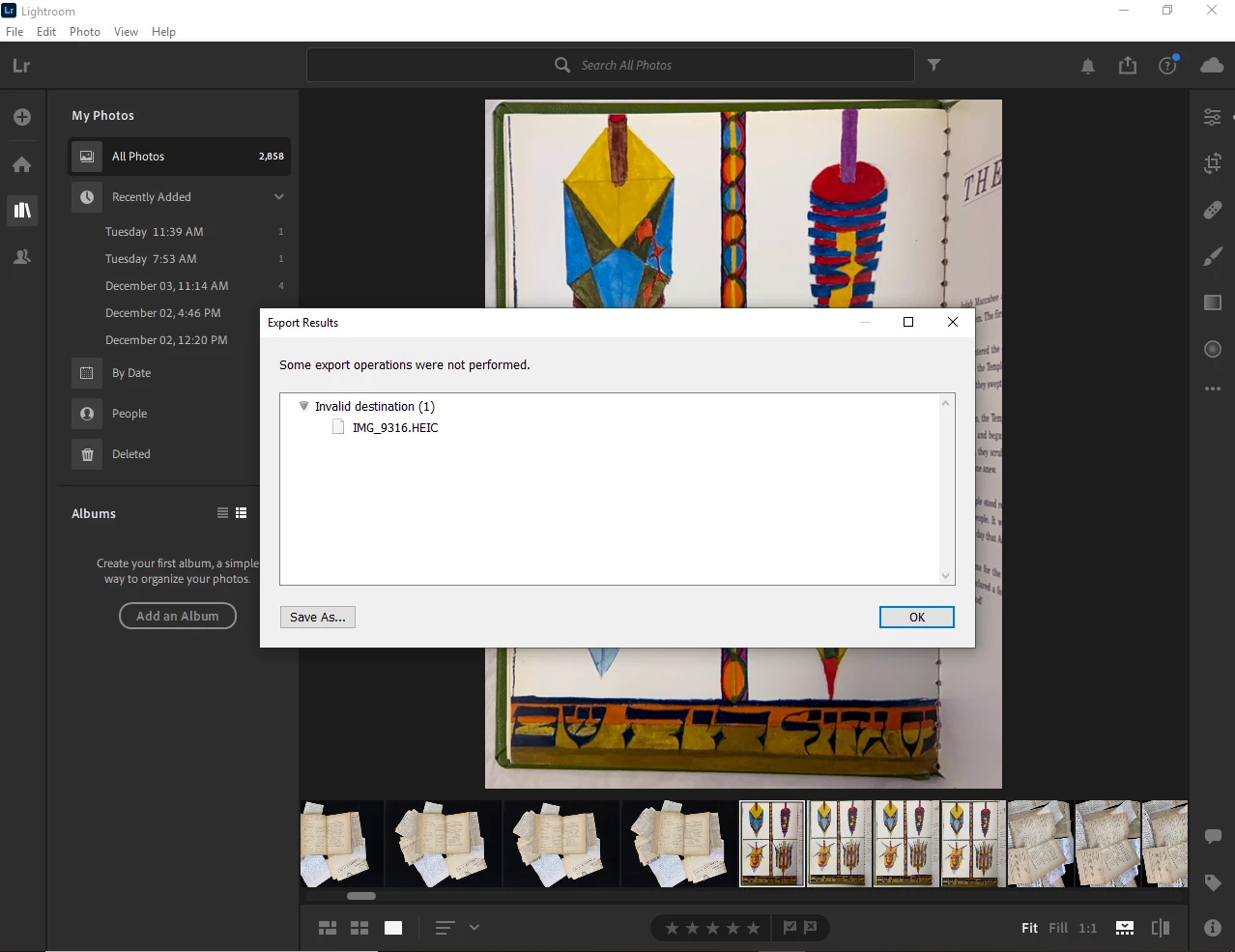
Can't export with Lightroom

  • January 15, 2021
  • 2 replies
  • 598 views

I work in IT and I've got a user that does a lot of work with Adobe Lightroom. They are running into an error when they run the export function. They are trying to export to a Shared Network drive but they get an error that says, "Some export operations were not performed. Invalid Destination". The export will work for a couple weeks and then the user will start getting this error message. The only work around we've found so far is to create a new folder adjacent in the same location. That will work for a while and then the error again. 


The user is able to export locally to the machine and so far has not received this error from exporting locally. The user has full control rights to the Network folder. We have tried disabling the anti virus. 


Any ideas?


This topic has been closed for replies.
Correct answer dj_paige

You are in the wrong forum. This is the Lightroom Classic forum, you want the Lightroom forum.


Probably the user has specified a destination folder that doesn't exist or doesn't have write permission.

2 replies

josephlavine
Community Expert
Community Expert
January 16, 2021

This sounds like a "write" permission issue with the destination.

warmly/j

dj_paige
dj_paigeCorrect answer
Legend
January 15, 2021

You are in the wrong forum. This is the Lightroom Classic forum, you want the Lightroom forum.


Probably the user has specified a destination folder that doesn't exist or doesn't have write permission.

John5CF7Author
Participant
January 15, 2021

Thanks and sorry, reposted in the Lightroom forum.