sea-gal
Known Participant
August 30, 2022
Question

Can't install most recent update.

  • August 30, 2022
  • 2 replies
  • 183 views

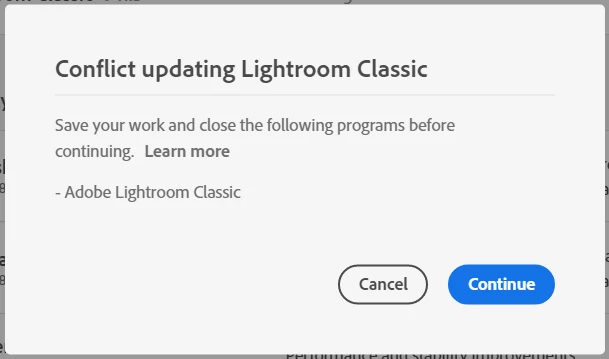
I have tried to install the most recent update to LrC (v 11.5), but I get an error message that says I must save my work and close LrC. It is closed.  What now? 
 

This topic has been closed for replies.

2 replies

DdeGannes
Community Expert
Community Expert
August 30, 2022

You stated. “ It is closed.  What now? ”

If you keep getting that message after shutting down your computer and rebooting then there may be a LOCK file present in the folder where your Catalog is located. You will need to delete that lock file it will have the same name as your Catalog with the .lock extension.

The lock file may have remained in place if Lightroom did not shut down properly.


Regards, Denis: iMac 27” mid-2015, macOS 11.7.10 Big Sur; 2TB SSD, 24 GB Ram, GPU 2 GB; LrC 12.5,; Lr 6.5, PS 24.7,; ACR 15.5,; (also Laptop Win 11, ver 24H2, LrC 15.0.1, PS 27.0; ) Camera Oly OM-D E-M1.
JohanElzenga
Community Expert
Community Expert
August 30, 2022

Do as the dialog tells you. You must update from the Creative Cloud app, and indeed Lightroom Classic must not be running because it can't be updated if it is running.


-- Johan W. Elzenga
