
Matt & Nat Photos
Participant
August 10, 2019
Answered

Can't Modify or Remove User Preset Lightroom 8.3.1

  • August 10, 2019
  • 1 reply
  • 787 views

Hi There,

I'm using LR Classic 8.3.1 Camera Raw 11.3 on a macOS Mojave 10.14.6

I'm having an issue with my user presets, not sure when it started but I tried to update with current settings on one of my presets and I only had the following options (add to favorites or apply on import as shown in the screenshot below).
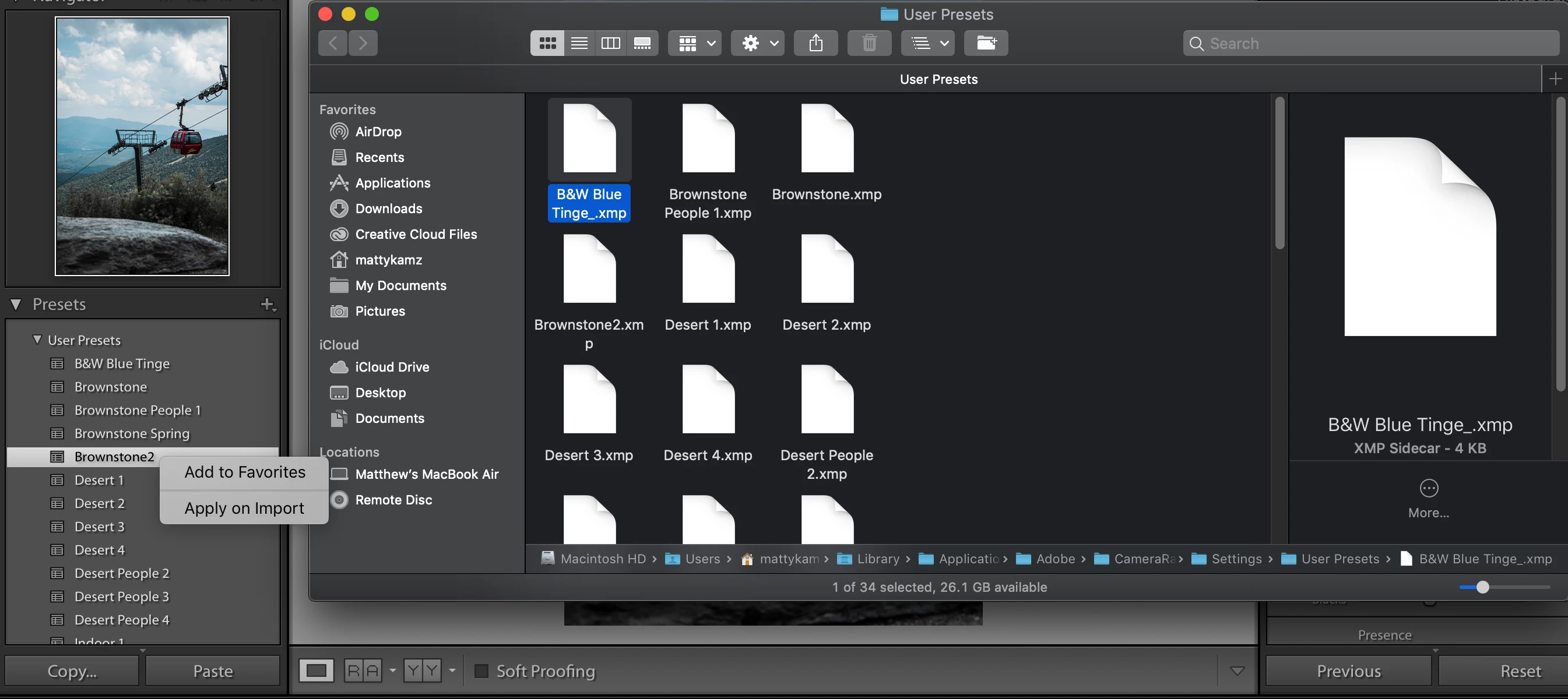
It looks like my presets are all in the right folder, so i'm not sure why i'm getting this issue.  Now when I create a new preset, everything looks normal, but then that leaves me with the issue of deleting the old presets which lightroom won't give me the option to do.  Even deleting the old preset from the finder won't get rid of it in lightroom after a restart.  Have you guys ever seen this issue?

This topic has been closed for replies.
Correct answer johnrellis

You likely have copies of your presets stored in /Library/Application Support/Adobe/CameraRaw/Settings or a subfolder of that folder. LR loads presets from that folder first before loading from /Users/user/Library/... It considers presets stored in /Library as built-in and won't let you update or delete them.

1 reply

johnrellis
johnrellisCorrect answer
Legend
August 10, 2019

You likely have copies of your presets stored in /Library/Application Support/Adobe/CameraRaw/Settings or a subfolder of that folder. LR loads presets from that folder first before loading from /Users/user/Library/... It considers presets stored in /Library as built-in and won't let you update or delete them.

Matt & Nat Photos
Participant
August 11, 2019

Wow that worked I went in there and deleted my presets out of that folder, now my presets are all editable, you're the man.Tthank you!  #John4MVP

johnrellis
Legend
August 11, 2019

Glad you got it resolved.