


Inspiring
May 25, 2025
Answered

Can't Open Lightroom Classic as it encounters problems trying to update format of catalog

  • May 25, 2025
  • 2 replies
  • 325 views

Can't use lightroom classic as can't access catalog.  I am getting the following error message:
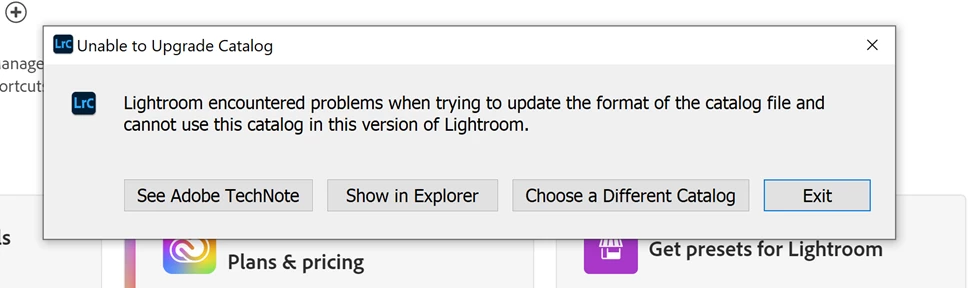
On windows 10.  All software including lightroom classic appears current and updated.  Tech note does not appear to relate to my issue and did not resolve the problem

Correct answer Kimsd1

I think I solved my problem but I don't know how or why it works.  I started opending catalogs directly from the catalog files on my hard drive without opening the software first and found one that had my latest edits.  I closed file and then went to software and it opened directly to the proper catalog.  I happens to be a 2-2-V13 whatever that means.  Thanks again for your time to respond.

2 replies

GoldingD
Legend
May 26, 2025
  1. What exact version of LrC do you have? This was a bug way way back at v8.4 for some users.
  2. And what exact version are you upgrading from? Users upgrading from v6.14 may be having this issue.


Kimsd1Author
Inspiring
May 26, 2025

Thank you for responding.  I am using classic in creative cloud and my last update was 15 days ago so it is V14.3.1.   I think my catalog file might be corrupted for some reason?


kglad
Community Expert
Community Expert
May 26, 2025

in the future, to find the best place to post your message, use the list here, https://community.adobe.com/

p.s. i don't think the adobe website, and forums in particular, are easy to navigate, so don't spend a lot of time searching that forum list. do your best and we'll move the post (like this one has already been moved) if it helps you get responses.


<"moved from cc desktop bugs">
Kimsd1Author
Inspiring
May 26, 2025

Thank you for the help