
Participant
January 16, 2024
Answered

Can't synch collection in LR Classic

  • January 16, 2024
  • 2 replies
  • 529 views

New (returning) very happy subscriber here!

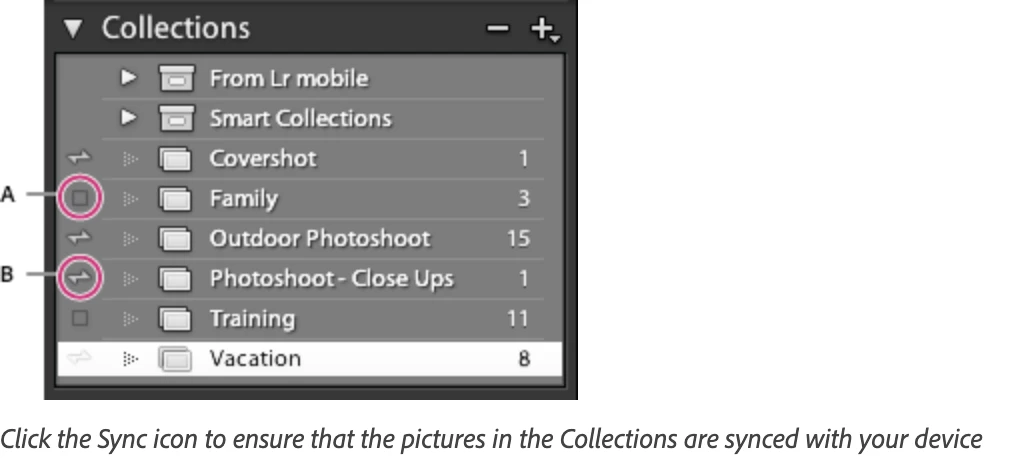
However, I cannot find how to synch a collection.  There is no option to click at the side of the Collection or an option to synch the collection when setting up the collection.  Can anyone help?  Is it because I am still in the trial period?  Just s thought.


Thank you
This topic has been closed for replies.
Correct answer cmgap

If you do not see a tick box to the left of the collection name then the feature is not available in trial. Sync needs to be turned on as well. You can check this in the Sync tab in the preferences although this is likely not available in the trial. https://helpx.adobe.com/lightroom-classic/help/lightroom-mobile-desktop-features.html


2 replies

dj_paige
Legend
January 17, 2024

Trial period has nothing to do with this. Yes, you can sync during the trial period.


You are allowed to only sync from one catalog, have you created more than 1 catalog?


You can only sync regular collections, not smart collections or collection sets. Are you trying to sync a smart collection or a collection set?

David_bAuthor
Participant
January 17, 2024

Thanks both of you for replying so quickly.

You're right- it has nothing to do with the trial period. It is my error in not turning synch on. I looked at synch but didn't turn it on because I thought it was going to synch the catalog, not a single collection!  My mistake!

Thanks again. Very helpful!

cmgap
Community Expert
cmgapCommunity ExpertCorrect answer
Community Expert
January 17, 2024

If you do not see a tick box to the left of the collection name then the feature is not available in trial. Sync needs to be turned on as well. You can check this in the Sync tab in the preferences although this is likely not available in the trial. https://helpx.adobe.com/lightroom-classic/help/lightroom-mobile-desktop-features.html


David_bAuthor
Participant
January 17, 2024

Thanks for your help - it was my mistake in not turning synch on beforehand!

cmgap
Community Expert
Community Expert
January 17, 2024


Thank you for confirming that. Hopefully it will help someone else also in the trial period. Glad that you are a very happy subscriber!