Participant
May 27, 2021
Question

Can't use brushes after applying a preset on an image in Lightroom Classic 10.2 on Windows 10

  • May 27, 2021
  • 1 reply
  • 385 views

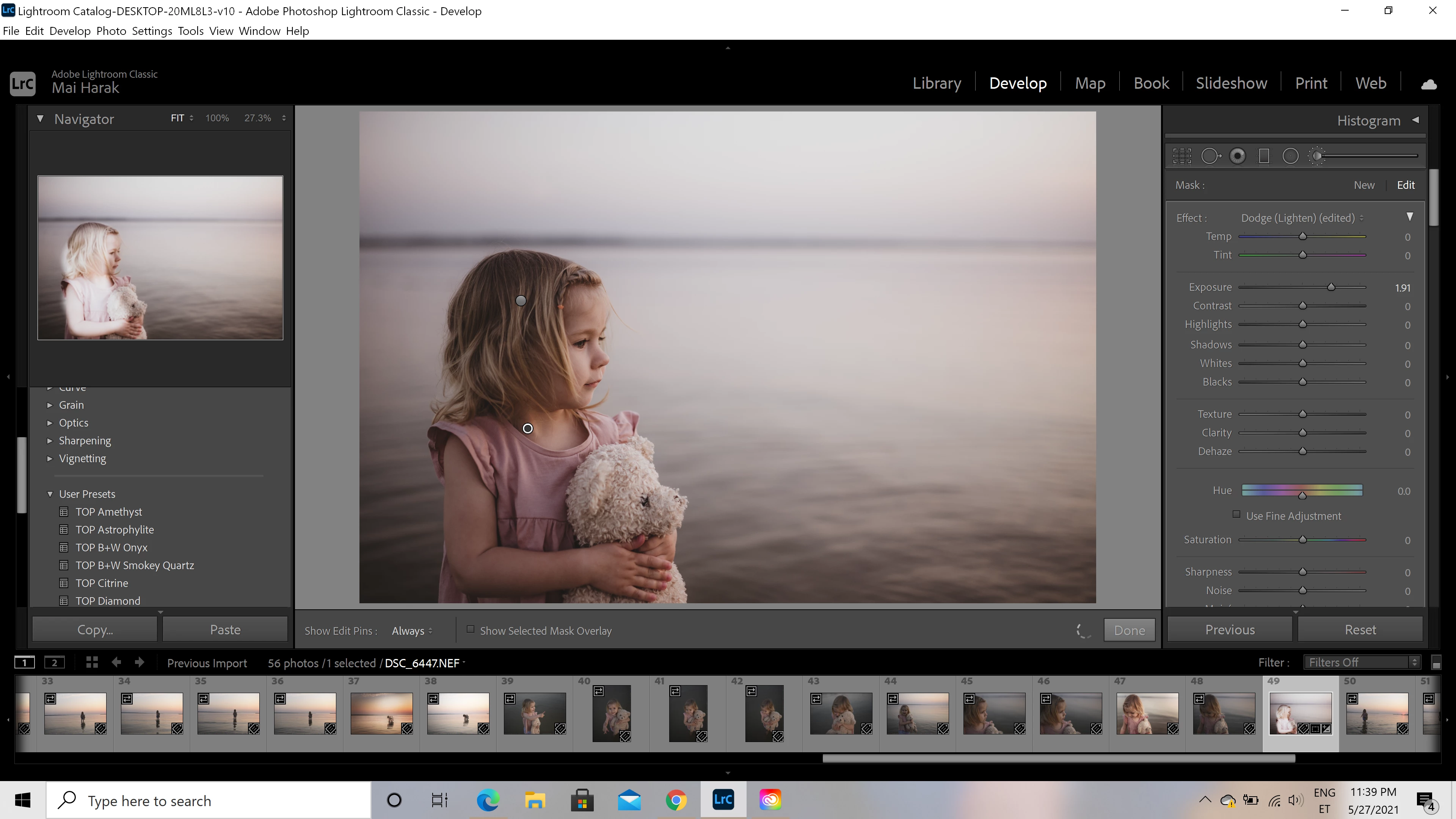
After updating lightroom classic I cannot use the brushes after applying a preset on it. I can see the adjustment on the navigator panel picture but nothing happens on the big picture. The big picture sort of crashes after applying the preset and using a brush and all other adjustments I make to the picture are not seen there too. I tried uninstalling and reinstalling lightroom classic.


{Thread title edited by moderator}

This topic has been closed for replies.

1 reply

nikunj.m
Legend
May 27, 2021

Hi,


We're sorry about trouble with Lightroom Classic. Would you mind telling us if this happens while using all the presets or a particular preset?


You can try disabling the option to Use Graphics Processor from Lightroom Classic by going to Preferences, then Performance. Once done, quit & relaunch Lightroom Classic to check if that helps.


If the issue persists, you can try to reset the preferences of Lightroom using the steps mentioned here: https://adobe.ly/2JSym5e


Let us know how it goes!

Regards,

Nikunj

Mai5EDFAuthor
Participant
May 28, 2021

It happened with all of the presets. But the presets are all the same type. I deleted the preferences manually but the issue still remained. But now I uninstalled the latest version and installed the lightroom 9.4 version and everything works with the old version.

nikunj.m
Legend
May 29, 2021

Thanks for the info & we're sorry that you had to roll back to the previous version for it to work. Did you try disabling the option to Use Graphics processor (as suggested) to check if that helps?


Regards,

Nikunj