jzhang172
Inspiring
October 14, 2020
Question

Can you change the HSL of an adjustment brush?

  • October 14, 2020
  • 1 reply
  • 122 views

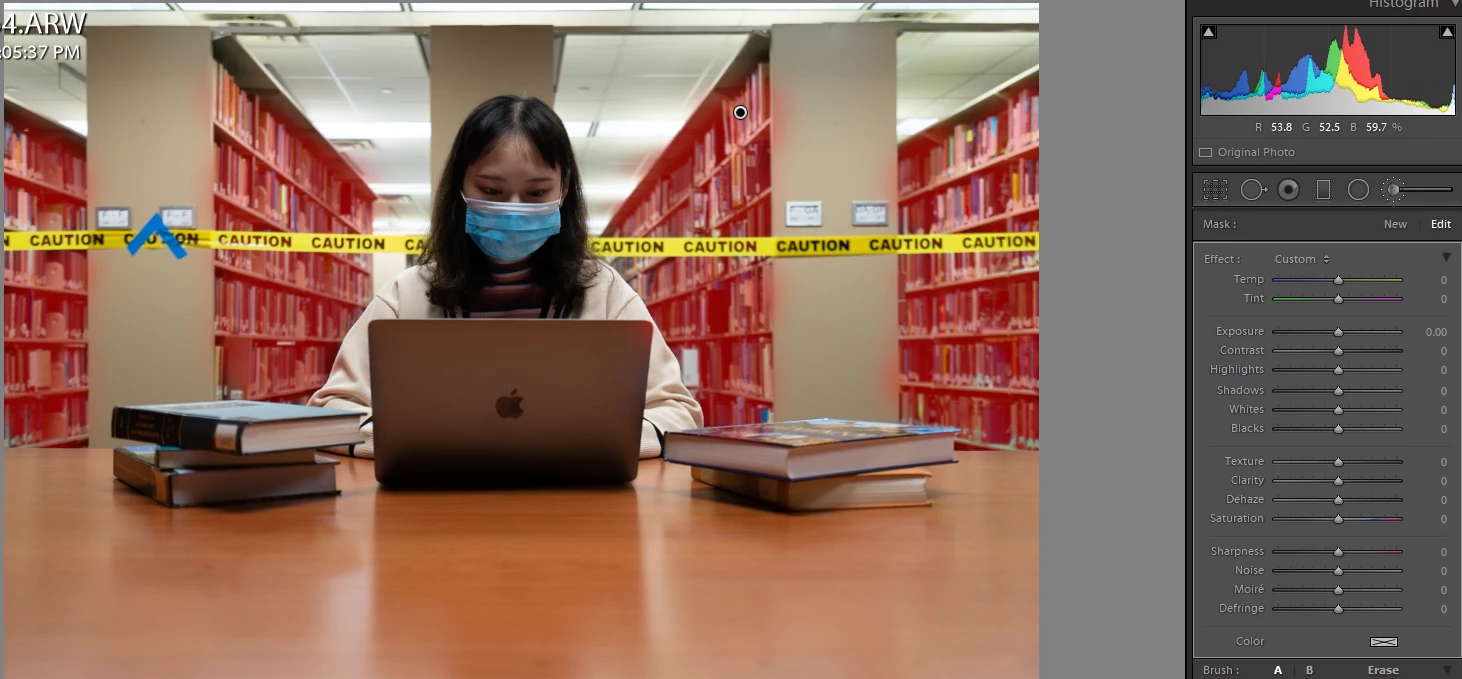
In my photo: 


I used the Adjustment brush to paint over a selection of my photo because I want to change the hue/luminance of the background but not affect the foreground subject.  Is it possible to do this in Lightroom?


{Moved from Lightroom Cloud to Lightroom Classic Forum by Moderator}

This topic has been closed for replies.

1 reply

Rob_Cullen
Community Expert
Community Expert
October 15, 2020

Yes. With the new 'Hue' slider!


I edited you screen-clip: selecting and Brushing the red overlay areas of book-shelves. Then simply moved the Hue slider.

So the Brush controls now have - Exposure (Luminance), Saturation, and Hue.


My 'Green' overlay-

The Hue, and Exposure changed-


Regards. My System: Windows-11, Lightroom-Classic 15.3, Photoshop 27.5, ACR 18.3, Lightroom 9.3, Lr-iOS 10.4.0, Bridge 16.0.3 .