
Participant
September 11, 2025
Question

Can you help? When using the HDR customisation button on an HDR screen images quality is worse

  • September 11, 2025
  • 3 replies
  • 94 views

Photography – HDR Lightroom problem.

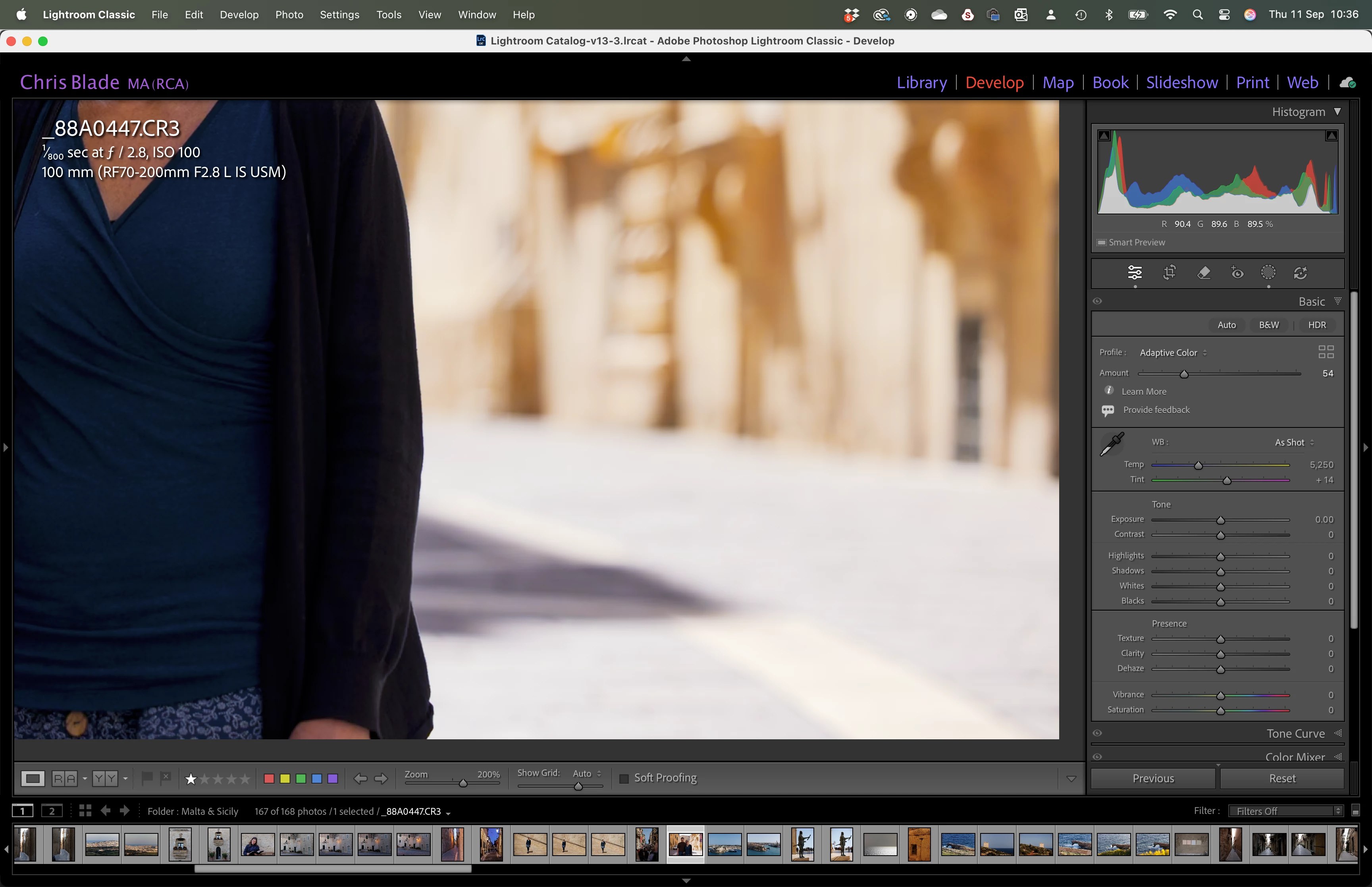
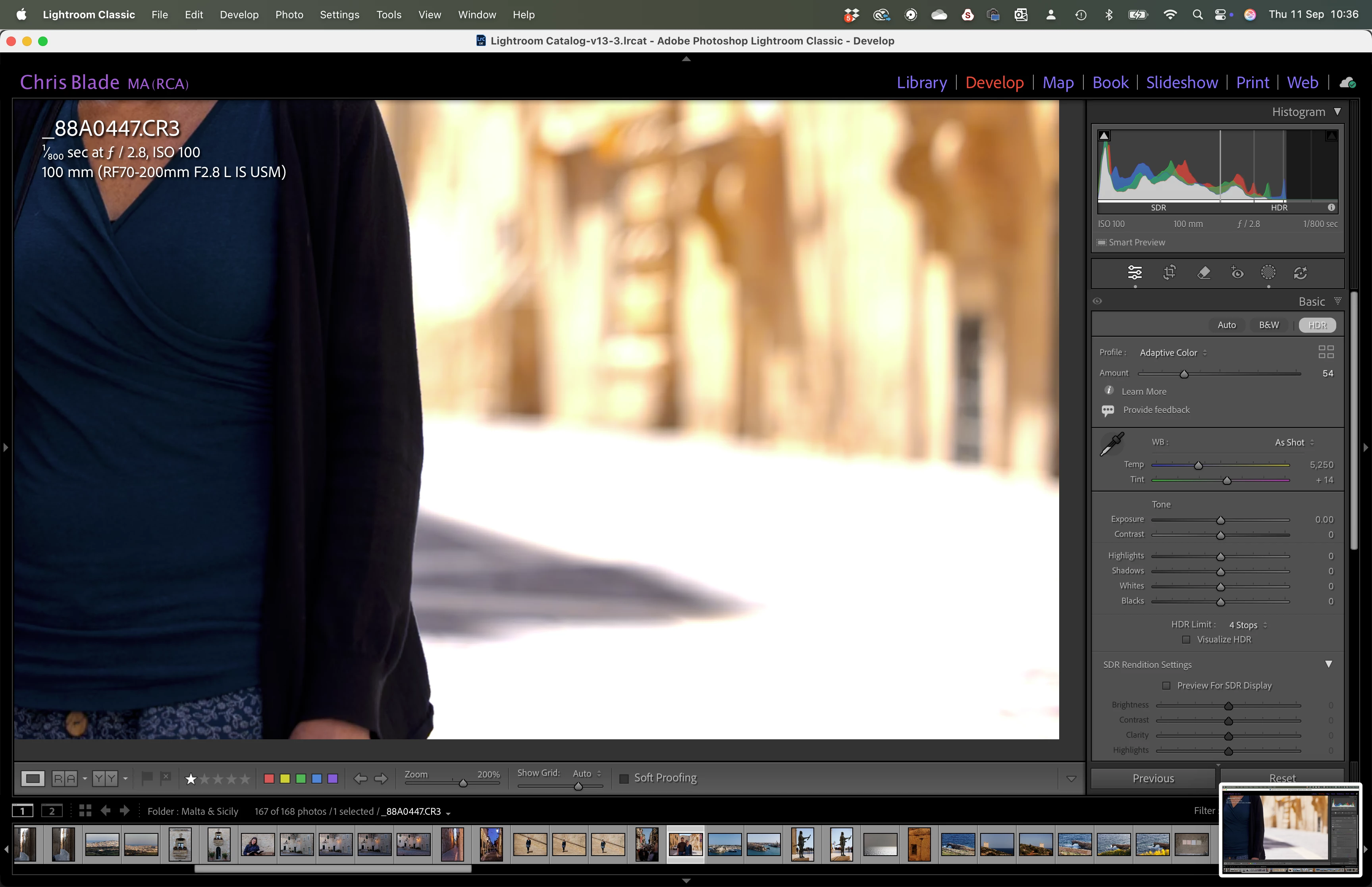
Clipping of highlights, over saturation & strange colours when in HDR mode even when in the Develop module. Images often have less detail in highlights when in HDR than in SDR.

All software up to date.


Configuration:

Computer:

16” M1 MacBook Pro – 2021

OS: Sequoia 15.6.1

Liquid Retina XDR Display

                  Set to default: 1728 x 1117

                  Preset: Apple XDR Display (P3 – 1600 nits)


(Creative Cloud)

Lightroom Classic 14.5.1

Preferences:

                  HDR Editing by default – enabled.


Adobe Photoshop 2025: 26.10.0

File Format: TIFF

Colour Space: Pro Photo RGB

Bit depth: 16

Resolution: 300dpi

Graphics Processor: Auto

GPU Preview Generation: Auto (have tried it turned off with no improvement)


Sample Images taken from 1:1 Smart Previews, with the compute disconnected from the hard drive with CR2 raw file originals

SDR IMAGE
HDR IMAGE
 

3 replies

Conrad_C
Community Expert
Community Expert
October 17, 2025
quote

…And has your monitor been color calibrated recently?

By @Aleke


FYI, calibration may not be necessary to troubleshoot this problem. The display is described as “Liquid Retina XDR Display” which is calibrated very differently than consumer-level displays, and also tends to not require much calibration because it remains accurate and stable over time. I have the 14" version of that same 2021 laptop and it hasn’t drifted significantly from its factory calibration over those years. Also, it’s set correctly for HDR editing because they said the current reference mode Preset is “Apple XDR Display (P3 – 1600 nits)”. But with HDR you can't rely on the preview alone anyway, so…


@Chris28846341sdj7 The challenge with the screen shots is that they are only 8 bits/channel SDR screen shots of high-bit HDR content, so it’s hard to see what’s going on in HDR by looking at SDR screen shots alone. That’s because I don't think macOS can take HDR screen shots yet. In Lightroom Classic you should be using the clipping indicators to evaluate whether any pixels are actually clipped in HDR, but in your screen shots the clipping indicators are disabled. When you enable them (choose View > Show Clipping, or press J, or click a clipping preview toggle box in the histogram), are the areas in question marked in yellow (which means clipped in SDR, but not clipped in HDR and within the HDR headroom of your display) or red (clipped in SDR and above the HDR headroom of your display)? Or are they unmarked (not even clipping in SDR)?


I’m not the most knowledgeable about this, but my reply is based on the info in the Adobe article High Dynamic Range Explained.

Community Manager
October 17, 2025

Hi @Chris28846341sdj7!

Just checking in to see if you're still running into that issue. Let me know when you get a chance!
Thanks so much,
Alek

*(If you mention me with an @, like @Aleke, I’ll get a notification and can respond faster.)*
Community Manager
September 11, 2025

Hi @Chris28846341sdj7, welcome to the community!

Sorry to hear you're running into issues with your HDR images. Just to help us get a better idea, does this happen with every photo you import? Do the exported images look the same? Are you seeing similar results in Photoshop too? And has your monitor been color calibrated recently?

Thanks so much for sharing more details!

Alek

*(If you mention me with an @, like @Aleke, I’ll get a notification and can respond faster.)*