Participant
February 2, 2020
Question

Cannot import HEIC files

  • February 2, 2020
  • 3 replies
  • 1179 views

----------------------------------------------------------------------------------

Lightroom Classic-Version: 9.1 [ 201911291132-64cf80b4 ]
Spracheinstellung: de
Betriebssystem: Windows 10 - Home Premium Edition
Version: 10.0.18362
Anwendungsarchitektur: x64
Systemarchitektur: x64

----------------------------------------------------------------------------------


Hello Community! 


[ FIY: I use Lightroom Classic in German language, therefore the screenshots are in german. I translated everything below the pcis.]


Lightroom Classic should support HEIC files since 2019. Unfortunatly it´s not working for me right now. When I try to import the files I get the following error during selection of the pics:

 

EN: Preview for this file is not available


When I try to import these files anyway I get a grey window with - for sure - no preview.
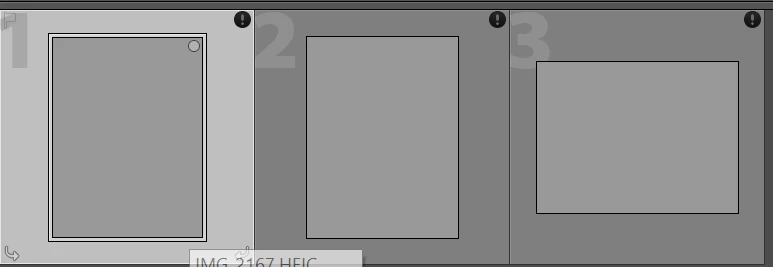


When I try to edit the photo I get the following error:

 

EN: An unknown error occured.


Do you have an idea what could be wrong? I really have no clue yet. 😞


Wishing you a nice day!

This topic has been closed for replies.

3 replies

Just Shoot Me
Legend
February 2, 2020

Can you upload a couple of them to someplace like DropBox and make them Public and post a link to download them. Then we can load them on our systems and take a look at what might be happening.

Just Shoot Me
Legend
February 2, 2020

As mentioned above more than likely those images with no preview in the import window and no preview after import and the error message you get while trying to edit them means they are corrupted in some way.


If they are still on your "i" device, phone/pad, can you call them up in whatever apple used as a gallery (image viewer) and can you copy them from the "i" device to a folder on your computer? Once copied can you view them in the Windows photo viewer or some other image viewing program and do they display properly?

Rob_Cullen
Community Expert
Community Expert
February 2, 2020

Thoughts-  (but not Mac experienced!!)

HEIC needs iOS 11 or higher.  https://helpx.adobe.com/au/lightroom-cc/kb/heic-files-support.html

My Windows-10 Home is at 10.0.18363  -Check for OS updates.

The Previews show an exclamation mark in a black circle which is an indication that the files are corrupt. Where are you importing from? Can you try copying files to the hard-drive and importing from there?

Regards. My System: Windows-11, Lightroom-Classic 15.3, Photoshop 27.5, ACR 18.3, Lightroom 9.3, Lr-iOS 10.4.0, Bridge 16.0.3 .