Participating Frequently
December 5, 2018
Question

Cannot import .MOV files any more

  • December 5, 2018
  • 4 replies
  • 4936 views

Both the previous version of LR and the newest version 8.0 will not import .MOV files. I have done it successfully many times in previous versions and this is a relatively new phenomenon.

In the Import panel there are no previews available and when I select a .MOV fie and try to import it I get an error message saying 'The movie file contains no video frames (1)'.
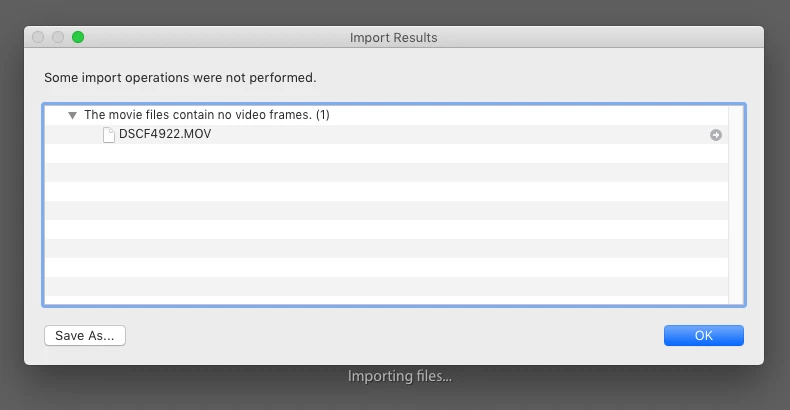
If I open the .MOV file in iMovie and save it as an .MP4 then I can import it into LR no problem.

Can anyone suggest why Lightroom isn't able to import .MOV files anymore?

iMac OS Mojave 10.14.1.

This topic has been closed for replies.

4 replies

A.esthe_
Participant
October 29, 2020

I'm having the exact same issue! Please help! I'm just trying to put out content. 😞

Participant
December 25, 2019

I have the same problem with .mov files.  renaming the extention to .mp4 does not work.  

johnrellis
Legend
December 5, 2018

'The movie file contains no video frames'.

A number of people have reported this bug, and Adobe has acknowledged it: Lightroom Classic: Can't Import Certain Videos, says "File Contains no Video Frames" | Photoshop Family Customer Communi… . Please add details of your issue to that bug report and copy the first ten lines from the menu command Help > System Info.  Be sure to click Me Too and Follow in the upper-right corner.  Please continue further discussion in the bug report rather than here, so important details are shared with everyone.

A workaround that has worked for some others is to rename the extension .mov to .mp4.  Include the results of that attempt in your post to the bug report.

robert f.m75346674
Participant
June 8, 2019

I am having the same issue.  Interestingly all the mp4 files I transferred in from my camera worked fine in lightroom.  The ones I took from my iPhone and converted to MP4 would not work even though all plays fine on any of 4 different video players I have on my system.  Just lightroom cannot see them and gives me the error

The movie files contain no video frames

Either this is a bug or there is some difference between MP4 formats.  I have compared the properties on all of them and find there is no difference in the properties of either those that work or those that do not.  Has to be something else going on here.

Bob

johnrellis
Legend
June 8, 2019

There's already a bug report open on the error message "File contains no video frames".  If you're seeing that error, then you should add details of your issue to the bug report, as described in the previous post: Re: Cannot import .MOV files any more . Adobe product developers are already engaged with that bug report, but they rarely participate in this forum and won't see your post.

Sahil.Chawla
Adobe Employee
Adobe Employee
December 5, 2018

Hi there,

Sorry to hear about the video importing issue with Lightroom, does it happen with other video formats aswell?

It seems like there might be a permissions issue, could you please let us know where are the videos stored?

Could you try copying a video to your desktop and then try importing it into Lightroom and see if it helps?

Regards,
Sahil

Participating Frequently
December 5, 2018

Thanks for the quick reply! I have only tested this with .MOV and .MP4 files. The .MP4 files import perfectly.

The .MOV files I’ve been trying import were in a folder on the desktop. I tried your suggestion and copied them to the desktop and they do indeed import from there!

Is there a way I can change the permissions to fix this?