

Question
Cannot open LR Catalogue (even after deleting .lock file)
I have a LRC catalogue that I can't open:
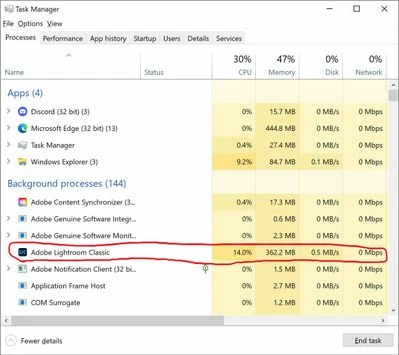
- When LRC is closed and I click on the catalogue to open it, LRC stalls and fails to open. In the Windows Task Manager, I can see that LRC is trying to open because it appears under Background Processes and allocates significant memory, but the program never opens.
- I can instead open LRC using a different catalogue. However, when I then try to switch to the problem catalogue (Lightroom Catalogue-2-v12.lrcat), I am notified that LRC is opening it but then it similarly stalls and fails to open.
 I am aware of the common issue where LRC doesn't close properly, and so the .lock file that was temporarily generated for the open catalogue doesn't get deleted, which then prevents the catalogue from being reopened until the .lock file is manually deleted. This is not my issue. LRC still stalls when I try to open the problem catalogue even after trash canning the associated .lock file. And since the program hangs up while opening that one catalogue, I have to use Windows Task Manager to shut down the program and a new .lock file is created.
- I can open and use LRC just fine with other catalogues. I can create and use new catalogues.
- I have updated LRC to the latest version.
- I am a vanilla user with no add-ons / plugins.
- I have reset my preferences.
- I have a Windows 10 machine.
Thanks in advance to anyone who can help me.


 AdChoices