aldii
Participant
August 12, 2017
Answered

cannot sign in to "sync with lightroom mobile"

  • August 12, 2017
  • 1 reply
  • 752 views

hi, i've been stuck for hours. i cannot log in to lightroom mobile via my lightroom cc on mac.

here's my version:

Lightroom version:  CC 2015 [1014445]

License: Creative Cloud

Operating system: Mac OS 10

Version: 10.12 [6]

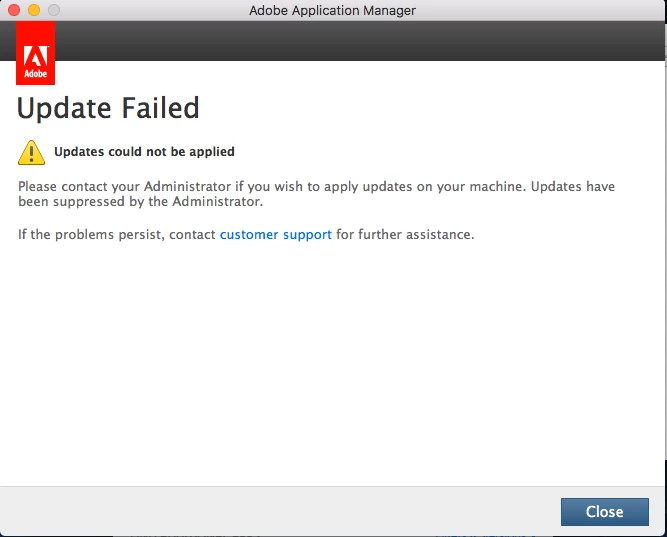
it looks like my lightroom version, is not up to date, right? itried updating manually, i tried to uninstal and reisntal both both creative cloud and lightroom cc over and over, i tried to remove the OPM.DB thing, still it didnt work, i tried everything that anyone suggested on any forums (or at least i searched on google) anyone please help? i need to sync my presets to my lightroom on my iphone. thank you.
This topic has been closed for replies.
Correct answer axmelissarios1

thanks for the heads up, but still didn't work, i download it again, and the updates, but it didnt work ,the updates won't installed.


Hi aldii​,

I looked up the email address you used for this Forums account and see that it has a Creative Cloud Photography plan associated with it. The screenshot you have looks to be some sort of team or institution license instead of a personal one. Are you sure you have signed into the Creative Cloud app and Lightroom with the correct email address?

Thanks,

Melissa

1 reply

F. McLion
Community Expert
Community Expert
August 12, 2017

Did you try to download the 2015.12 update directly and install it locally? Download Photoshop Lightroom

--- Got your issue resolved? Please label the response as 'Correct Answer' to help your fellow community members find a solution to similar problems. ---
aldii
aldiiAuthor
Participant
August 12, 2017

hi, the link you gave didnt show where th lighroom cc 2015.12. but i tried to download the lighroom not from creaive cloud ( from lightroom.adobe.com) and the installing stuck at 90%.

F. McLion
Community Expert
Community Expert
August 12, 2017

Not really hard to find, isn't it?

--- Got your issue resolved? Please label the response as 'Correct Answer' to help your fellow community members find a solution to similar problems. ---