Participant
May 30, 2022
Question

Cannot sign into Lightroom mobile via Windows desktop

  • May 30, 2022
  • 2 replies
  • 741 views

Hi,


I have the latest version of Lightroom CC. I am logged into my desktop and mobile with the same account. I have logged out and into my CC account again. Have restarted my pc. I have followed the solutions other people had in 2017 discussions with the same issue, but with no success. I still cannot sign into my Lightroom mobile via my windows desktop. I need help please.


Thank you.
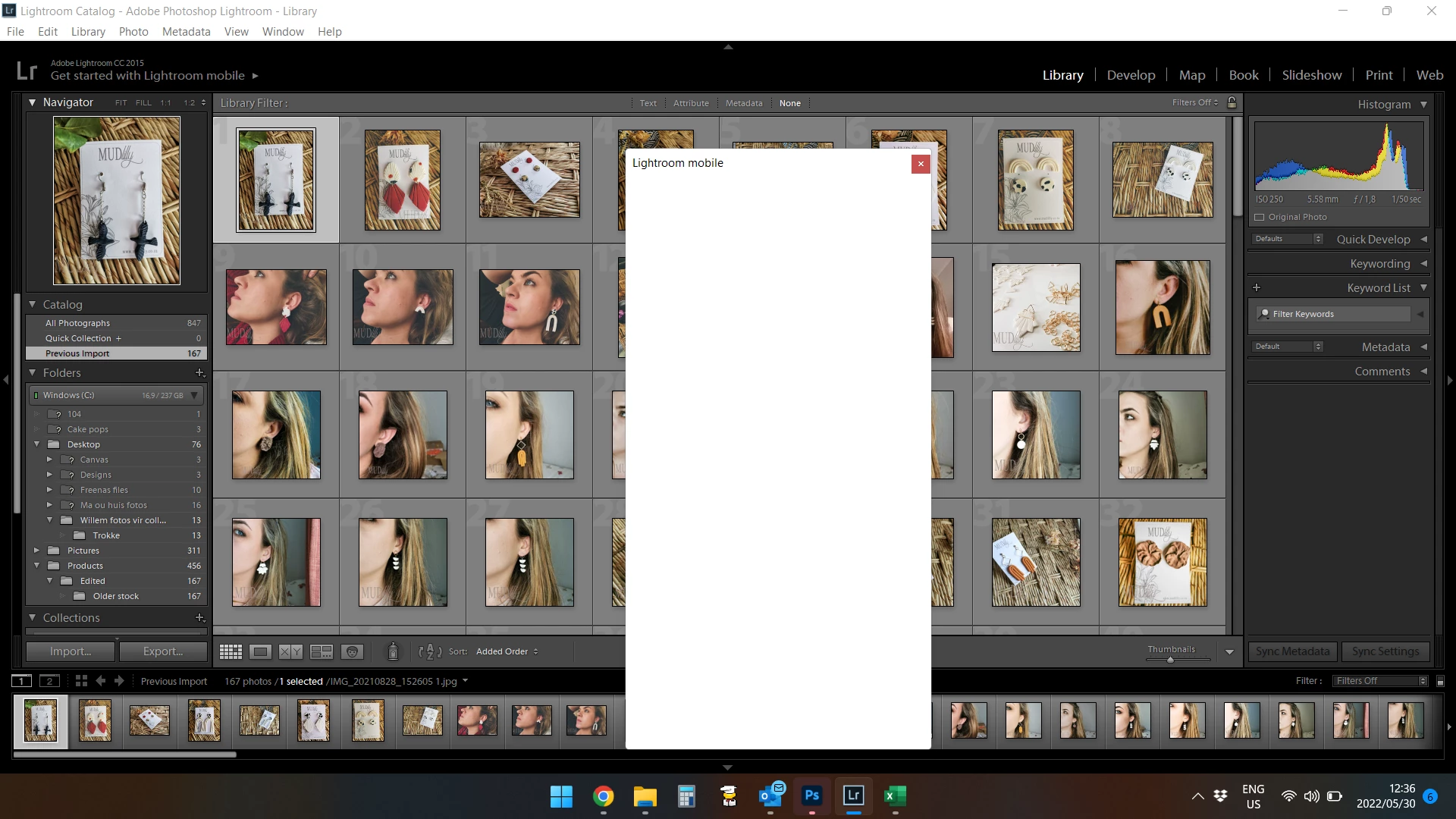
This topic has been closed for replies.

2 replies

Bob Somrak
Legend
May 31, 2022

Your are using Windows 8.  You will have to update Windows to use the latest version of Lightroom Classic.  I am a Mac user but I don't think Microsoft is offering updates to Windows 10 anymore and Windows 11 doesn't run on older machines.  

M4 Pro Mac Mini. 48GB
Participant
June 21, 2022

Thank you but it is not Windows 8. I have sent a print screen of my Windows version above that was already installed in March. I have Windows 11. Not sure why the system info shows windows 8. Thank you. The problem is solved.

GoldingD
Legend
May 30, 2022

Please post your System Information as Lightroom Classic (LrC) reports it. In LrC click on Help, then System Info, then Copy. Paste that information into a reply. Please present all information from first line down to and including Plug-in Info. Info after Plug-in info can be cut as that is just so much dead space to us non-Techs.

Participant
May 31, 2022

Lightroom version: CC 2015.1.1 [ 1032027 ]
License: Creative Cloud
Operating system: Windows 8.1 Business Edition
Version: 6.3 [9600]
Application architecture: x64
System architecture: x64
Logical processor count: 8
Processor speed: 1,9 GHz
Built-in memory: 16198,5 MB
Real memory available to Lightroom: 16198,5 MB
Real memory used by Lightroom: 347,3 MB (2,1%)
Virtual memory used by Lightroom: 283,5 MB
Memory cache size: 146,3 MB
Maximum thread count used by Camera Raw: 4
Camera Raw SIMD optimization: SSE2
System DPI setting: 120 DPI
Desktop composition enabled: Yes
Displays: 1) 1920x1080
Input types: Multitouch: No, Integrated touch: No, Integrated pen: No, External touch: No, External pen: No, Keyboard: No

Graphics Processor Info:
Intel(R) UHD Graphics 620

Check OpenGL support: Passed
Vendor: Intel
Version: 3.3.0 - Build 27.20.100.9749
Renderer: Intel(R) UHD Graphics 620
LanguageVersion: 3.30 - Build 27.20.100.9749


Application folder: C:\Program Files\Adobe\Adobe Lightroom
Library Path: C:\Users\melis\Pictures\Lightroom\Lightroom Catalog.lrcat
Settings Folder: C:\Users\melis\AppData\Roaming\Adobe\Lightroom